Editing view-related elements while working in Design Options is now more intuitive and consistent.
Sections, callouts, and elevations that have the Visible In Option parameter set to a specific option are now grayed out and selectable in a way that aligns with model elements in that option. For example:
- A section visible in a primary option is not selectable by default in the main model.
- It becomes selectable when the corresponding option is active.
- Main model sections remain selectable, except when working within secondary options.
- Section Boxes are always selectable, regardless of the active option.
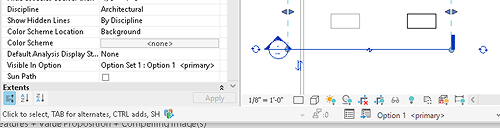
Active Only | Exclude Options Setting Persistence
The Active Only and Exclude Options settings now persist for the duration of the session.
- Each open document maintains its own setting.
- The setting applies across editing tools (such as Align and Trim/Extend).
- The checkboxes are visible in all editing tools.
This enhancement improves workflow flexibility and reduces repetitive setting adjustments.

See View Design Options.