VRED Library
Discover five new 3D environments in the VRED Library, each designed to showcase a vehicle at the center of the scene. These environments are fully optimized for Vulkan and raytracing and range in size from 700 MB to 2.5 GB.
In addition, every environment includes a camera with a set of predefined viewpoints. The VRED Library update is also available for anyone running VRED 2026.1 or 2026.2. These new environments include: Bridge, Desert, Minimal, Parking Deck, and Villa.
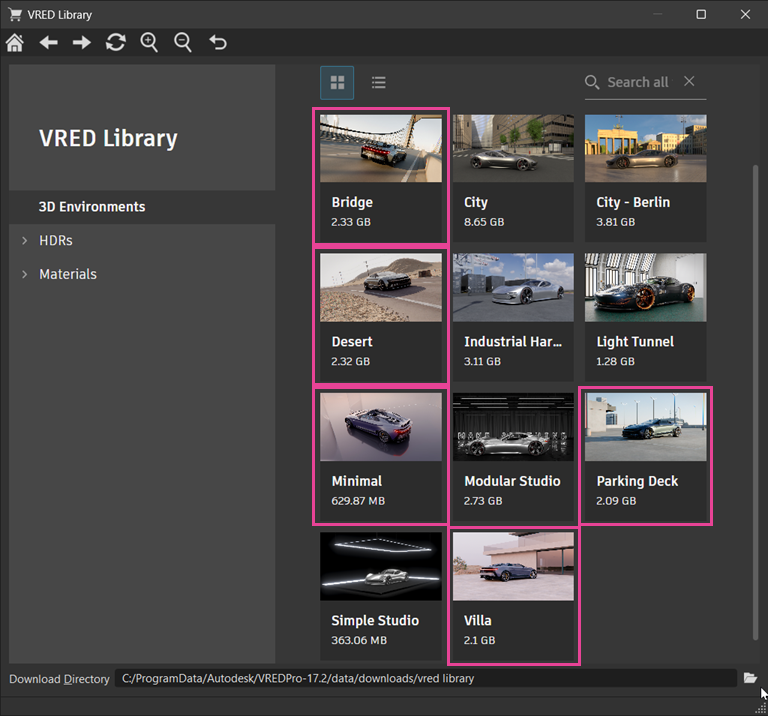
What You Need To Do
Start by selecting and downloading 3D environment assets from the VRED Library. Ensure you unpack the assets before adding them to the Asset Manager. From there, drag and drop them into your scene. See Using the VRED Library for step-by-step instructions.
After downloading the 3D environment assets, locate them in your download directory at:
C:\ProgramData\Autodesk\VREDPro-19.0\data\downloads\vred library.
Extract (unpack) the compressed files, then add this download path in Preferences under Scene > Asset Manager > Search Paths > Environment Paths. Once added, a new entry will appear in your Asset Manager under Environments, alongside your HDRI Dome environments. Alternatively, you can copy the unpacked environments directly into an existing environment directory.