The Create Node Polygon dialog allows you to create node polygon boundaries within selected polygons.
This dialog is displayed when you click the Create Node Polygon task in the Task Sequence editor.
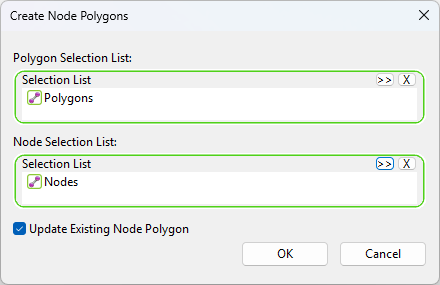
| Item | Description |
|---|---|
| Polygon Selection List |
Must contain a polygon selection list dragged here from a Selection List Group in the Model Group. |
| Nodes Selection List |
Can contain a node selection list dragged here from a Selection List Group in the Model Group. If a list is specified here, only the nodes in the selection list will be used when creating node polygon boundaries. If no node selection is specified, node polygons will be generated for all nodes within the selected polygons. Surrounding nodes outside of the selected polygon boundary will be used in addition to the nodes inside the polygon when creating node polygon boundaries. |
| Update Existing Node Polygons |
Select to update the boundaries of previously created node polygons. If not selected, it will only create ones where there is no node polygon. |