The Edit Task dialog allows you to add or edit a task in the Task Sequence editor.
This dialog is displayed when you click the Edit button, or double-click any task in the Task Sequence editor.
This dialog allows you to insert a supported object for a particular task, or edit a task in the current task sequence. Also, you can add or edit the name and comment for the selected task.
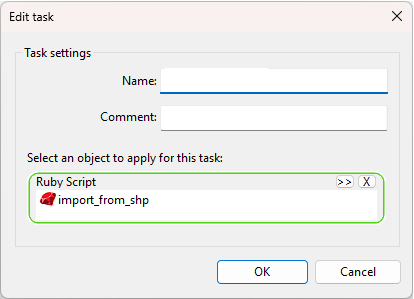
| Item | Description |
|---|---|
| Name | Allows you to specify the name that will be displayed in the Task Sequence editor. |
| Comment | Allows you to input a comment that will be displayed in the Task Sequence editor. |
| Select an object to apply for this task | Use drag and drop or the Browse button to add a supported object in the task sequence. |