A proxy server is a computer that sits between the Internet, and a computer connecting to the Internet.
- To download installation files - Proxy settings specified in the Settings dialog.
- To display the user Interface - Proxy settings specified in the Windows Control Panel (system proxy).
If the proxy specified in the Settings dialog is not correct, Autodesk Homedisplays an error when you check for updates. Ask your network administrator if your computer is behind a proxy server. If so, obtain the proxy settings from the network administrator and enter them in the Settings dialog.
If the system proxy is not set correctly, Autodesk Home is unable to download its user interface, and a screen similar to the one below is displayed.
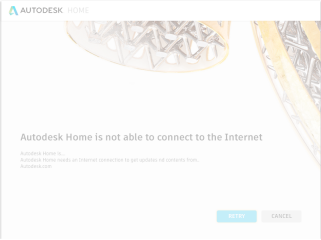
The same screen is displayed, if the system proxy or a firewall denies access to Autodesk servers. Verify your system proxy settings with your network administrator, and ensure that access to the following servers are permitted.
- *.akamaiedge.net
- *.amazonaws.com
- *.autocadws.com
- *.autodesk.com
- *.autodesk360.com
- *.cloudfront.net
- *.getsatisfaction.com
- *.google-analytics.com
- *.newrelic.com
- *.skyscraper.autodesk.com
- *.virtualearth.net