File Management
On the homepage, also known as the file manager, you can open, upload, manage, and download files, create new folders and drawings, and connect to cloud storage providers.
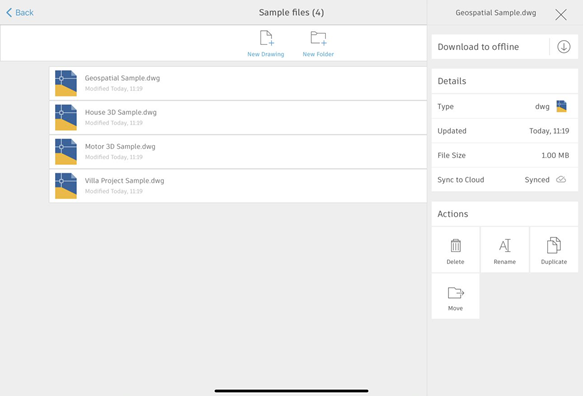
Create new drawing
Tap New Drawing  and choose one of two templates: Metric or Imperial.
The ability to customize these templates is not yet available.
Create new folder
Tap New Folder  Note: Creating new folders and some other file management options are only available when working with files saved to Web & Mobile cloud storage.
To rename or delete a file or folder
Tap Options  for the file or folder, then choose an action.
To move or duplicate a file
You can move or duplicate files that are saved to AutoCAD Web & Mobile could storage. Tap the Options button [icon] associated with the file, then choose an action. Files can be moved to folders within the AutoCAD Web & Mobile, and duplicate files are added to the same folder as the original file.
Download to Offline
Tap Options for the file, then at the top of the list of options choose Download to offline.