View Outgoing Bridge Details
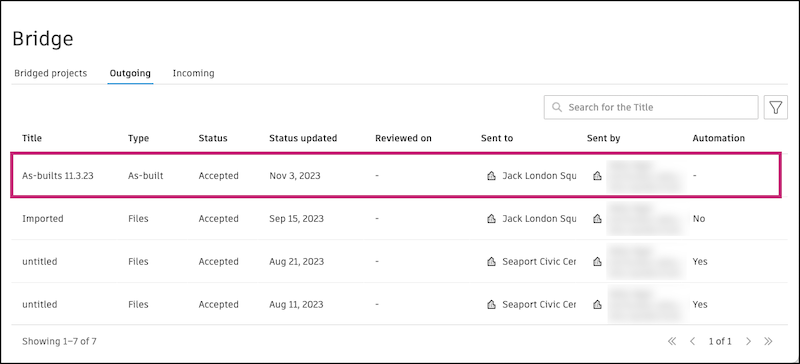
In the Outgoing tab of the Bridge tool, you can click into an instance to view what was shared, who it was shared with, and other details.
To start, click to open an instance in the Outgoing tab.
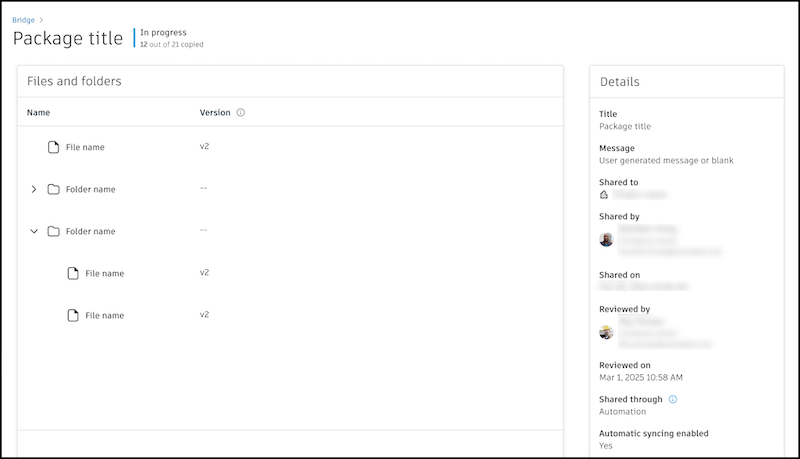
Review the items that were shared. On the left, you can see the items with information like name, verions, and more. On the right, you can see more granular details like the message that was shared, who shared it, and when it was shared.
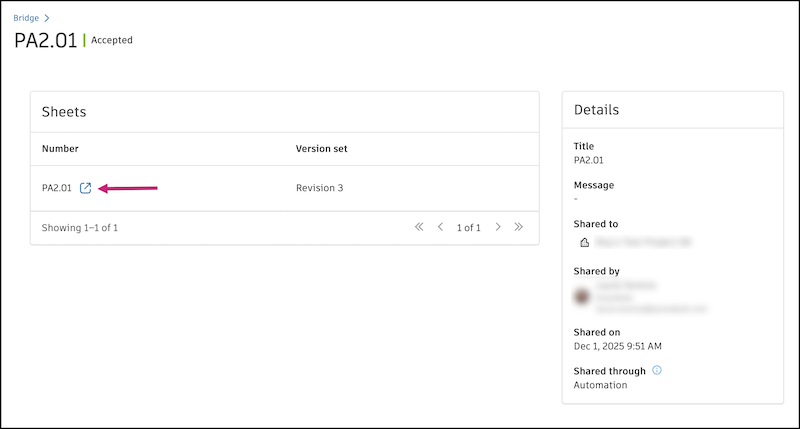
Hover over an item and click the Open icon  to open it in the corresponding tool in Autodesk Forma.
Check the status next to the title of the content.
- If the status is In progress, you will see a live count of how many items have successfully copied to the target project. For example, if you shared 21 items and 12 have been successfully sent so far, you will see "12 out of 21 copied".
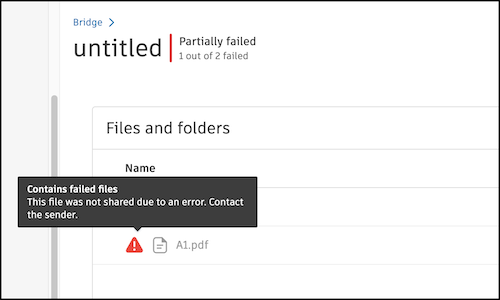
- If the status is Partially failed, you will see a count of how many items failed.
When items fail to share in the Partially failed status, you will see failure icons  next to the items that failed. Hover over them to see more details. Learn more about troubleshooting failures in Troubleshooting Sharing with Bridge.