Share Closed RFIs with Another Project from Bridge
You can share multiple closed RFIs with another project directly from the Outgoing tab in the Bridge tool. The closed RFIs will appear in the target project's RFIs tool.
- The RFIs tool is only available in Autodesk Build.
- You must be a project administrator or a member with RFI Manager permission to share RFIs from Bridge.
- Only Closed RFIs can be shared.
To share closed RFIs with another project from Bridge:
Select Build in the product picker.
Navigate to the Bridge tool using the left navigation menu.
Click the Outgoing tab.
Click Share with a project.
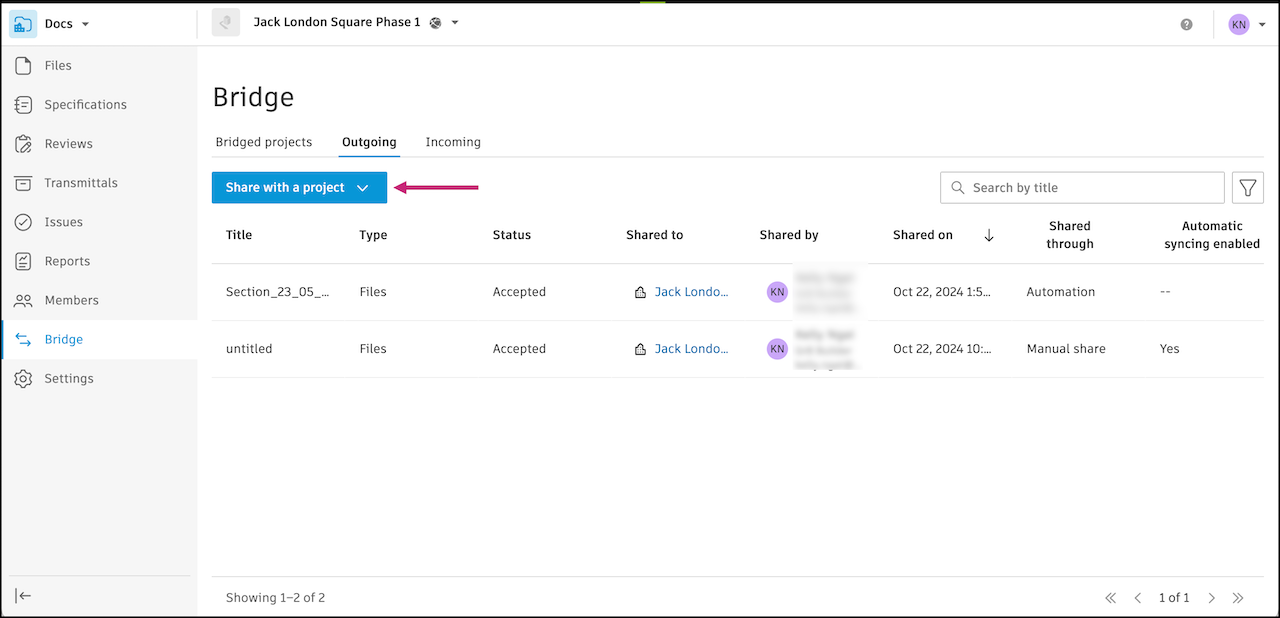
Select RFIs.
Use the search field to search for closed RFIs by title.
Select RFIs from the list.
Note:- You can select up to 50 RFIs to share at a time.
- An RFI can be shared through a chain up to three levels deep. For example, a RFI can be shared from Project A to Project B, then from Project B to Project C, and finally from Project C to Project D. However, it cannot be shared from Project D to Project E.
- You can hover over the indicator icon to see what projects an RFI is already shared with.
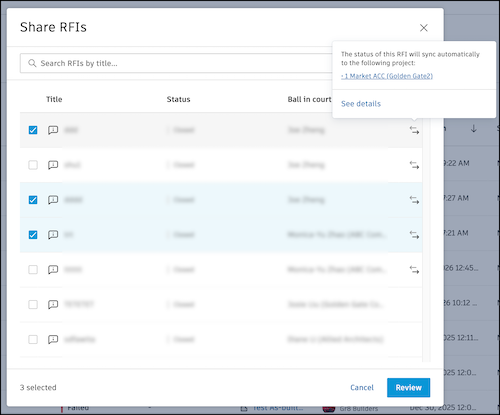
Click Review.
Select a target project.
Note: Projects must be bridged to the source project to appear in the list. Learn how to create bridges in Create Bridges to Other Projects(Optional) You can choose to add the PDF RFI report in the target project's RFI. It will appear in the target project's RFI references. Select Add the RFI report to references in the target project's RFI.
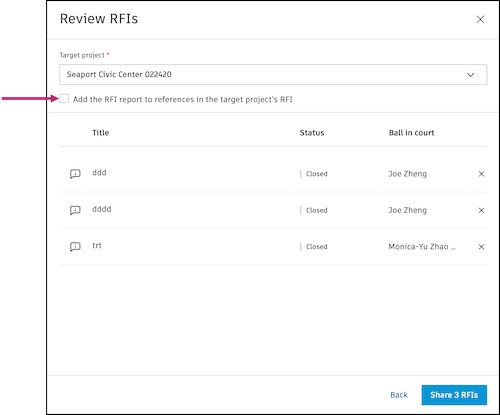
Click Share # RFIs.
An entry will be added to the Outgoing tab. The status will start In Progress and update to Accepted, Partially failed, or Failed once the share is complete. If a share partially fails, you can look into the Detail page to see which items failed to share and why. See Troubleshooting Bridge Failures for more information.
What Happens after Sharing an RFI?
Once you share an RFI through Bridge:
- A read-only copy appears in each target project.
- The shared RFI displays Bridge indicators in both source and target projects.
- Activity log entries track the sharing action.
- Target project members receive notifications based on their settings.