Transition Project Data to Files
This topic explains how to transition your project data to Files in Forma using Data Transitions.
Click the More menu
 on the right of the project you want to transition and select Transition to Files.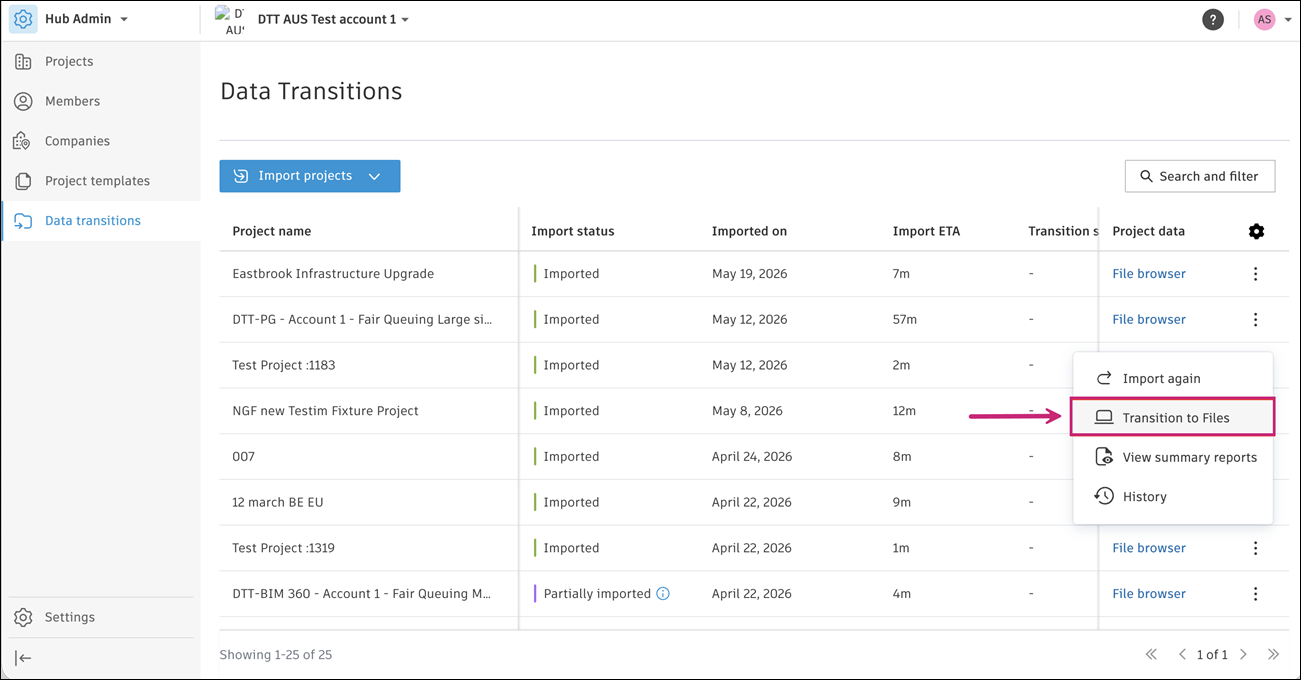
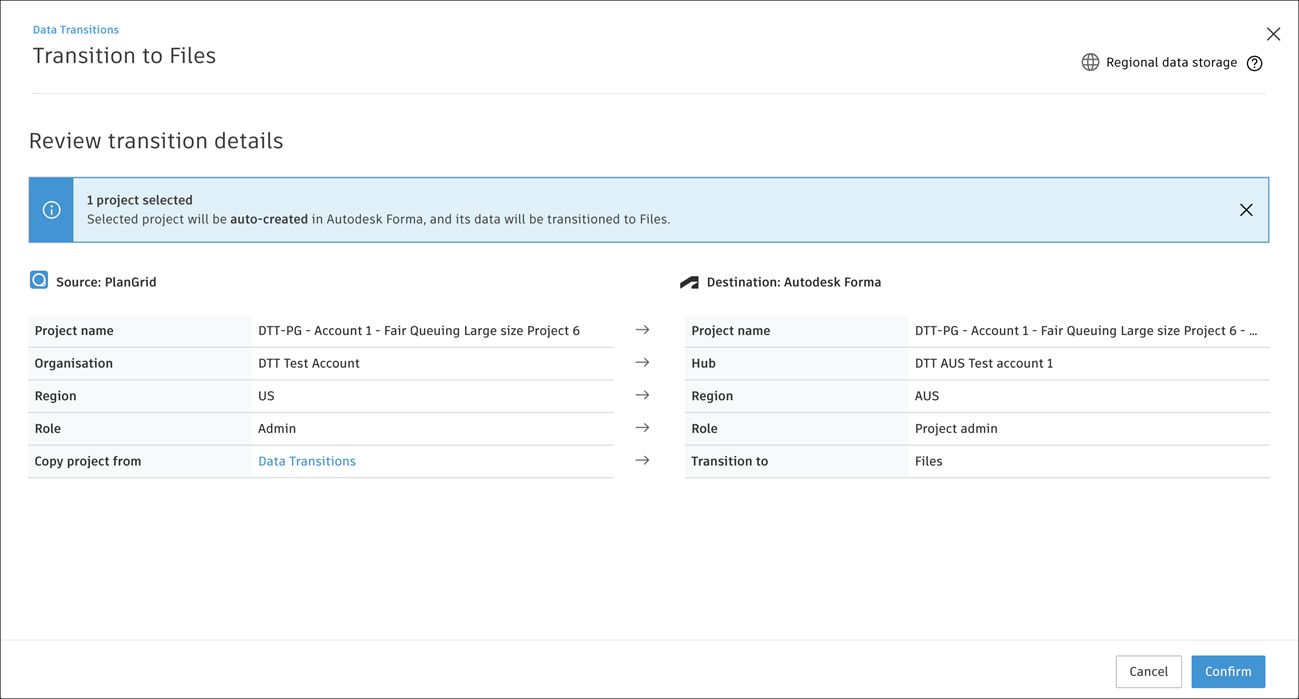
Review transition details and click Confirm to proceed with transitioning files to Forma.
 Note: You don't need to do anything while a transition is in progress.
The transition status shows "Not started" when you add a project to the Transition Queue.
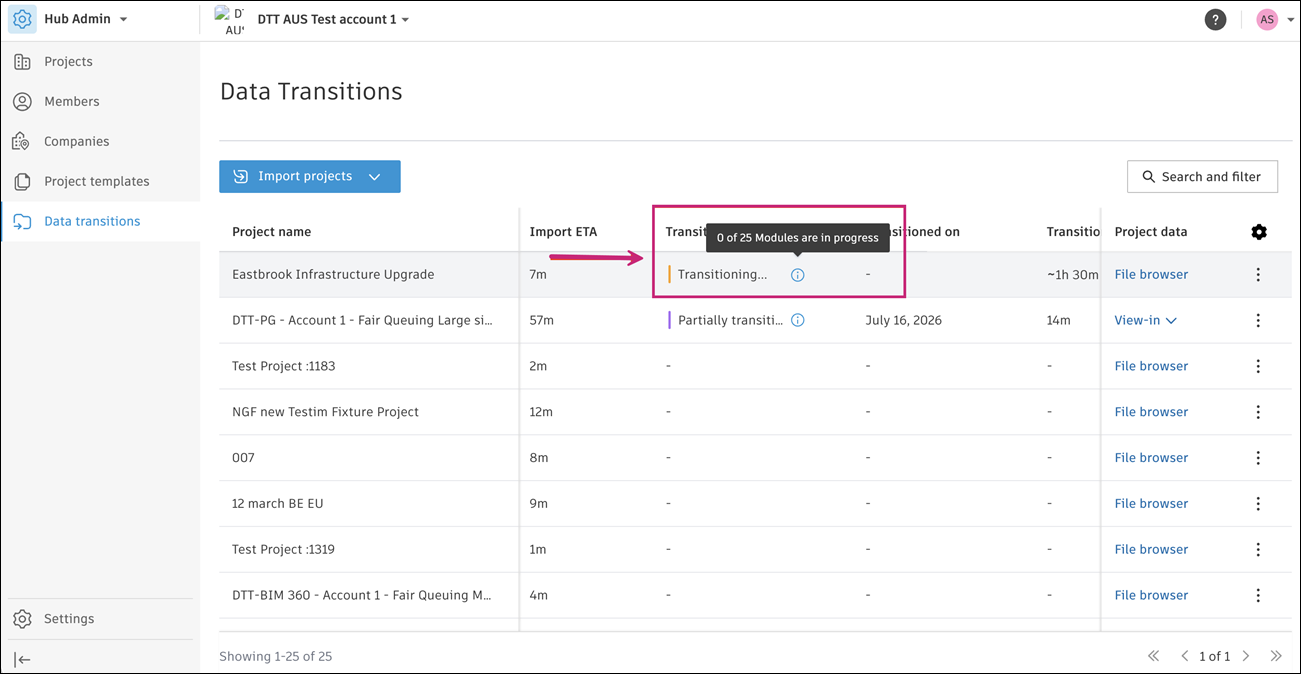
Click the info icon beside the "Transitioning…" status to track the project's transition progress.
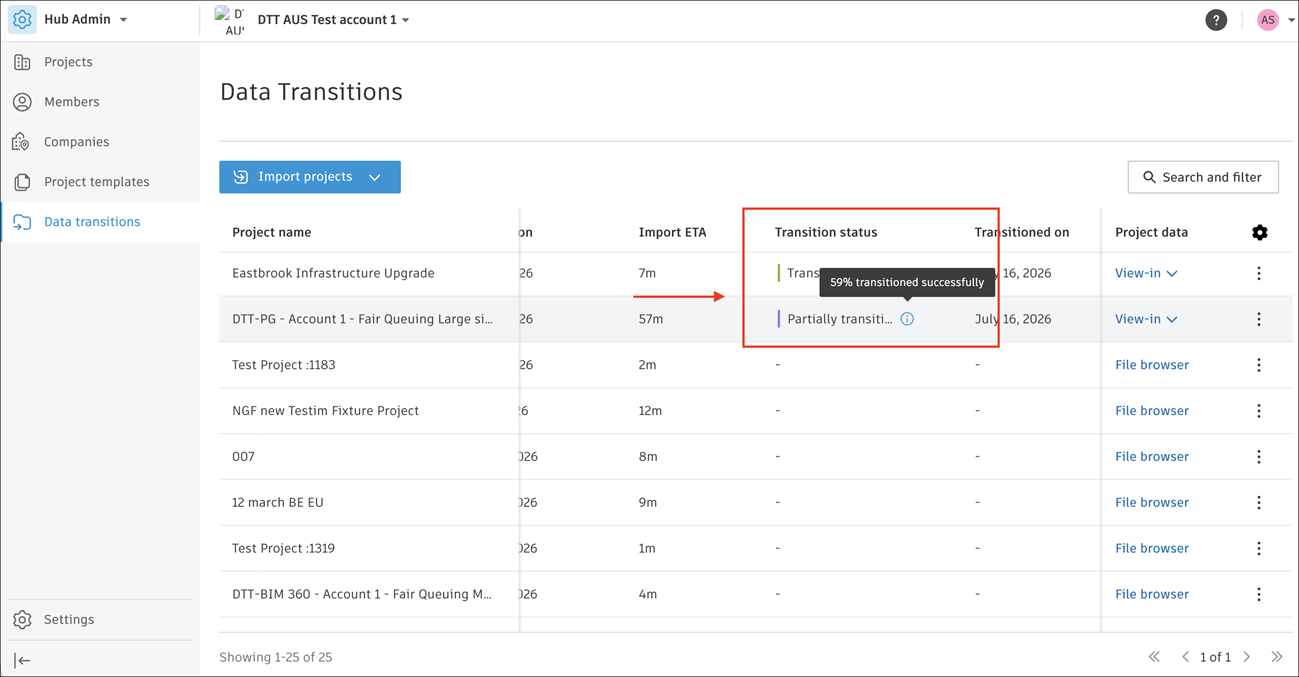
Click the info icon to track the transition accuracy of partially transitioned projects.
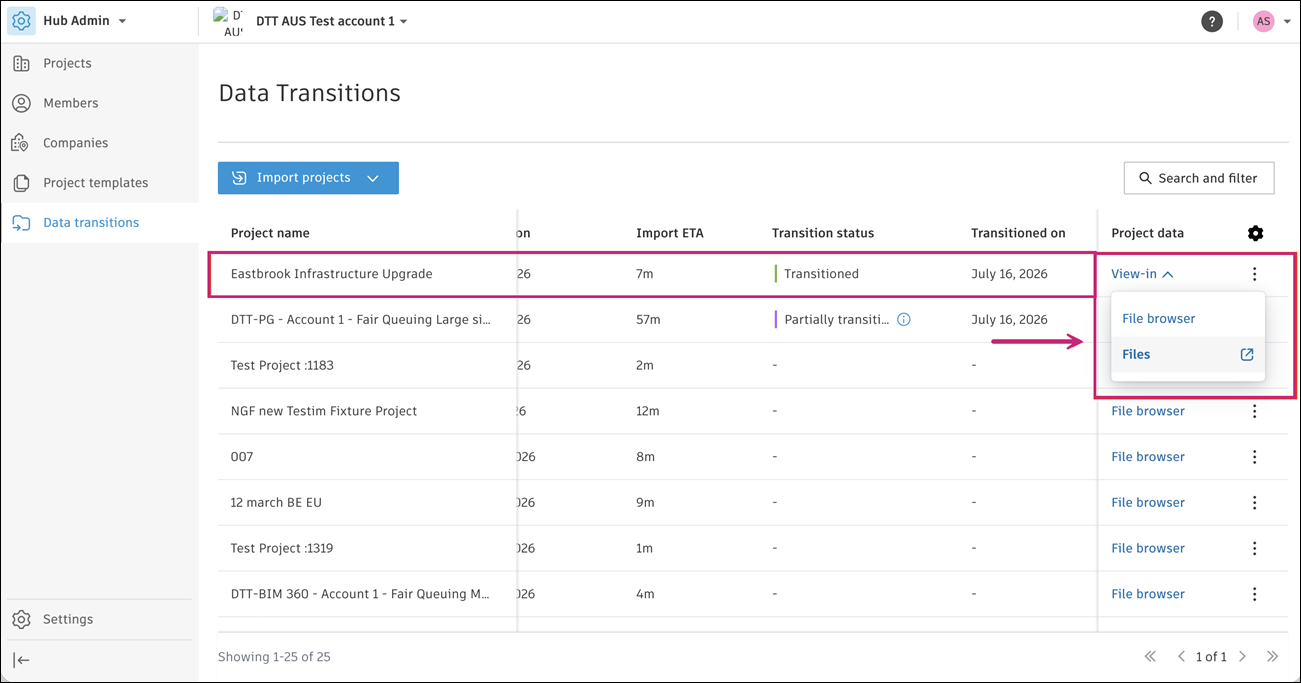
Under Project Data, click the View in option for a transitioned project to access its data.
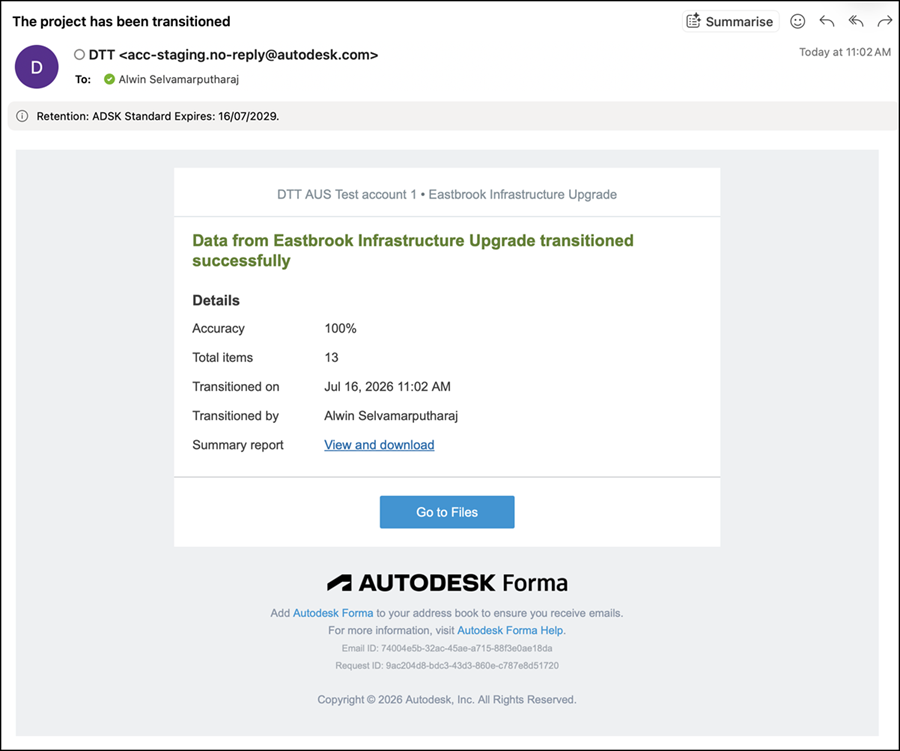
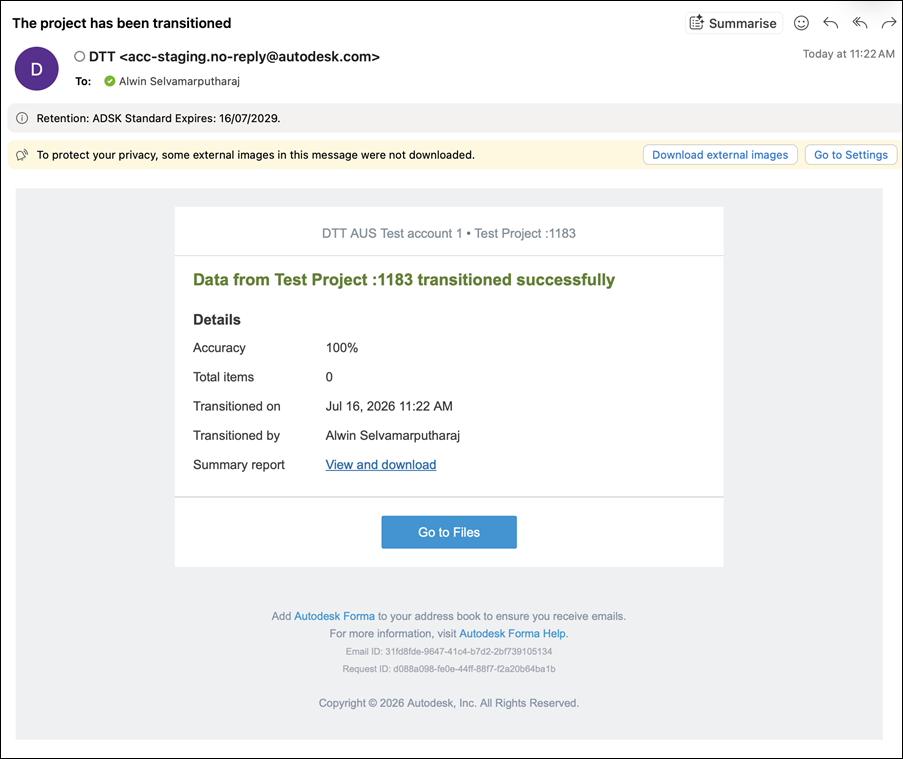
You receive email notifications with information on transition progress.