Cost Management
Integrations
GCPay Direct Integration [BETA] – Because Forma Build and GCPay each connect to different ERP systems - some shared, some unique - this new integration option positions Cost Management between GCPay and the ERP. This allows customers to leverage both platforms when a direct ERP integration isn't available. Learn more about the GCPay integration.
TradeTapp Integration (Phase 1) – Teams can now connect their TradeTapp account with Forma Build. This integration automatically syncs supplier company and qualification data into Cost Management using the Tax ID as the common link between systems.
Integration Setup: Account administrators connect the TradeTapp account in the Library (Library > Cost Management > Settings). Once connected, the integration applies across all projects within the account.
Contract Flyout: Synced data appears in the Contract flyout under the new 'Qualification and Risk Profile' section in the flyout. Data includes:
Company Name (Legal Entity Name)
Offices (Legal Entity Address)
Business Tax ID
Risk Status
Qualification Status
Internal Single Limit
Internal Total Limit
Internal Unique ID
Enterprise Business Certifications
Business License
Insurance Program Documents
Master Service Agreement (MSA)
Qualification Variables: The following qualification document variables are also available:
{contract.supplier.qualification.legalEntityName}{contract.supplier.qualification.legalEntityAddress.address1}{contract.supplier.qualification.legalEntityAddress.address2}{contract.supplier.qualification.legalEntityAddress.city}{contract.supplier.qualification.legalEntityAddress.state}{contract.supplier.qualification.legalEntityAddress.zipCode}{contract.supplier.qualification.msa.effectiveDate}{contract.supplier.qualification.msa.fileName}
Learn more about TradeTapp integration with Cost Management.
Settings
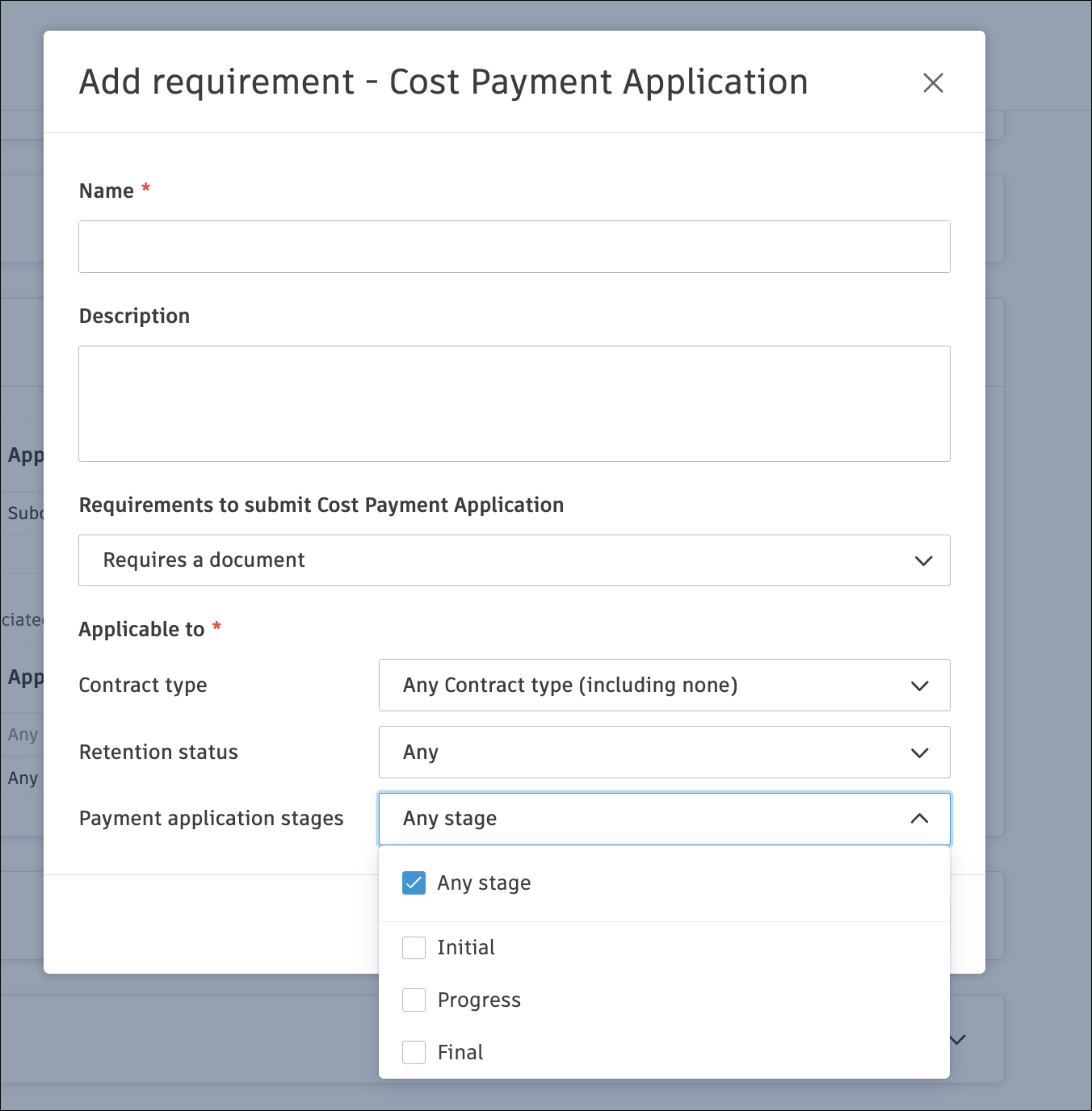
Compliance Enhancements - New options have been added to Cost Management's Settings (Settings > Cost > Compliance Requirements):
Payment Stage-Based Compliance: Administrators can now apply different compliance requirements based on the payment application stage: any stage, initial, progress, and final.
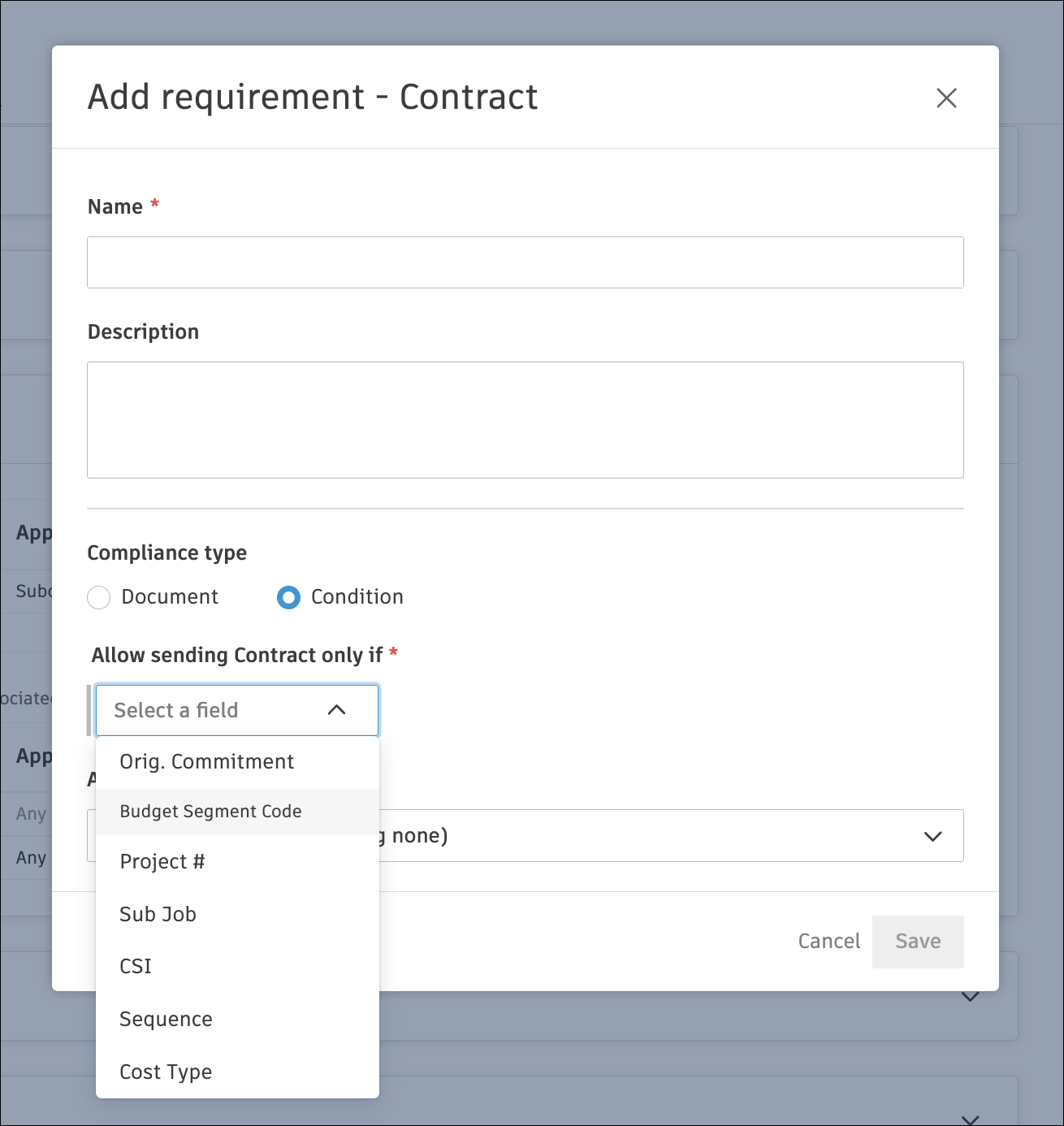
New Compliance Condition – A new option prevents contract sending based on the budget code segment type.
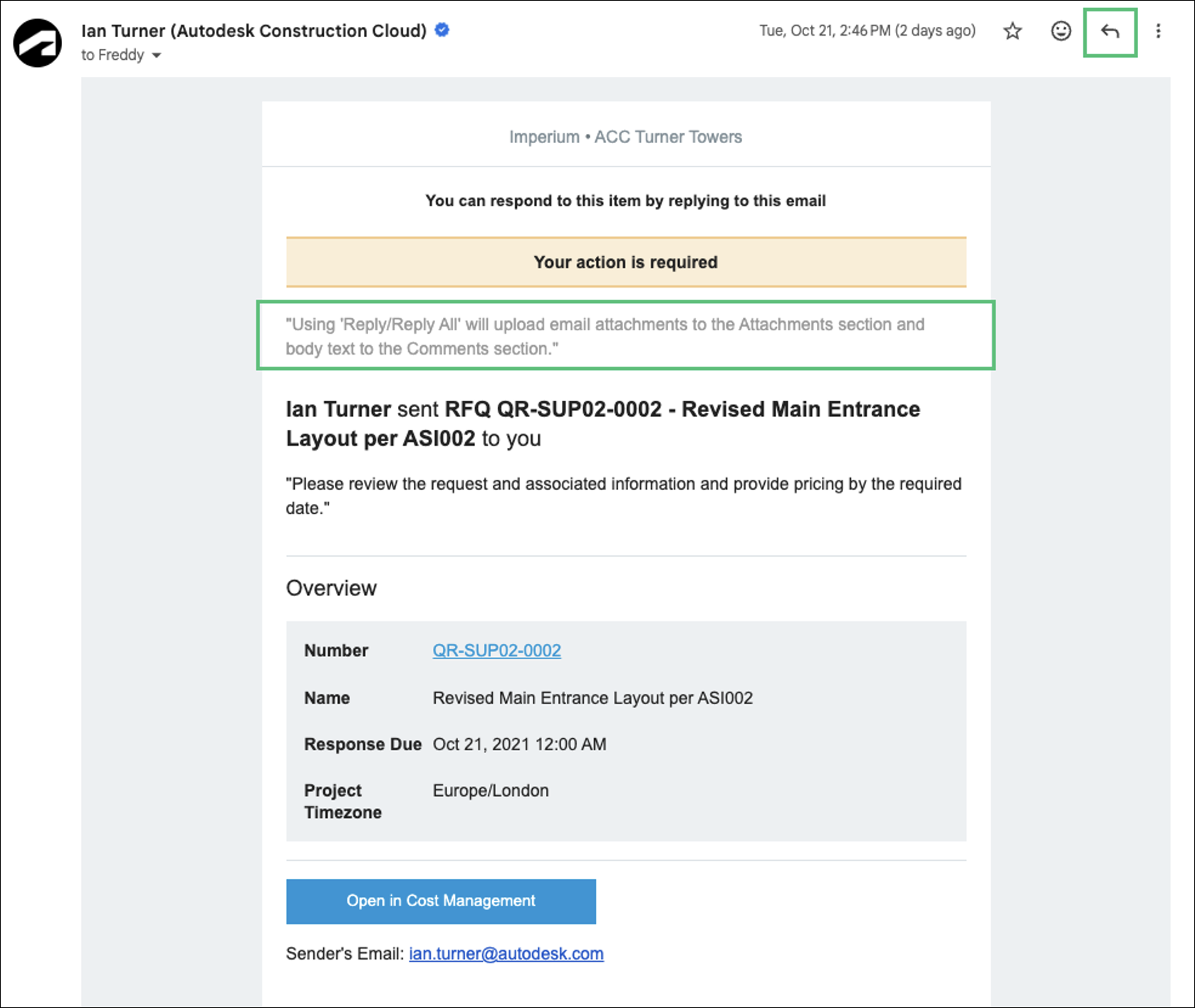
Automatic Document Capture from Email Replies – When replying to system-generated emails (e.g., RFQs, Contracts, SCOs, OCOs) with attachments, the files are automatically saved to the corresponding module's Attachments section within the flyout. The email body is stored as a comment, and relevant stakeholders are notified via integrated alerts. See Respond to Cost Management Emails to learn more.
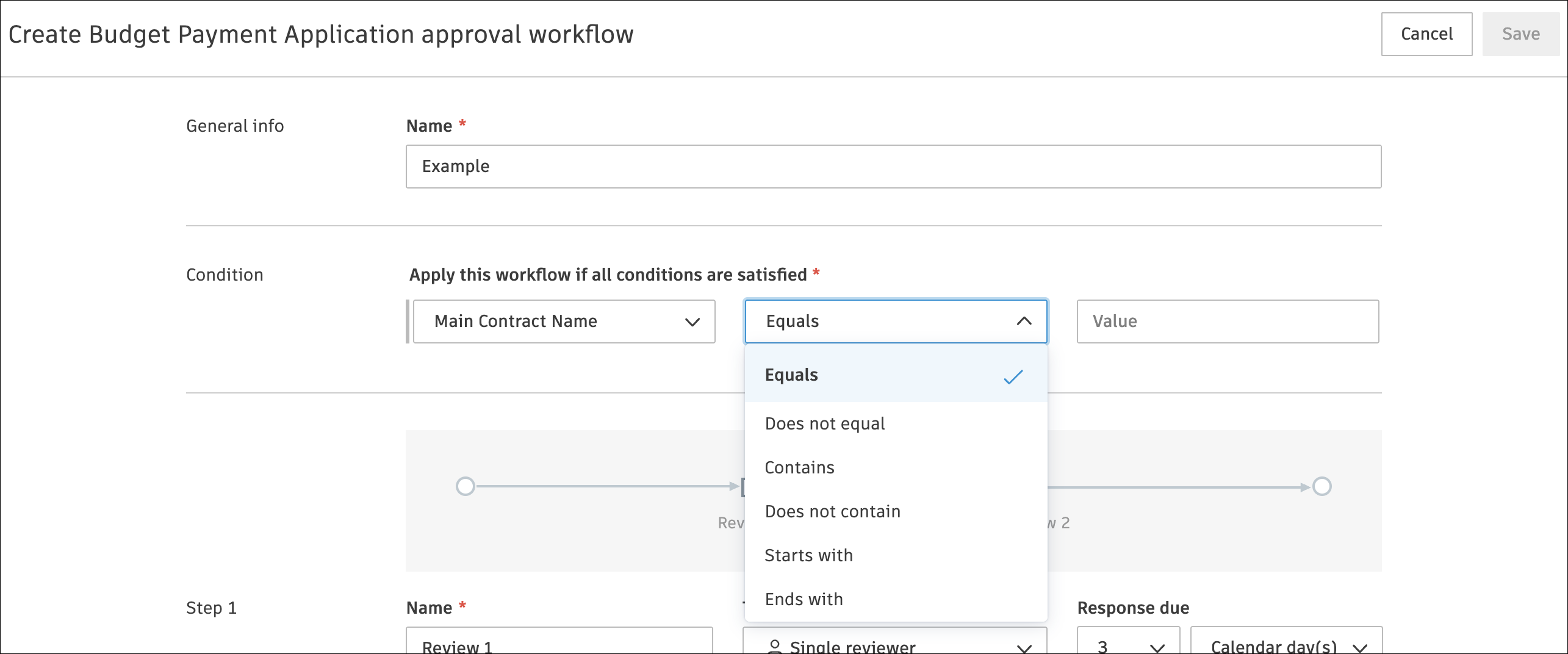
Payment Application Approval Workflow by Main Contract - A new condition option, "Main Contract Name", is now available for Budget and Cost Payment Application approval workflows.
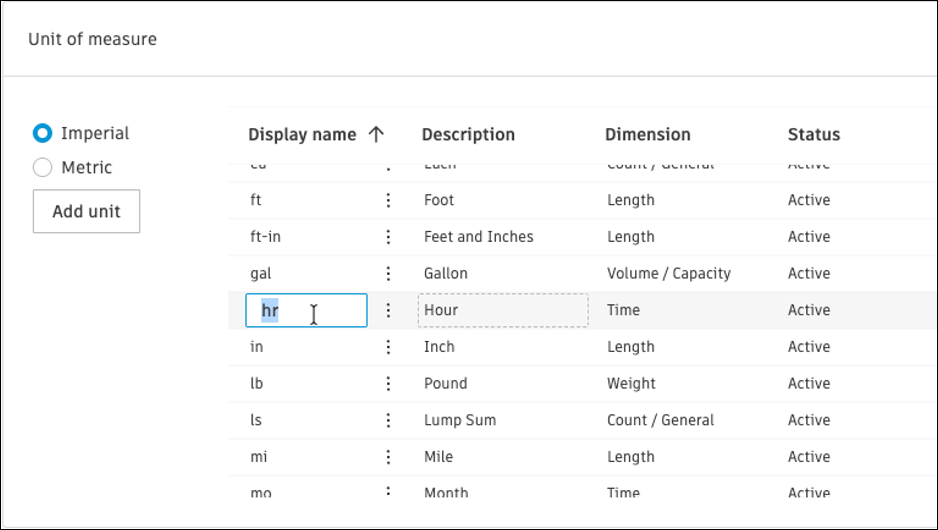
Time-Based Unit of Measure - Administrators can now rename the system time-based units.
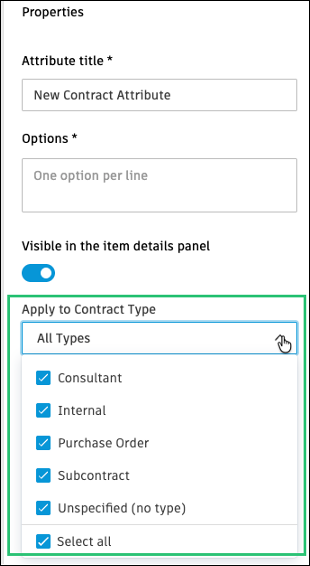
Conditional Custom Attributes per Contract Type – Administrators can now choose which contract types attributes apply to.
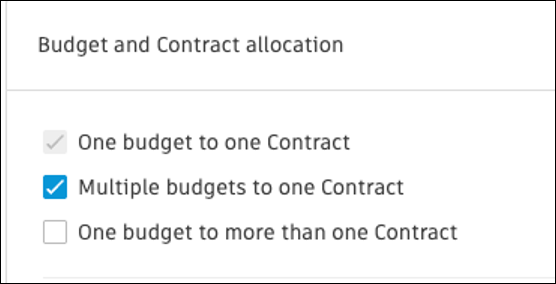
Budget & Contract Allocation Setting - Enhanced the setting to clarify the incremental nature of the options.
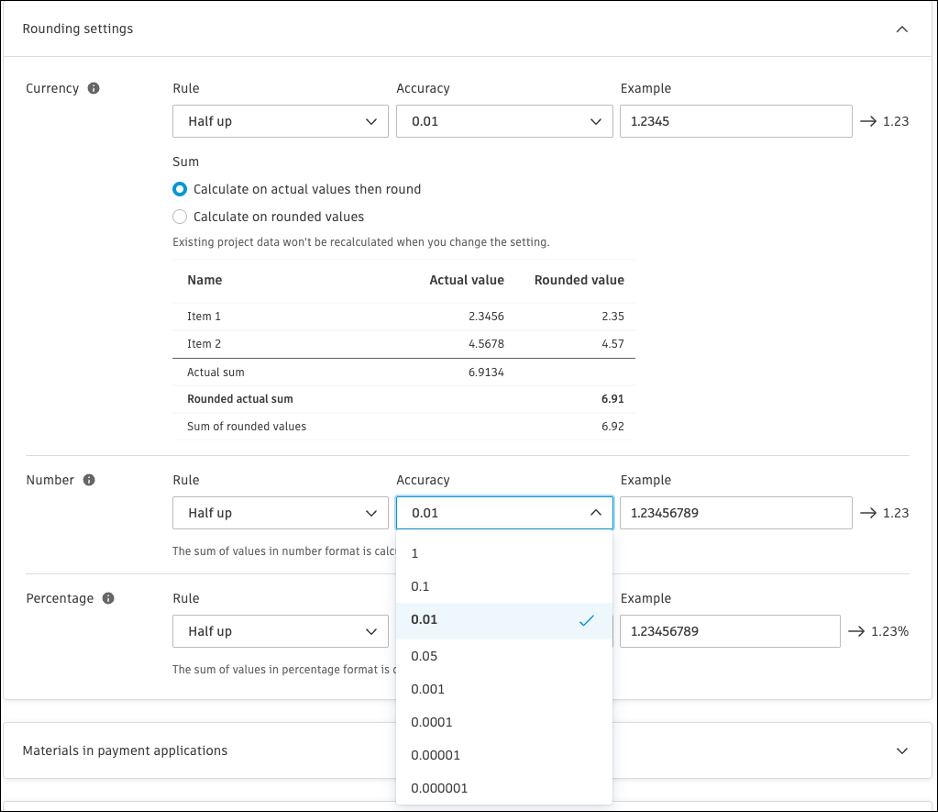
Customizable Decimal Places - Administrators can now select up to 6 decimal places for numbers and percentages.
E-Signature Enhancement - Enhanced merging capability to better support sending document packages made up of multiple documents with e-signature requirements.
Budget Tool
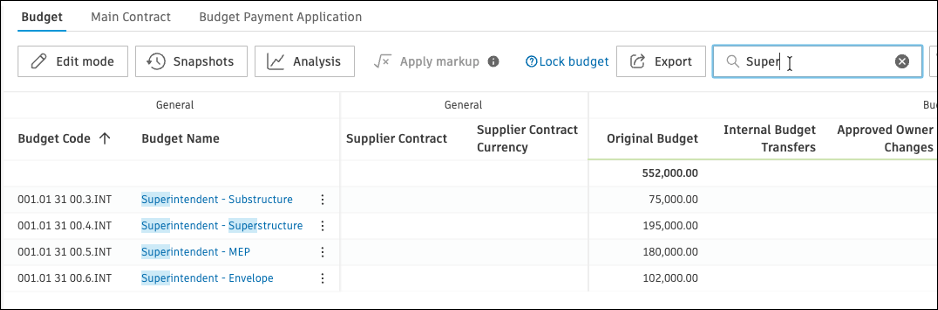
Budget & Contracts Quick Search - A new quick search field is now available in the Budget and Contract Overview, making it easy to find budgets and contracts by name or code.
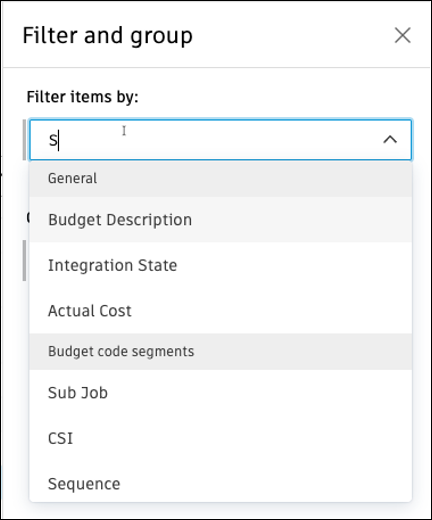
Filter & Group Flyout Enhancement - Search functionality is now supported within dropdown components in the filter and group fields of the flyout, making it easier to locate options quickly.
Cost Tool
Contract Enhancement - Contract SOV import now allows non-zero-unit cost with zero amount and quantity.
Separate SOV and Change Orders into Multiple Excel Worksheets - SOV and change orders are now separated into multiple Excel worksheets based on change order types.
Change Order Tool
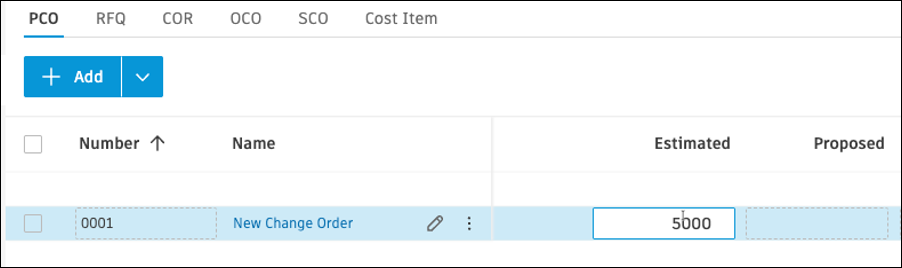
Create Potential Change Order Without Mandatory Cost Items - A Potential Change Order (PCO) can now be initiated without linking it to budget or cost items. This enables early stakeholder review and budget impact estimation without affecting the budget. Note: Cost items are required to progress the PCO to the next stage, but the original entered amount on the first cost item added is kept for audit purposes.
Potential Change Order (PCO) Duplication - Members can now easily duplicate PCOs via the More
 menu.
menu.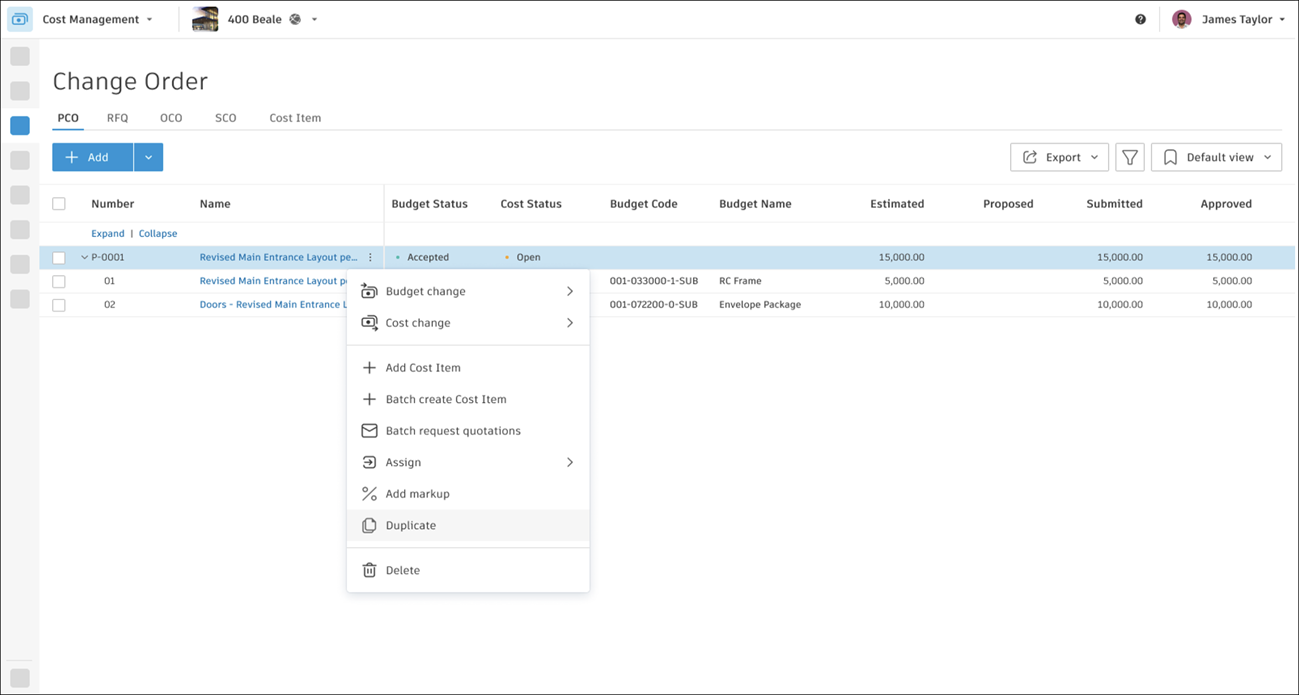
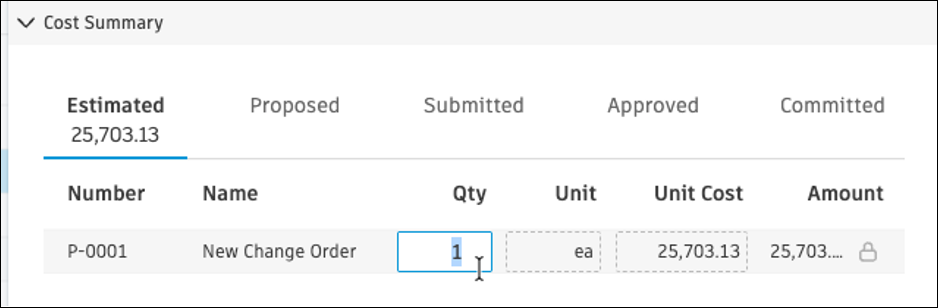
Editable Quantity and Unit at Change Order Level - Cost Management now allows editable quantities and units at the change order level.
Forecast Tool
Redistribution without Actuals - Previously only available when actual costs were added, members can now redistribute in the detail view at any time to adjust the forecast.
