Derive design features from one design into another
Learn how to use the Derive and Insert Derive tools to link design features from one design into another in Fusion.
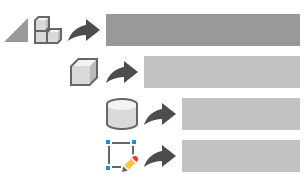
Derive design features from the active design into another design
In the Design workspace, on the Solid tab, select Create > Derive
 .
.The Derive dialog displays.
Select a destination for the derived design features:
- Create New Design: Derives selected objects or component to a new design.
- Add To Existing Design: Derives selected objects or component to an existing design.
If the destination is a new design, select a Derive type:
- Model Objects: Derives selected objects from any internal component in the assembly to a design.
- One Component As Design: Derives the contents of a single component to a design.
Select components, bodies, sketches, or construction geometry in the canvas or Browser to derive.
Check the Place Objects At Origin setting to place all derived objects at the origin in the destination design.
Check the following settings to derive parameters:
- Favorites: Derives all favorite parameters from the current design.
- From Components: Derives all feature parameters from all selected components from the current design.
Click OK.
If the destination is an existing design, navigate to the design and select it.
The new or existing design opens in a new document tab. The derived design features display in the Browser and in the canvas. A Derive feature is added to the Timeline. Derived parameters display in the Parameters dialog.
Derive design features into the active design
In the Design workspace, in the Browser, activate the component that you want to contain the derived design features.
On the Solid tab, select Insert > Insert Derive
.Navigate to the desired source design.
Click Select.
Select design features in the Browser or in the canvas.
The design features display in the dialog.
Select OK.
The selected design features are derived into the active design, and display in the Browser and in the canvas.
The derived design features display in the Browser and in the canvas in the active design. A Derive feature is added to the Timeline. Derived parameters display in the Parameters dialog.
Edit the derive feature
In the destination design, in the Timeline, right-click the Derive feature
.Select Edit Derive Feature.
The source design opens in a new document tab and the Edit Derived Design dialog displays.
Adjust the derive settings:
- In the canvas or Browser, select additional objects to include.
- In the dialog, select objects in the list, then click the
Xbutton to exclude them. - In the dialog, select any removed objects in the list, then click the
+button to restore them. - In the dialog, check or uncheck additional settings.
Click OK.
The changes are reflected in the destination design.
Break the link between the original design and the destination design
- In the destination design, in the Timeline or the Browser, right-click the Derive feature .
- Select Break Link
 .
.
The link between the original design and the destination design is broken. The derived objects are converted to base features and added to the Timeline.
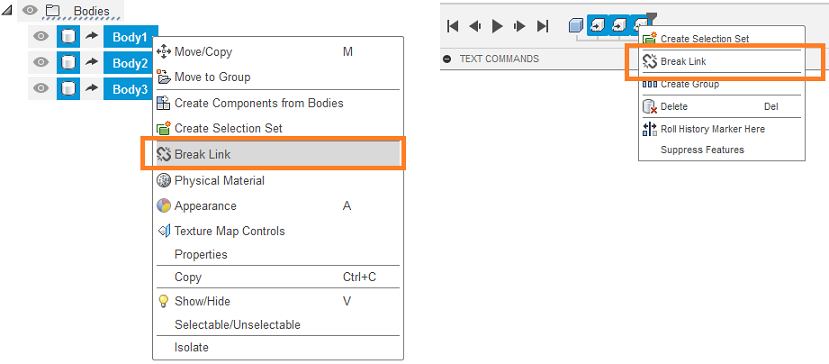
Shift to select and break the link to multiple Derive features at once.Delete the derive feature
- In the destination design, in the Timeline, right-click the Derive feature .
- Select Delete.
The Derive feature, and all of the derived design features associated with it, are permanently deleted from the destination design.