Customize Electronics Bill of Materials columns
You can customize which columns appear in your Electronics Bill of Materials and change their order to match your workflow needs.
Select displayed columns
In the Electronics workspace, open Bill of Materials

At the top right of the Bill of Materials, click Column Settings

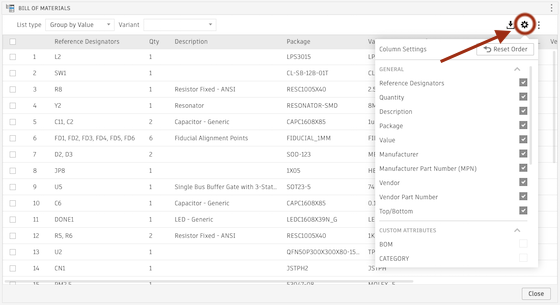
Select or deselect the column names you want to show or hide
(Optional) Select any custom attributes you defined for the open document
Change column order
- In the Bill of Materials, drag column headers left or right to change their order