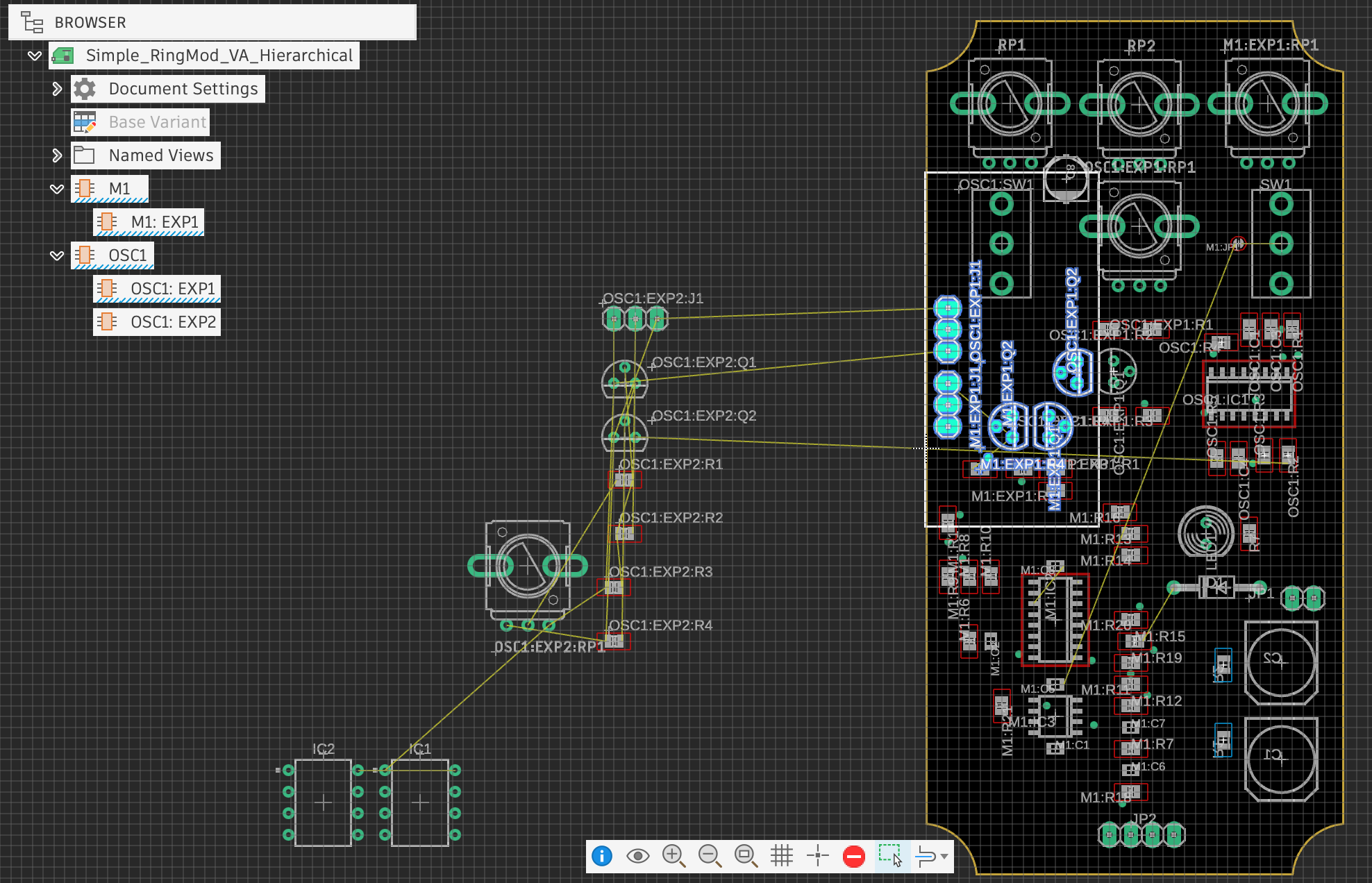
Use Browser highlighting
The Browser provides dynamic highlighting of nodes in the tree, corresponding to selected objects in the design. The highlighting shows up as a subtle dashed underline at the bottom of the node.

Highlight parent nodes in schematic
- Click a Sheet or Module instance node in the Browser. The Browser highlights the selected node and all parent nodes, giving you visual context for where you are in the design hierarchy.
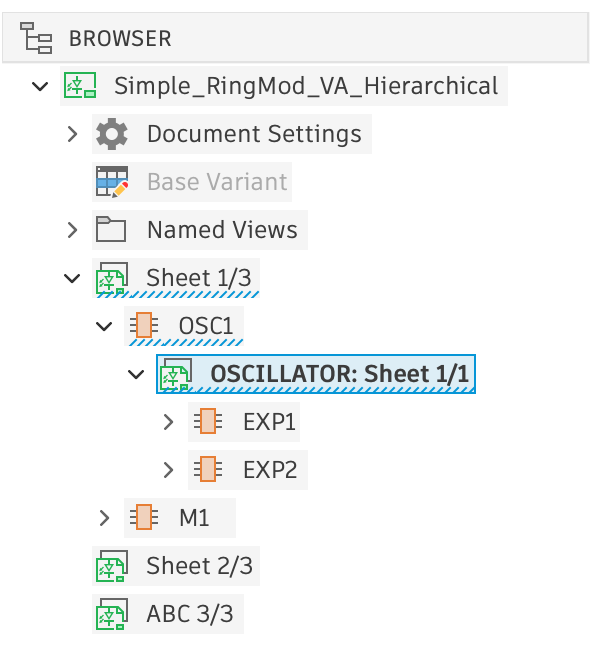
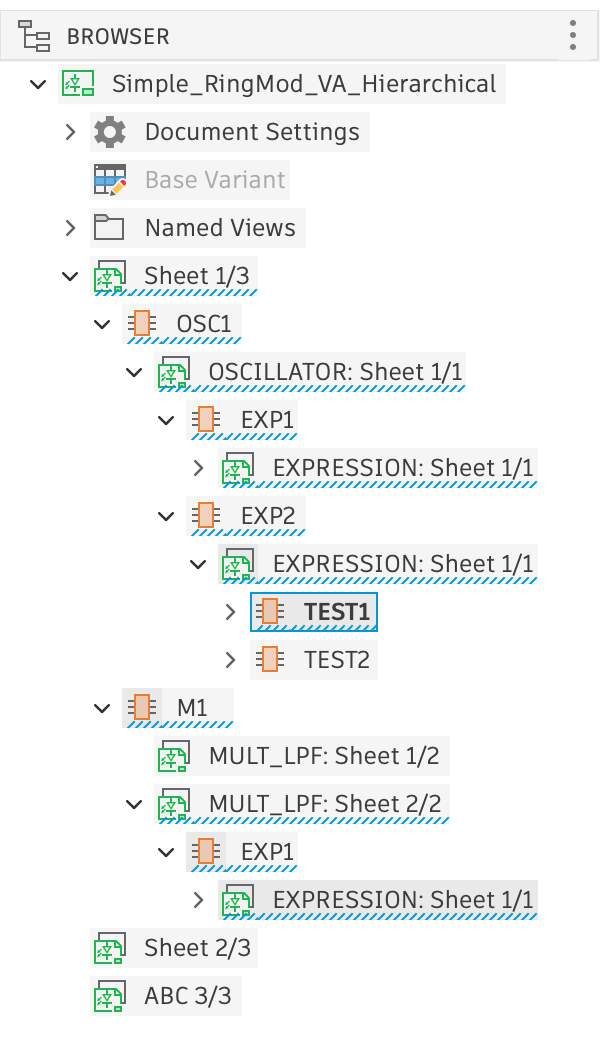
Note: If the selected node belongs to a module with multiple instances, every occurrence of that node is highlighted, along with all of its parent nodes. This behavior is specific to schematic. In 2D PCB, all instances are flattened, so repetition does not occur.
Highlight a module instance in 2D PCB
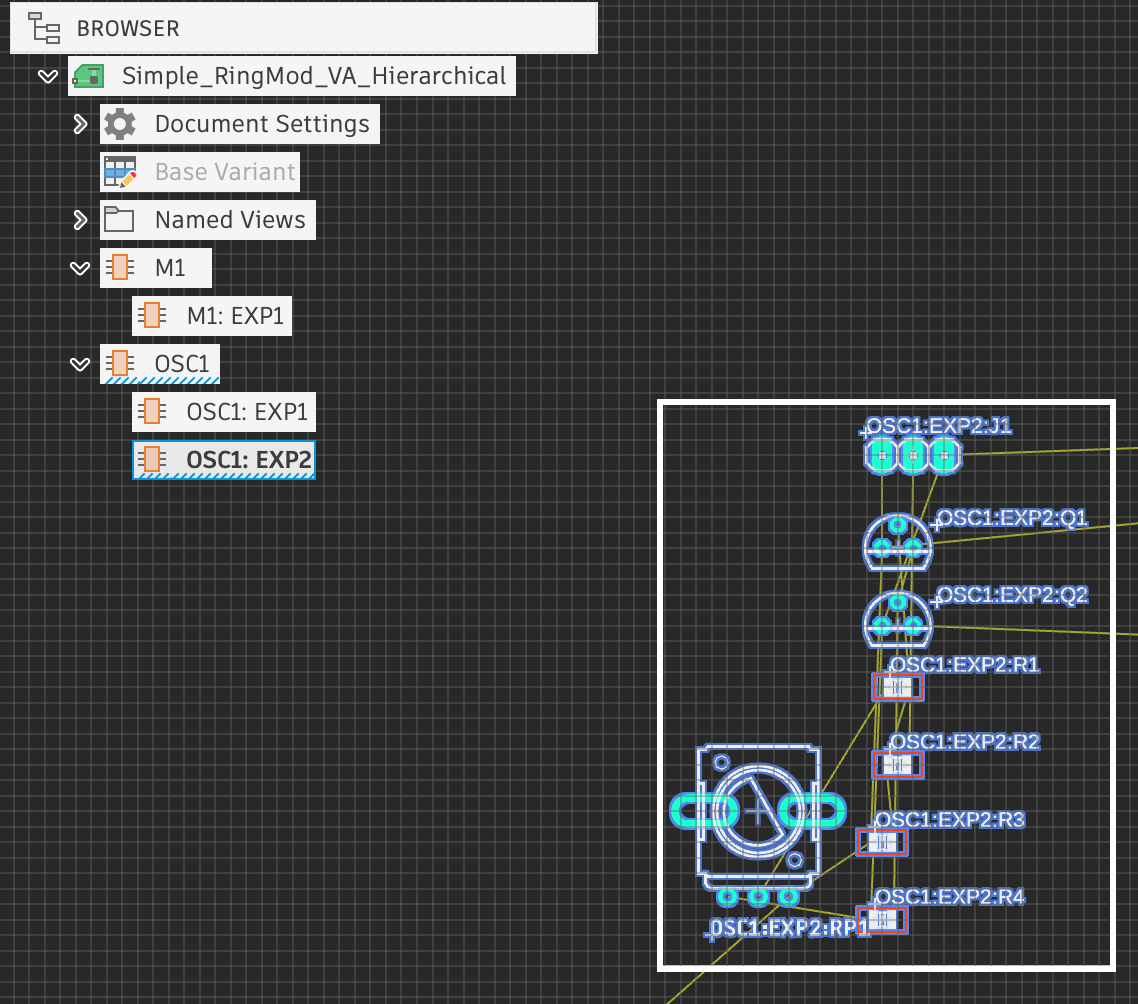
In 2D PCB, module instances are flattened. Each instance is unique (for example, OSC1:EXP1 and OSC1:EXP2).
- Click a module instance node in the Browser. The Browser selects the instance and all its child objects and shows the bounding box of the flattened instance. As in schematic, the Browser highlights the selected node and all parent nodes.
Note: Selection also works in reverse. Selecting some or all of a module's child objects on the canvas causes the Browser to highlight the corresponding parent nodes. If the selected objects span multiple modules, the Browser highlights nodes across each branch of the hierarchy.