Select lines using progressive selection
Progressive selection expands an existing selection of lines to include sibling, connected lines. It applies to traces and polygon edges in layout, and to nets and polygon edges in schematic.
Expand or shrink a selection
- To expand: Press Shift+Right Arrow, or hold Shift and click a selected line.
- To shrink: Press Shift+Left Arrow.
There is no mouse shortcut for shrinking. When using keyboard shortcuts, progression is circular—after the last stage, the selection returns to your initial selection.
Trace selection stages (layout only)
When you select traces, progressive selection expands through these stages:
- Initial selection: the trace segment you clicked.
- To nearest connectors: expands to the nearest vias or pads, or to the end of the trace.
- Single-layer continuous: selects all connected traces on one layer, including traces that connect through the same copper polygon.
- Multi-layer continuous: selects connected traces across layers through vias and polygons.
- Whole signal: selects all traces and copper polygons that belong to the signal, including unconnected segments.
- Back to initial selection.
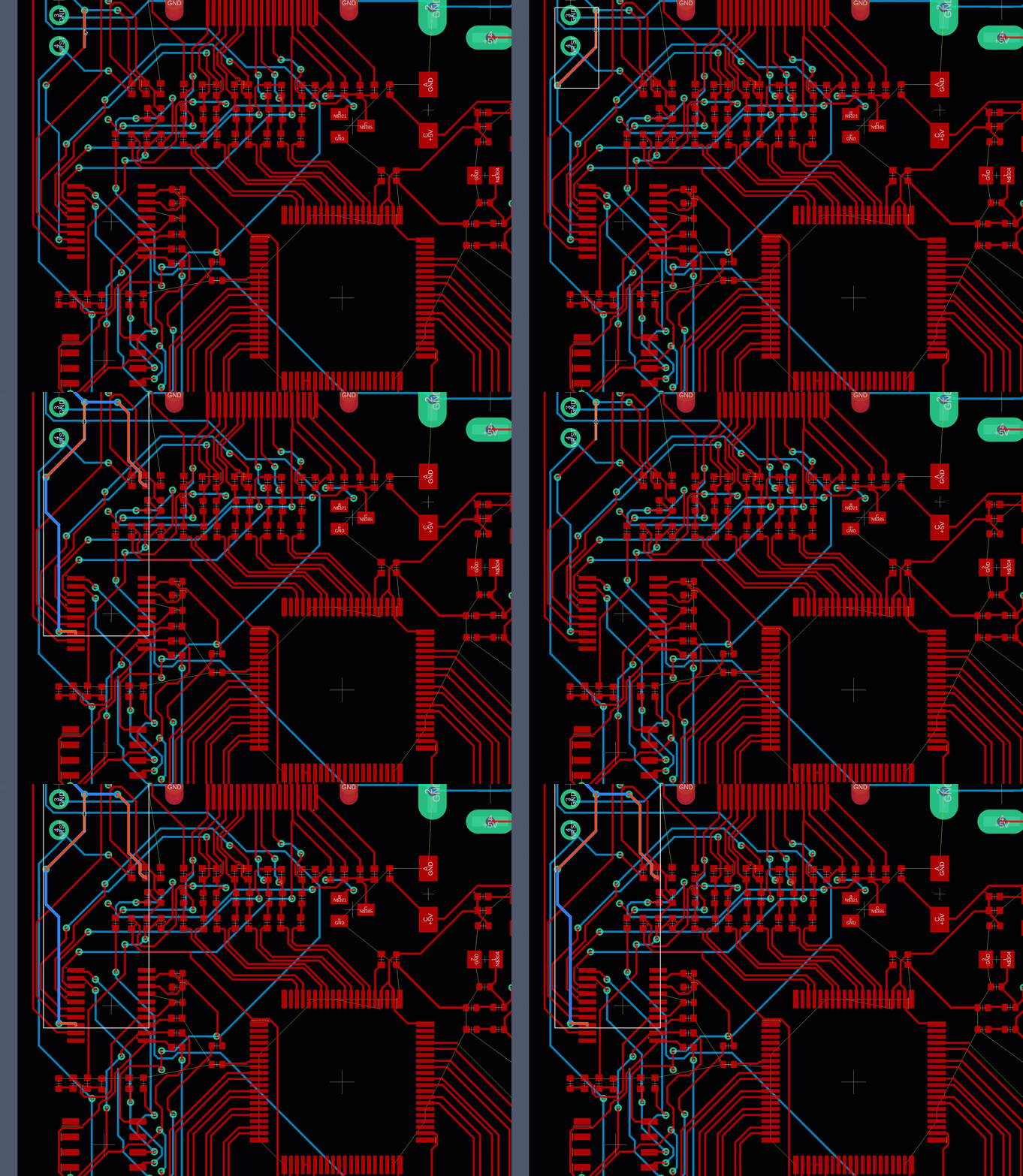
A multi-layer selection is continuous when traces connect through shared vias, or when traces on different layers connect to polygons that share a via.
Net selection stages (schematic only)
When you select nets, progressive selection expands through these stages:
- Initial selection: the net segment you clicked.
- To nearest junctions: expands to the nearest junction (where three or more nets connect) or to the end of the net.
- To component pins: expands to include component pins.
- Through components: continues through components to other pins on the same net.
- Whole net: selects all net segments, including unconnected segments.
- Back to initial selection.
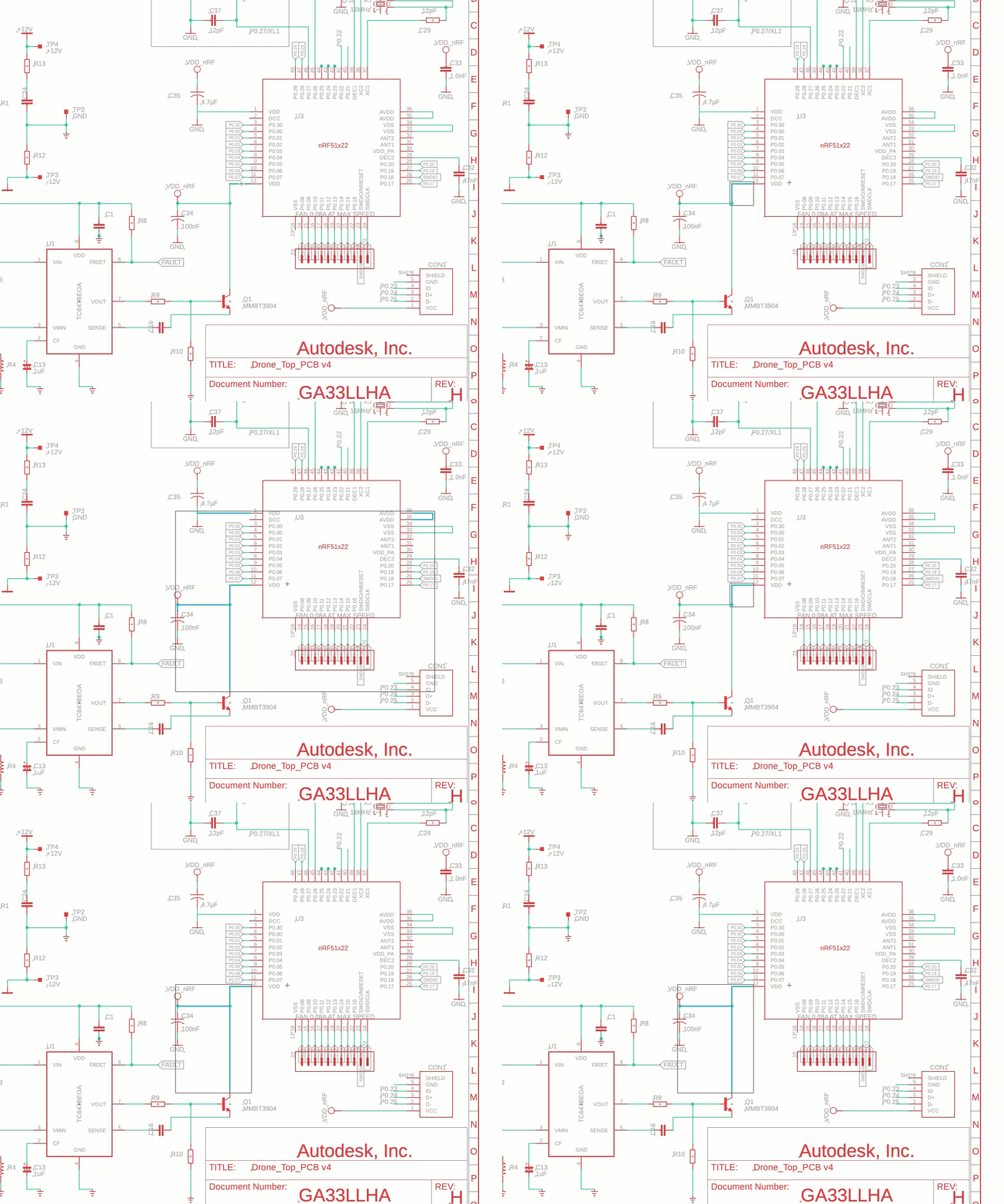
Buses act as direct connectors. If two nets connect to the same bus at different points, they are treated as directly connected.
Polygon edge selection stages (layout)
When you select polygon edges in layout, progressive selection expands through these stages:
- Initial selection: the polygon edge you clicked.
- Whole polygon: selects all edges of the polygon.
- All polygons on layer: selects all polygons on the same layer.
- All polygons on all layers: selects all polygons across all layers. This stage only applies to polygons with assigned signals.
- Back to initial selection.
Polygon edge selection stages (schematic)
When you select polygon edges in schematic, progressive selection expands through these stages:
- Initial selection: the polygon edge you clicked.
- Whole polygon: selects all edges of the polygon.
- All polygons in sheet: selects all polygons in the current sheet.
- Back to initial selection.