Access the Groups tab
Hub admins use the Groups tab to manage member groups.
In the top-right corner of the Fusion web client, click your profile image.
Click Admin > Groups.
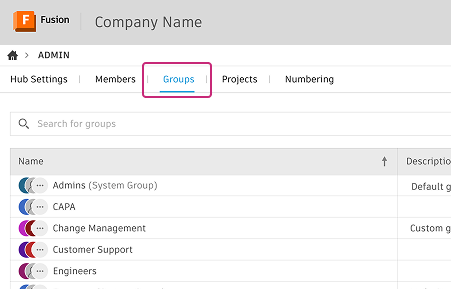
The Groups page displays all groups in your hub. This includes hub-level groups and groups created within project folders.
Tip: Use the sort icon in the Name column header to view group names in ascending or descending alphabetical order.