Rename a hub
As a hub admin, you can change the name of a hub in the Hub Settings tab. If the hub is used for sensitive data or projects, avoid giving it a name that reveals its purpose.
Navigate to the hub with the Fusion web client.
Click your profile
 in the upper right of the page.
Click Admin.
Click the Hub Settings tab.
In the Hub Name section, click Edit.
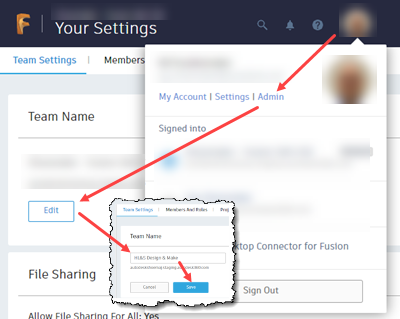
- Enter the new name.
- Click Save.