Create a tangent plane
Learn how to use the Tangent Plane tool to create a construction plane that is tangent to a cylindrical or conical face in Fusion.
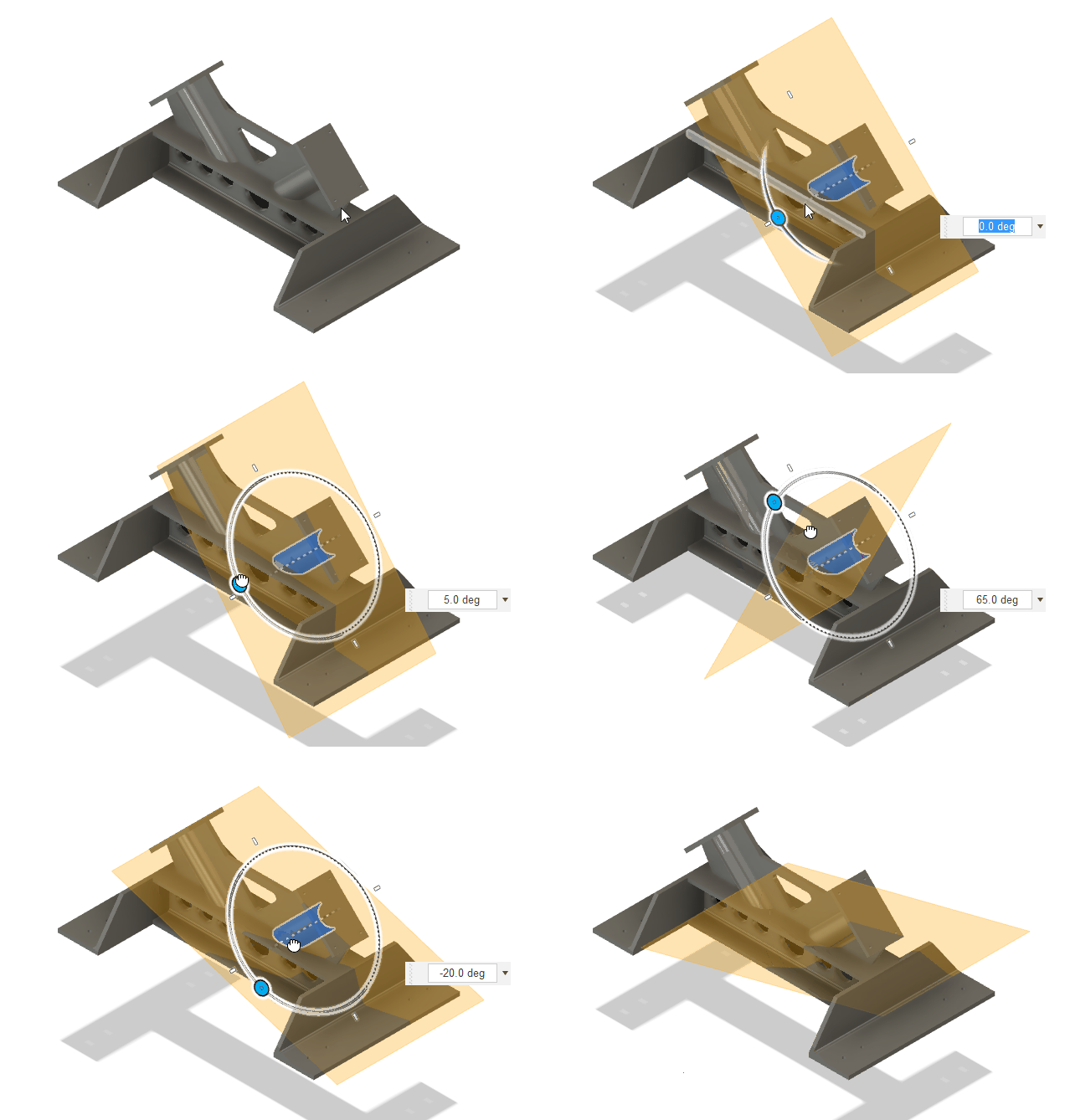
On the toolbar, select Construct > Tangent Plane
 .
.The Construction Geometry dialog displays, Type is set to Plane and Method is set to Tangent.
Select an Extent Type option to establish the end point of the plane.
In the canvas, select a cylindrical or conical face.
Optional: Select a Reference Object.
Drag the Angle manipulator handle in the canvas, or specify an exact value.
Optional: Enter an Offset value to offset the plane from its computed position.
Optional: Set Resize:
- Default: Size the plane to fit the selected geometry.
- Extended: Size the plane to fill the current view.
Click OK.
The new construction plane displays in the canvas, rotated at the angle you specified.
Tips
- The Offset value is saved with the feature. You can change the Offset value later using Edit Feature.
- Create construction planes when you want to create sketches that do not lie on one of the 3 default planes.
- Use construction planes as the input for other tools, like the cutting tool for the Split Body tool.
- To show or hide plane name labels on the canvas, see Show or hide plane names on the canvas.