Fold reference
Fold  (also known as Bend) is the sheet metal command that folds a flange along sketched lines. Explore the Fold dialog options.
Design > Sheet Metal > Create > Fold
Stationary Side
A top or bottom planar face of a sheet metal body with sketched bend lines. Stationary side indicates which side of the bend line remains stationary, the other side folds.
Selection - Bend Line
A straight sketched line that is planar with the stationary side.
Bend Angle
Defines the angle of the fold relative to the Stationary Side.
Enter a value greater than −180° and less than 180°. The angle cannot be 0°. If the value is outside this range, the Bend Angle field is highlighted and OK stays unavailable until you enter a valid angle.
To fold in the opposite direction, use a negative angle or click Flip.
Flip 
Changes the side of the bend line to fold up or down.
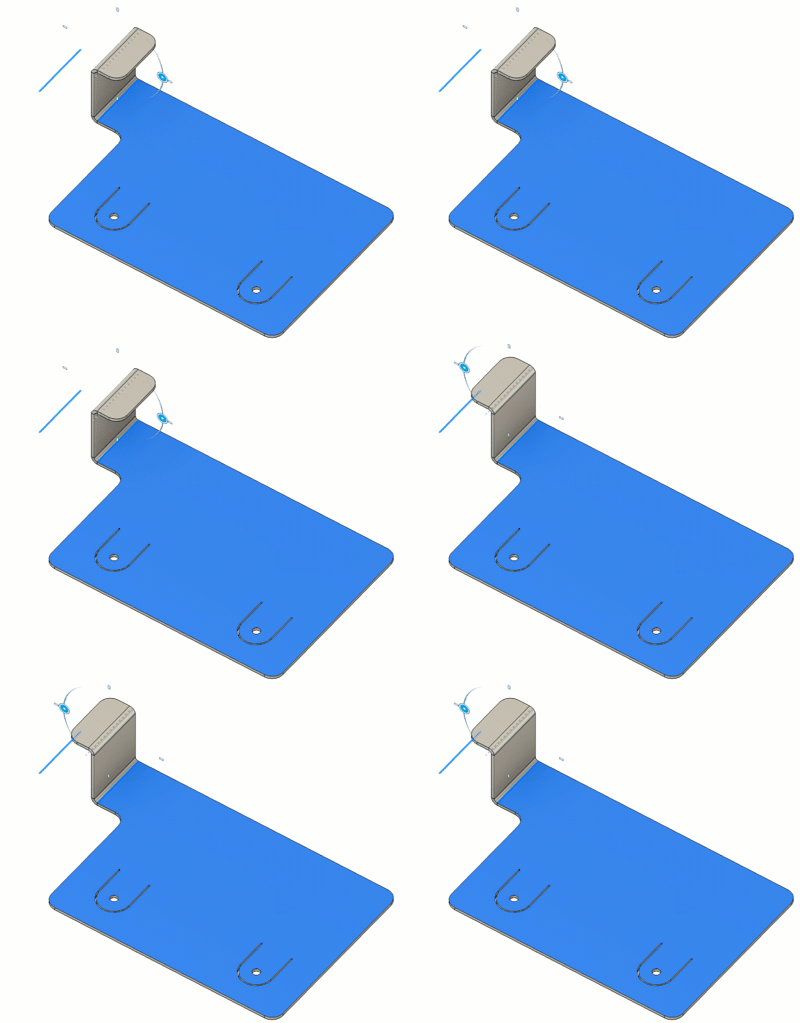
Line position
Specifies the location of the bend.
 Start: Starts the bend at the sketch line.
 Center: Centers the bend with the sketch line.
 End: Ends the bend at the sketch line.
Bend Relief On/Off button 
Bend Relief is on by default and thus a bend relief is created as necessary.
Corner Relief
Corner Relief checkbox is checked by default and thus a corner relief is created as necessary. When unchecked, no corner relief is created.
Override Rules
Enables you to override the bend, bend relief and corner relief options.
Bend Override
Overrides the bend radius value. Select to apply custom value or deselect to use the Sheet Metal Rule default.
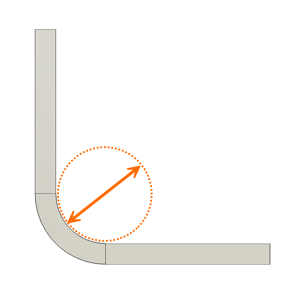
- Bend Radius: Specifies a distance from the inner surface of the sheet to the center of the bend. This controls how tightly the material bends and affects both strength and appearance.
Bend Relief Override
Overrides the relief shape, width, depth, and remnant values of bends for the new flange.
Select to apply overrides. Deselect to restore the values defined in the Sheet Metal Rule.
For all available bend condition shapes and options, see Bend conditions in the Sheet metal rule reference.
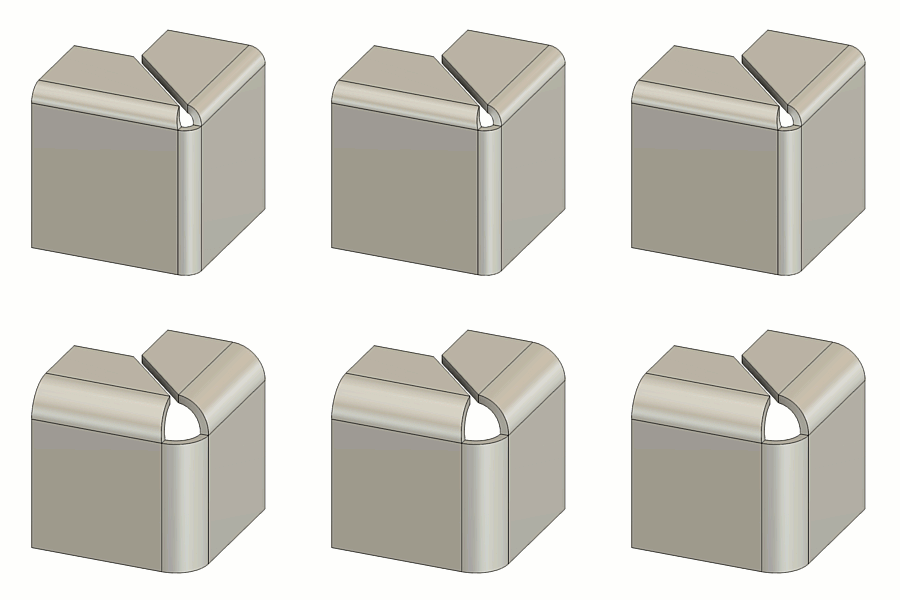
2-Bend Corner Override
Overrides the relief shape, size, and placement at corners where two bends intersect.
Select to apply overrides. Deselect to restore the values defined in the Sheet Metal Rule.
For all available 2-bend corner relief shapes and options, see 2 Bend corner relief type and size in the Sheet metal rule reference.