Animation in a simulation study
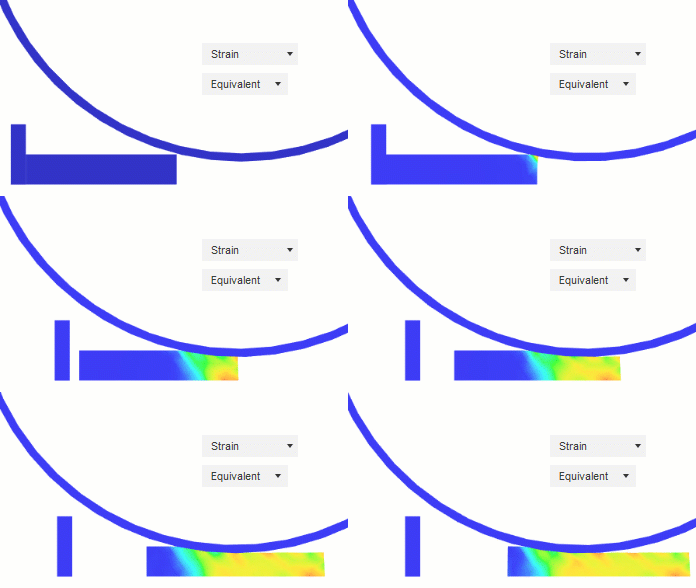
Animation enables you to observe how your result changes over time as an event progresses, whether you're interested in the effect of a changing loading factor, or how shape optimization changes your model shape over time, or how your model vibrates with different frequencies.
You can animate any result in which there are result steps, including Static Stress, Nonlinear Static Stress, Thermal Stress, Structural Buckling, Event Simulation, Shape Optimization, and Modal Frequencies Analysis.
The maximum number of animation steps or intervals is 100.
Online viewer animation bar
For studies using the online viewer (Static Stress, Thermal, Thermal Stress, Modal Frequencies, Structural Buckling, Injection Molding, and Electronics Cooling), the animation bar appears at the bottom of the canvas when you open Results. The animation bar provides standard playback controls and settings for navigating through result frames.
Animation bar controls
| Control | Function |
|---|---|
| Play/Pause | Starts or pauses automatic playback through animation frames |
| Previous frame | Jumps to the first frame in the animation sequence |
| Step backward | Moves to the previous frame |
| Stop | Stops playback and returns to the first frame |
| Step forward | Advances to the next frame |
| Next frame | Jumps to the last frame in the animation sequence |
| Timeline slider | Drag to manually select any frame in the sequence; displays current step number |
| Options (gear icon) | Opens settings for Speed (.25x, .5x, 1x, 1.5x, 2x) and Intervals (number of frames, maximum 100) |
| Playback (hamburger menu) | Choose playback mode: Playback once, Loop, or Mirror loop (animates forward then backward) |
| Save animation | Saves the animation as a webm video file to your computer or project in the cloud |
The current frame number displays above the timeline slider as you navigate through the animation.
Legacy animation dialog
Studies not using the online viewer (such as Nonlinear Static Stress, Shape Optimization, and Event Simulation) use the legacy animation dialog with a Steps setting (maximum 100) and a separate dialog interface.