The polySmartBevel node is created when Smart Bevel is applied to selected edges. It appears in the object history and lets you modify bevel parameters in the Attribute Editor or Channel Box.
How to access the Smart Bevel node
 Smart Bevel node can be accessed two primary ways:
Settings
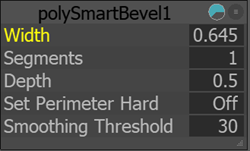
Modifying these attributes updates the bevel interactively as long as history is retained.
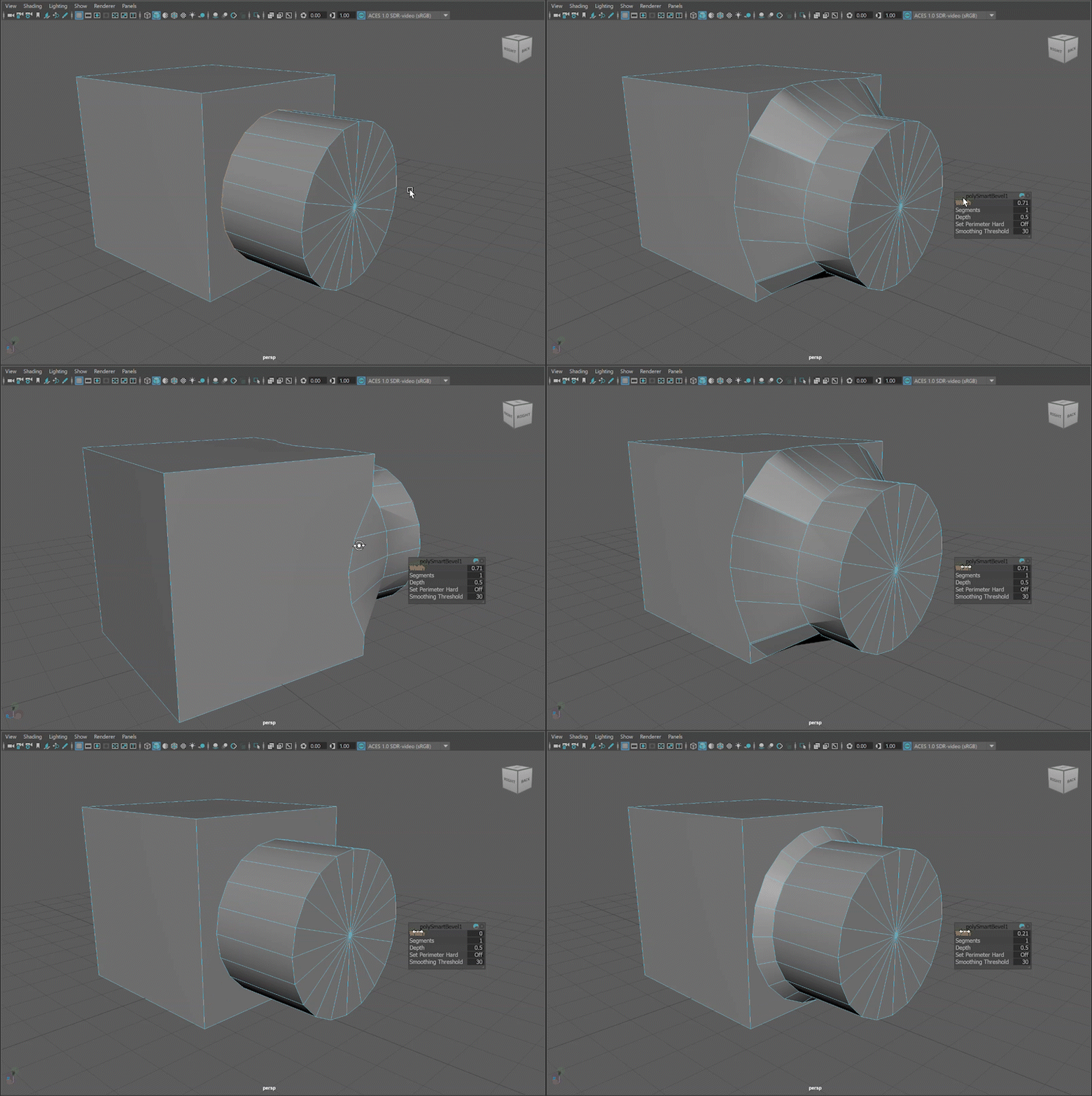
Width
Width controls the extent of the Smart Bevel along the selected edges. This option functions in world units, not as a percentage of edge length. This ensures consistent application regardless of edge length.
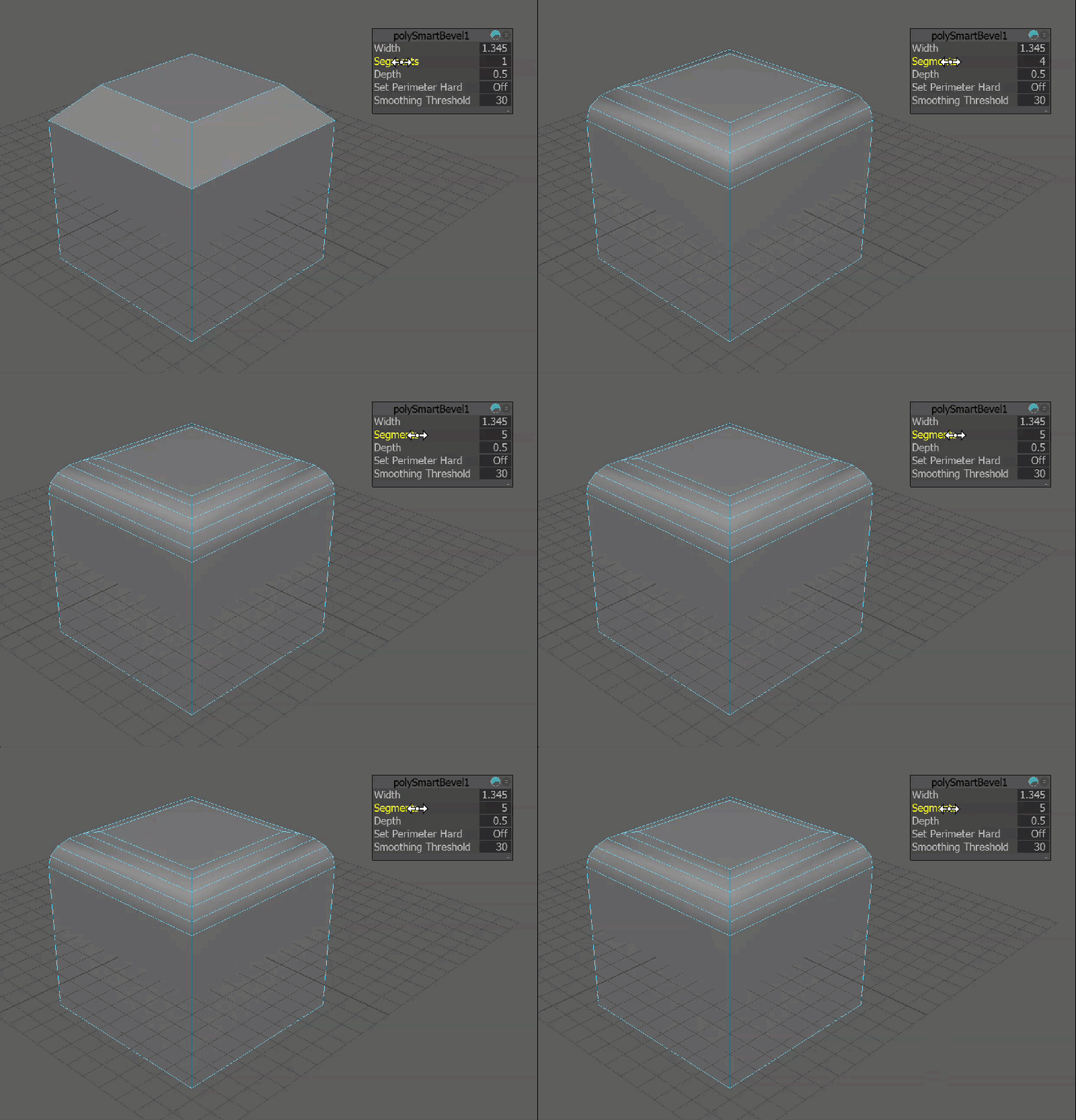
Segments
Segments defines the number of divisions within the bevel. Increasing the segments will add more subdivisions to the bevel, creating a smoother transition.
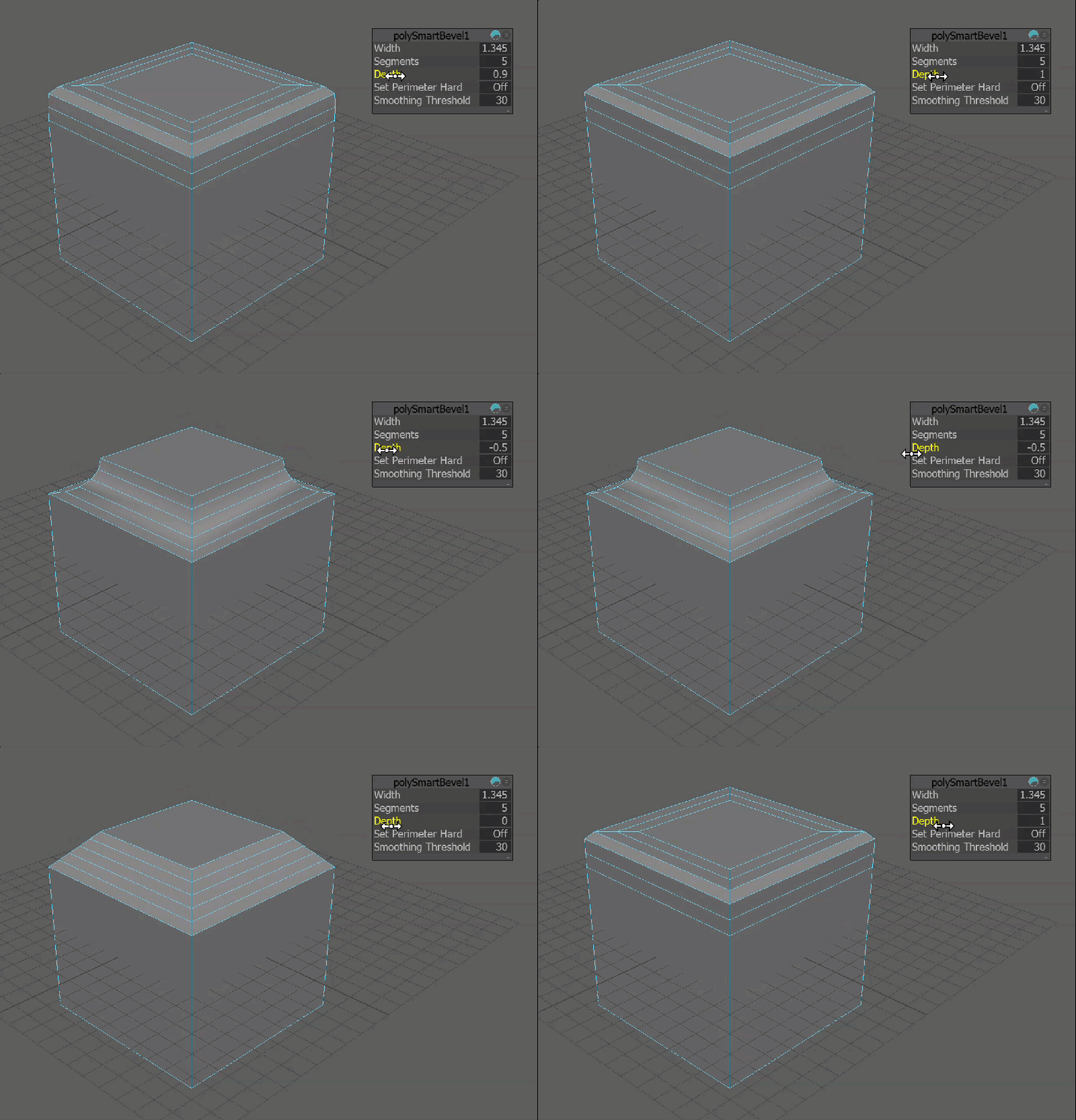
Depth
Depth controls the profile shape of the beveled face. A value of 1.0 produces a flat, chamfer-like transition. Values between 0 and 1 create progressively smoother, rounded transitions. Negative values invert the curvature, creating a concave profile when multiple segments are used.
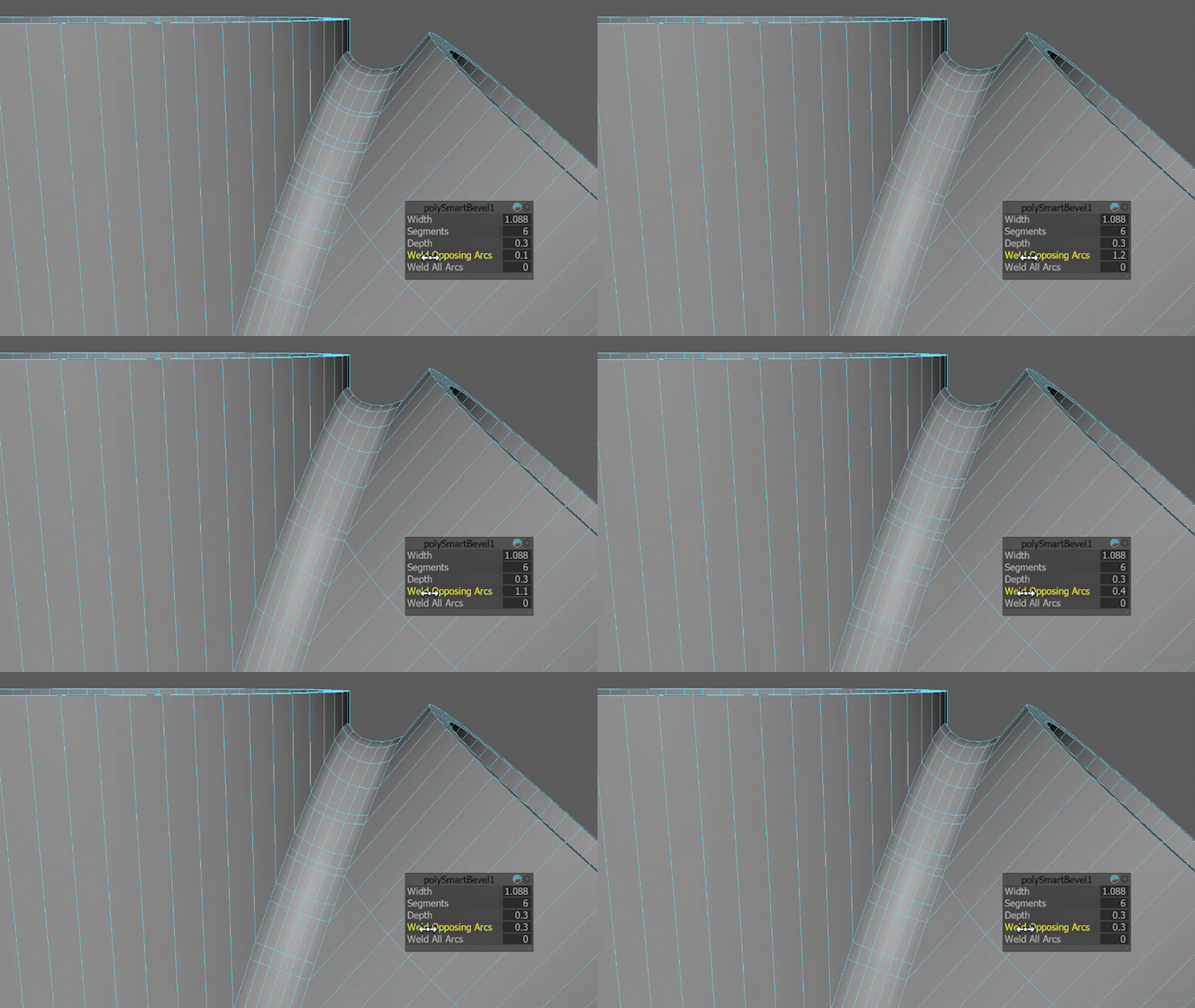
Weld Opposing Arcs
Weld Opposing Arcs merges arc edge loops that directly oppose each other across the bevel surface, reducing duplicate arc pairs while preserving the overall arc structure. Use this option when bevel operations create paired arc loops that overlap but do not require full arc simplification.
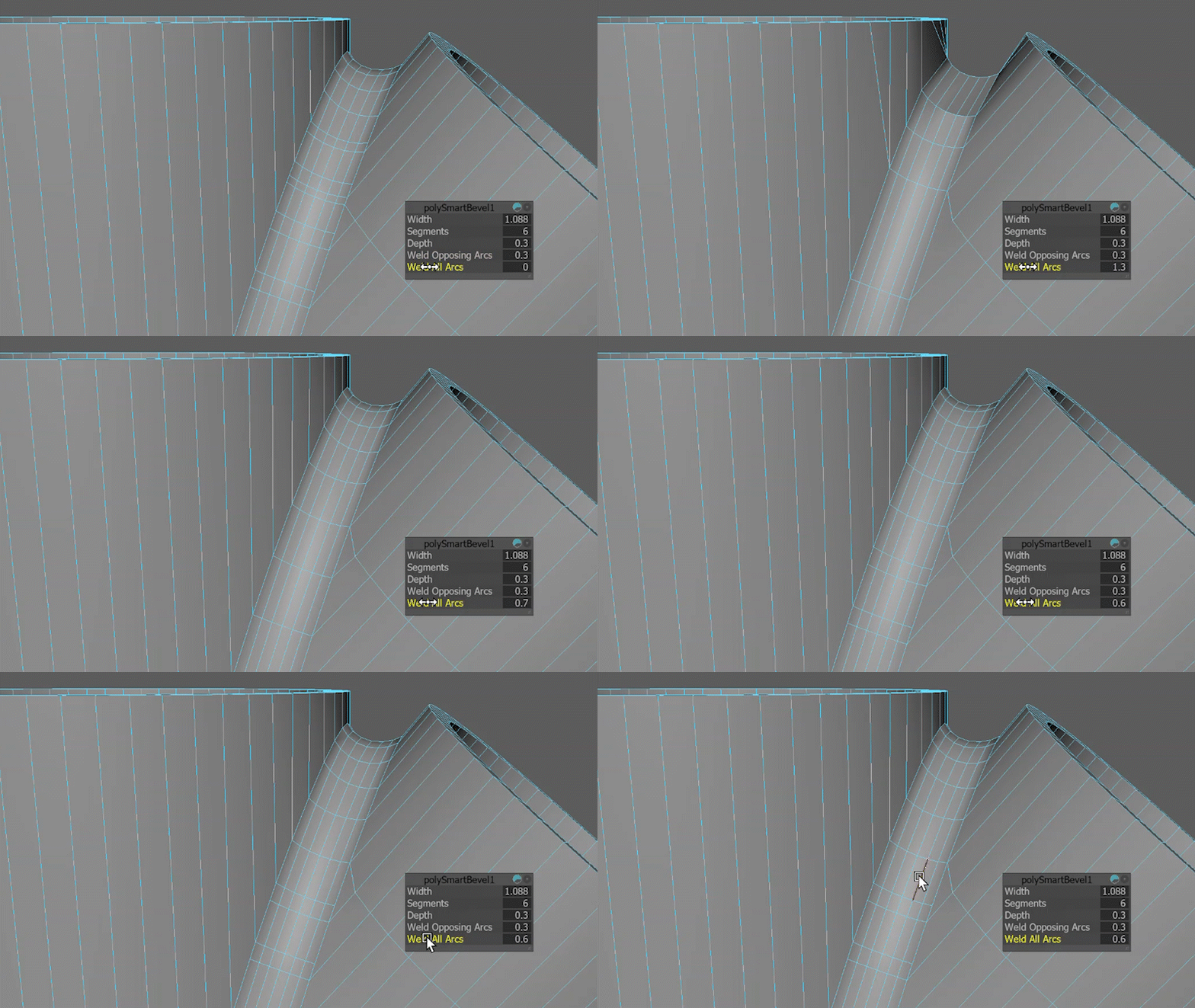
Weld All Arcs
Weld All Arcs merges all neighboring arc edge loops that fall within the specified tolerance, simplifying the bevel by removing excess or fragmented arcs. Use this option for aggressive cleanup after complex Boolean or high-segment bevel operations.
To learn how to apply Smart Bevel to a model, please consult this step-by-step guide.