Create user group: Ideas Voting
Note:
For users with Fusion connected sites, references to the 'Items' workspace should be the 'Components' workspace.
To enable online voting, you must first create a user group named ‘Ideas Voting’. This group should include all members who will participate in voting on new ideas.
Note: If you’re working in a Fusion-connected site, follow the steps outlined in Manage PLM workspace access to create a group and configure workspace access.
Sign in as an administrator.
From the main menu, go to Administration > Security.
In the Security view, click New Group (top right).
Enter
Ideas Votingas the group name.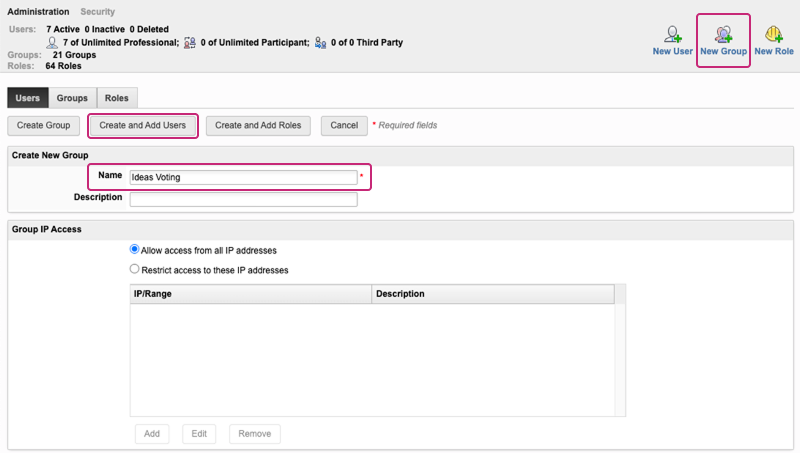
Click Create and Add Users.
Select users, then click Save.
You can modify the user list at any time. The updated list will be used automatically the next time an Idea is set to Voting status.