Choose a currency symbol for calculated fields
Calculated fields can use the TO_CURRENCY() function to format numeric values as currency. Previously, that output always used the dollar sign ($). You can now choose which currency symbol to use when the field’s returned value is currency-formatted with TO_CURRENCY(). Currency-formatted calculated values can now match your studio's working currency.
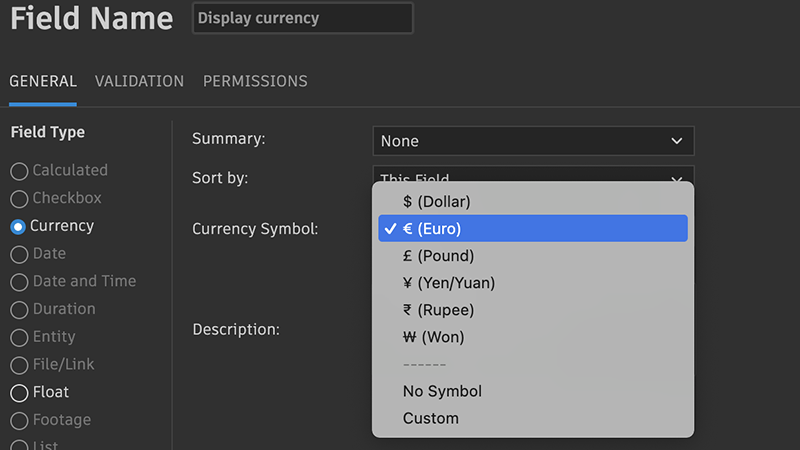
You select a currency symbol from the same options as the standard Currency field:
- $ (Dollar)
- € (Euro)
- £ (Pound)
- ¥ (Yen/Yuan)
- ₹ (Rupee)
- Custom (up to 5 characters)
- No Symbol
Calculated fields that already used TO_CURRENCY() before this change keep $ as the default unless you change the selection.
If TO_CURRENCY() appears only inside a nested expression and the field does not return a currency-formatted value, the currency symbol selection does not apply.
How currency values are shown (symbol visibility, rounding, negative values formatting) still follows your Site Preferences for currency display. If the preferences are configured to hide the currency symbol, it will not be shown.
Documentation
To learn more about calculated fields, check out our documentation here.
Release Information
Version:
8.84
Release Date:
March 2026