Selected record count
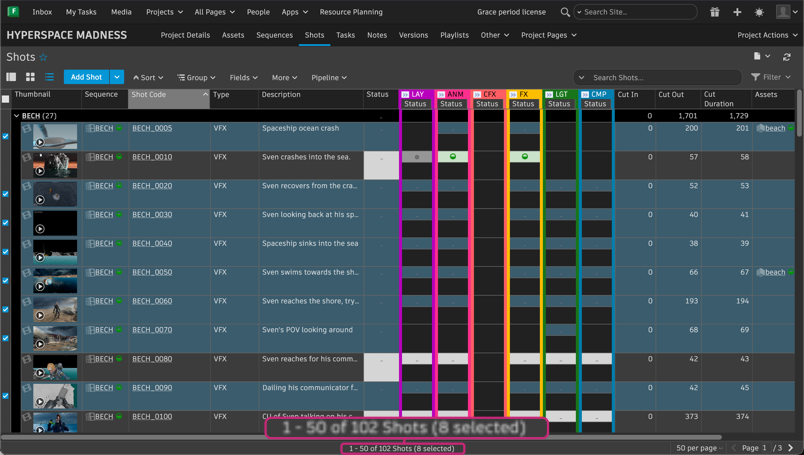
The grid and thumbnail view footer now shows how many records you have selected. When you select one or more records, a count appears in the footer next to the total record count, in the format (X selected). The count updates as your selection changes, and disappears when no records are selected.
Tip:
- Contiguous selection: Click a record, then shift-click another record to select the entire range between them.
- Non-contiguous selection: Hold Command (macOS) or Ctrl (Windows) and click individual records to select them separately.
The selection count persists when you change the number of records displayed per page.
Release Information
Version:
8.87
Release Date:
July 2026