Add shapes and text to your annotations
The Review Annotation toolbar now includes shape and text tools, so you can give clearer feedback without relying on freehand drawing alone.
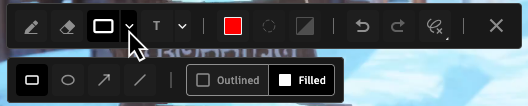
Draw shapes: Add a Rectangle, Ellipse, Arrow, or Line to frame or point to an area of the version. Set the color, opacity, and line thickness, and choose an outlined or filled style for rectangles and ellipses.
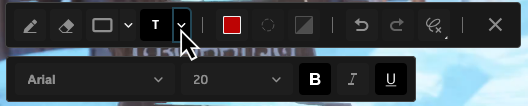
Add text: Type feedback directly on the version, and set the font, size, and color, with bold, italic, and underline.
To learn more, see Annotating a version in Review.
Release Information
Version:
8.87
Release Date:
July 2026