Item details pane
When you select an item from the BOM table in the center view, the item details pane opens on the right side. The item details pane has ten tabs that each contain different information about the item, including change management information, linked documents and items, CAD attributes, categorization, history, where used, and model comparisons.
Tip: Use the pin  to keep the item details pane open. Click the arrows along the side of the item details pane to resize it as desired.
to keep the item details pane open. Click the arrows along the side of the item details pane to resize it as desired.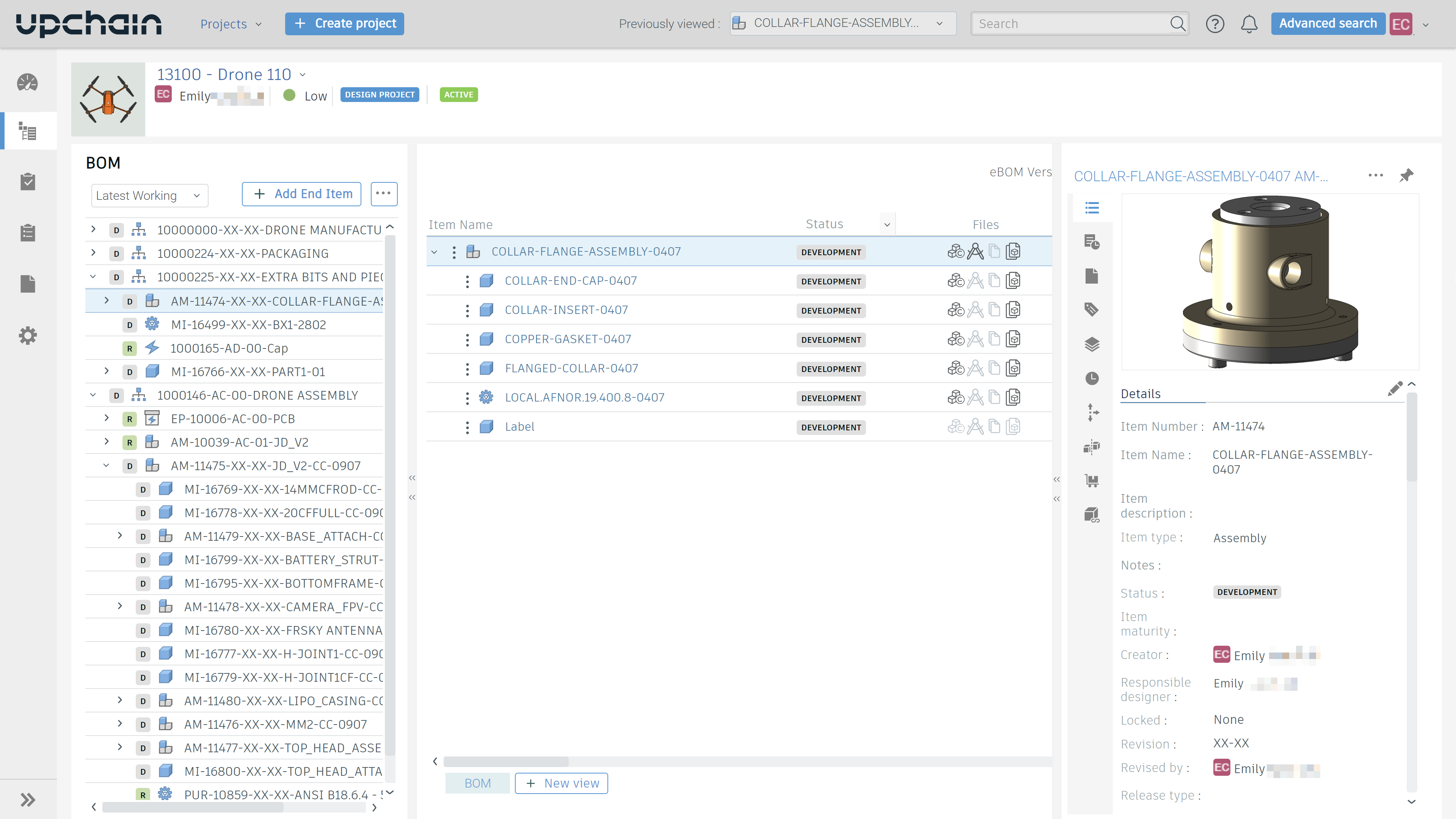
Note: This image shows Upchain's new theme. Click the chevron next to your profile icon in the main dashboard to open the user menu and select Switch theme.