Depth, Dust, & Position Procedural Masks
 |
 |
 |
Depth, dust, and P Position
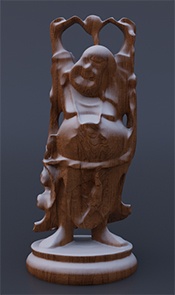
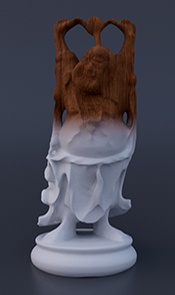
This tutorial shows how to create Z Depth, dust, and Object Position masks that can be used in a compositing package to layer shading effects such as depth of field, dirt, dust, or snow. They use a combination of Arnold shaders such as Utility, Range, and State Float. Thanks to Slava Sych for the assistance with this tutorial.
A scene file can be found here.
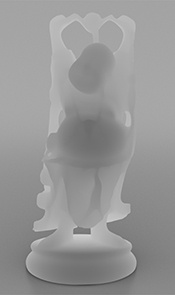
Depth Mask
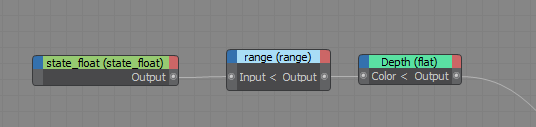
Create a State Float shader. Set the Variable parameter to Ray Length (Rl).
Create a Range shader and connect the State Float shader Output to the Input of the Range shader. Change the following parameters of the Range shader:
- Input Min: 0.6 (this value depends on the distance from the camera your object is).
- Output Max: 1.5 (this value depends on the distance from the camera your object is).
- Smoothstep: Enabled
Note: Note that this mask directly depends on the distance from the camera.
Object Position (n) Dust Mask
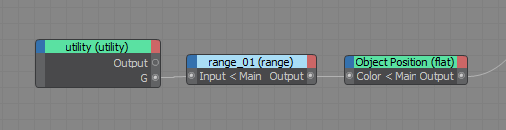
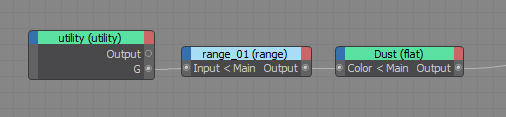
Create a Utility shader. Set the following parameters for the Utility shader:
- Color Mode: Normal (n)
- Shade Mode: flat
Create a Range shader and connect the Utility shaders Output.G to the Input of the Range shader. Enable Smoothstep and control the mask position with the Input Min/Max parameters.
If you cannot connect a single out color (Out G) to an Input in your DCC, use a RGBA to Float (mode G) shader to convert it.
Object Position (P) Mask
Create a Utility shader. Set the following parameters for the Utility shader:
- Color Mode: Shading Point (P)
- Shade Mode: Flat
Create a Range shader and connect the Utility shaders Output.G to the Input of the Range shader. Enable Smoothstep and control the mask position with the Input Min/Max parameters.
If you cannot connect a single out color (Out G) to an Input in your DCC, use a RGBA to Float (mode G) shader to convert it.