Issue:
User reported that when trying to Publish to PDF from the Sheet Set Manager (SSM) for Web, it is not plotting the Xrefs and treating them like broken references. This behavior is not isolated to one file but may be specific to one Sheet Set (DST).
Causes:
- Xref with nested attachments not gathered in cloud Publish to PDF, when Xref Type = Overlay.
- Xref path in Sheet Set Support files cause conflict with Xref path in drawing sheets.
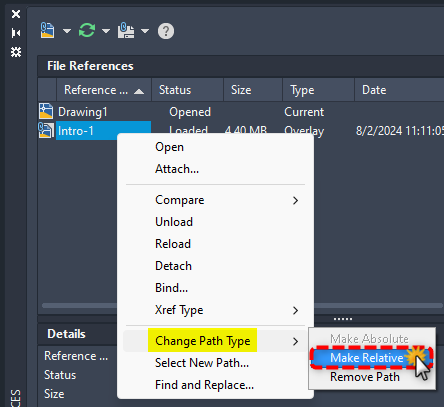
- Xref path type in drawing sheet is Absolute.
Solution:
Try the following solutions:
Verify a host drawing with Xref containing other nested attachments such as Image, PDF, or other attached Xrefs, is of type = Attach; (as an example. host sheet drawing "DWG A" shall have an Xref type = Attach of "DWG B", when "DWG B" references an Image, PDF, or another nested Xref attachments).
Note: To set the default Xref Type, see XREFTYPE (System Variable).
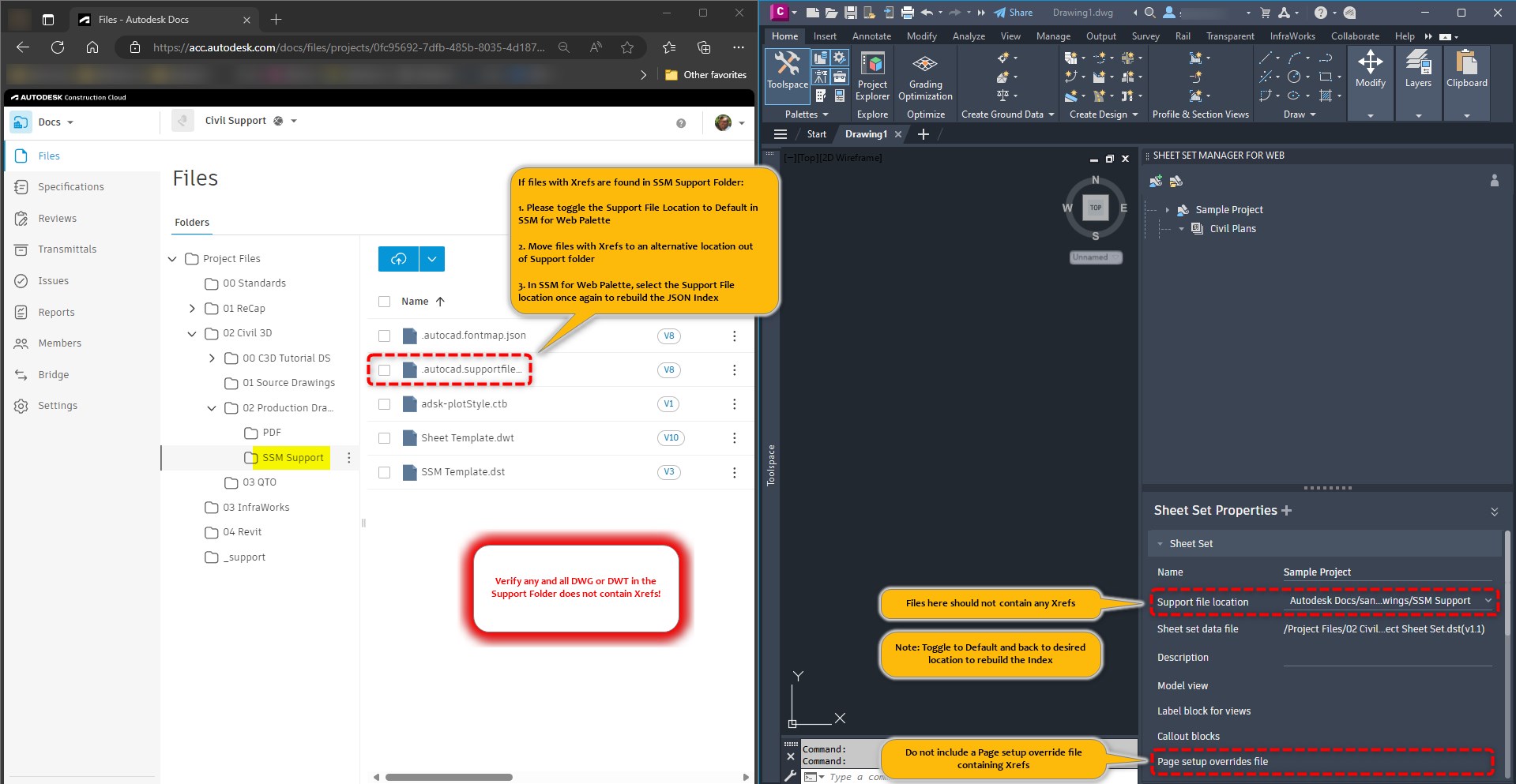
Verify that the Support File Location Folder assigned in the DST does not contain any DWG or DWT with Xrefs.
Note: If support files currently contain Xrefs saved in the support folder, relocate these to an alternative folder in Autodesk Docs or Detach the Xrefs, then rebuild the JSON Index (toggle the Support Folder Location to "Default" then re-select the desired Autodesk Docs folder to trigger a re-index).
Verify the Page setup overrides file assigned in the SSM does not contain Xrefs.
- Verify Xref Saved Path is Relative or Make Relative. To set the default Path Type see REFPATHTYPE (System Variable).