
Issue:
You want to see the details of your authorized Autodesk partner.
Solution:
- As the license purchaser, sign in to your Autodesk Account.
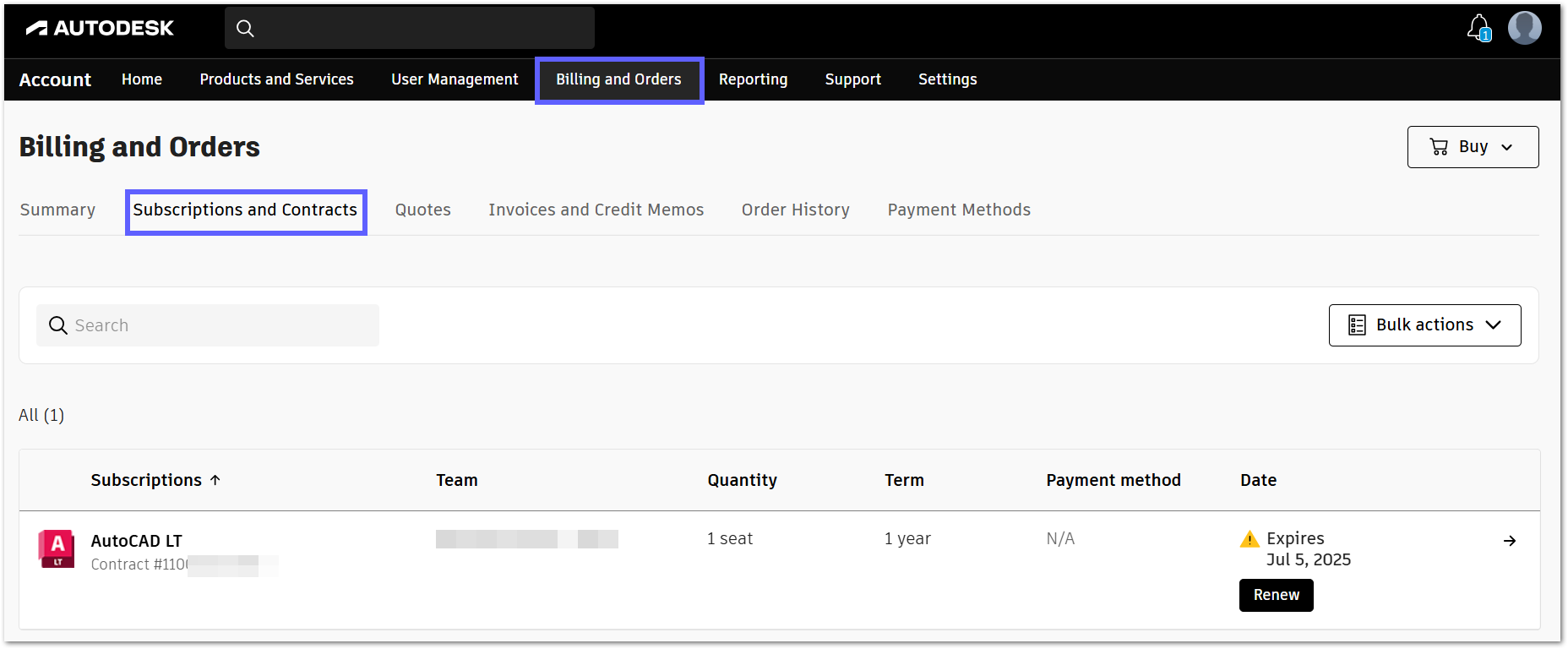
- Under Billing and Orders, go to Subscriptions and Contracts:
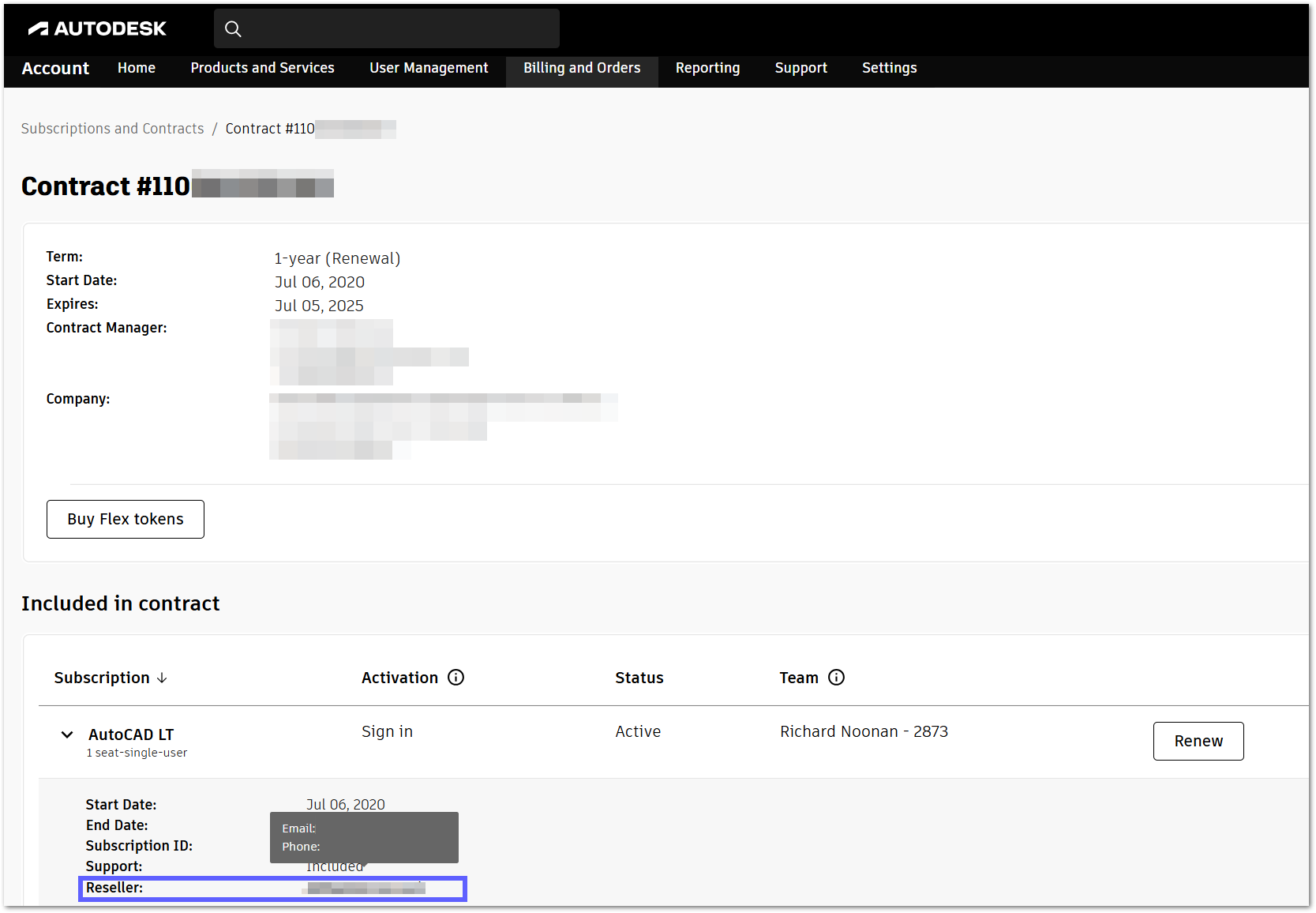
- Select your contract or subscription and select the subscription to view its details.
- If you have a subscription with a contract number, the partner information will show next to Reseller.
Hovering over the partner's name will display their email and phone number.
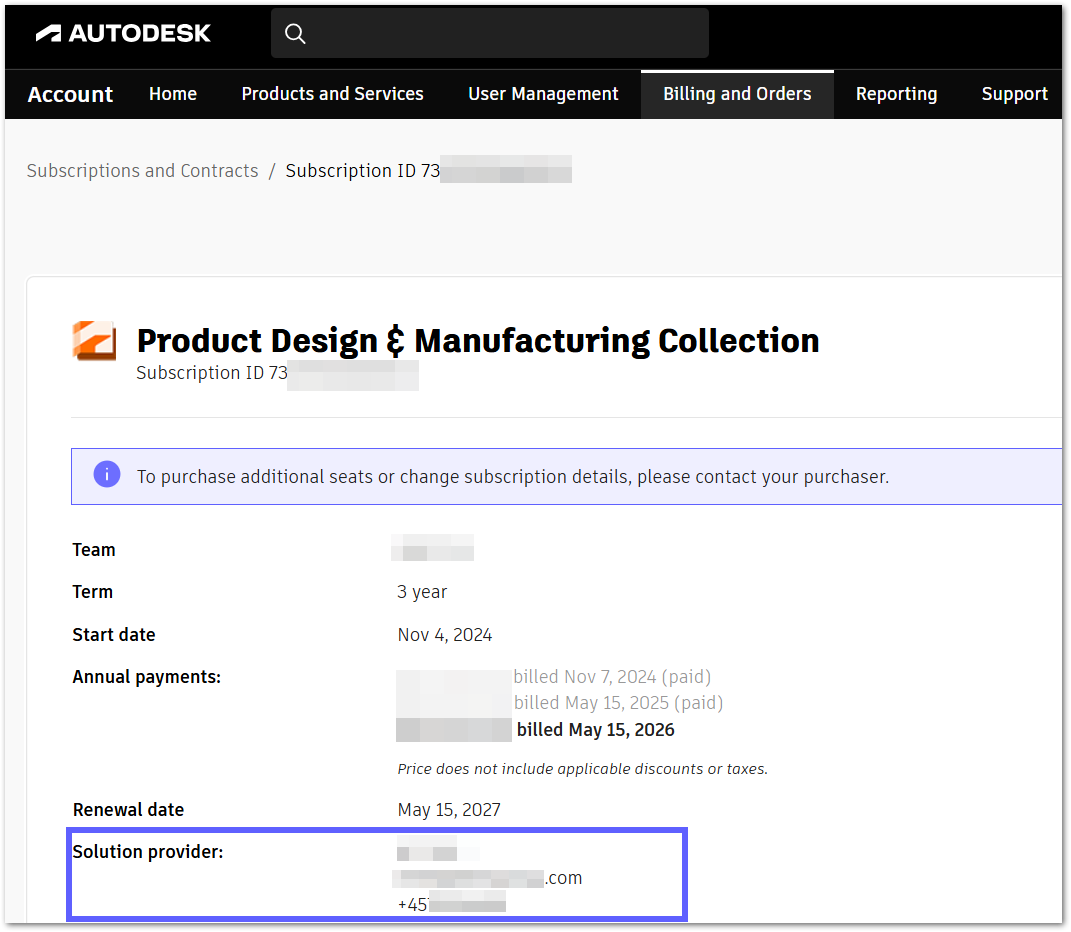
- If your subscription has a subscription ID, you will find all the partner information next to Solution Provider.
- If you have a subscription with a contract number, the partner information will show next to Reseller.
Note: Multiple partners can be associated with different subscriptions in the same contract.