
Issue:
How to renew a commercial subscription.
Causes:
Uncertainty about which renewal options are available or which to choose.
Solution:
On this page
Renew online
In your Autodesk account, go to Billings and orders > Subscriptions and contracts, select a product, and do one of the following:
- For subscriptions with auto-renew on: To ensure your renewal is successful, make sure your saved payment method is valid, and auto-renew is on.
- For subscriptions that must be manually renewed: Select the Renew button in your renewal reminder email or navigate to the Subscriptions and contracts section in your account. If online renewal is available, the option will become visible 90 days before your expiration date.
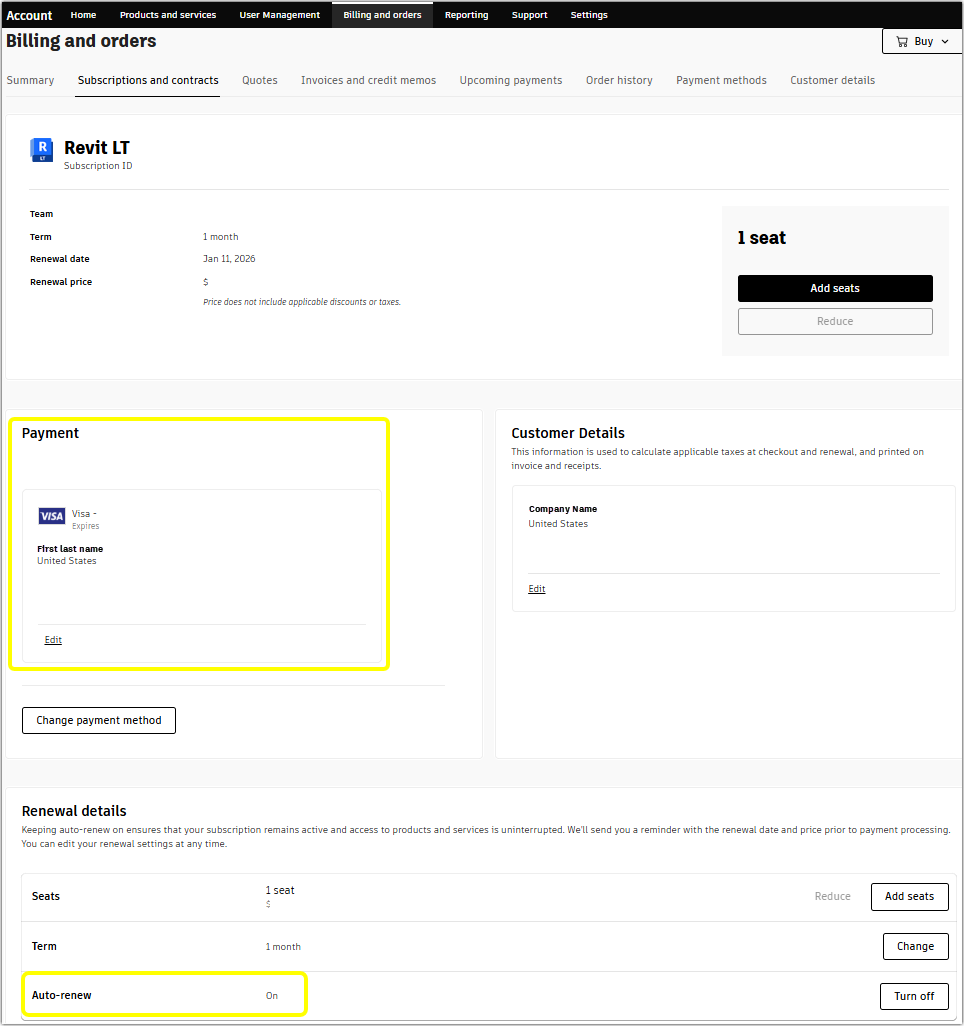
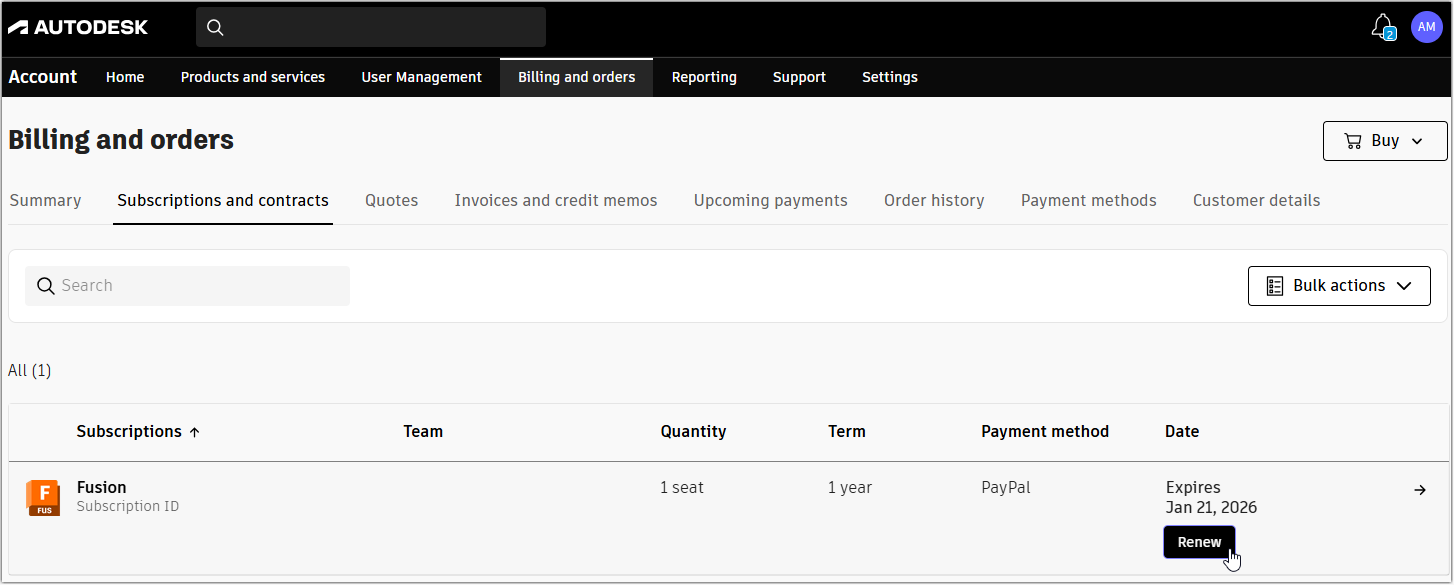
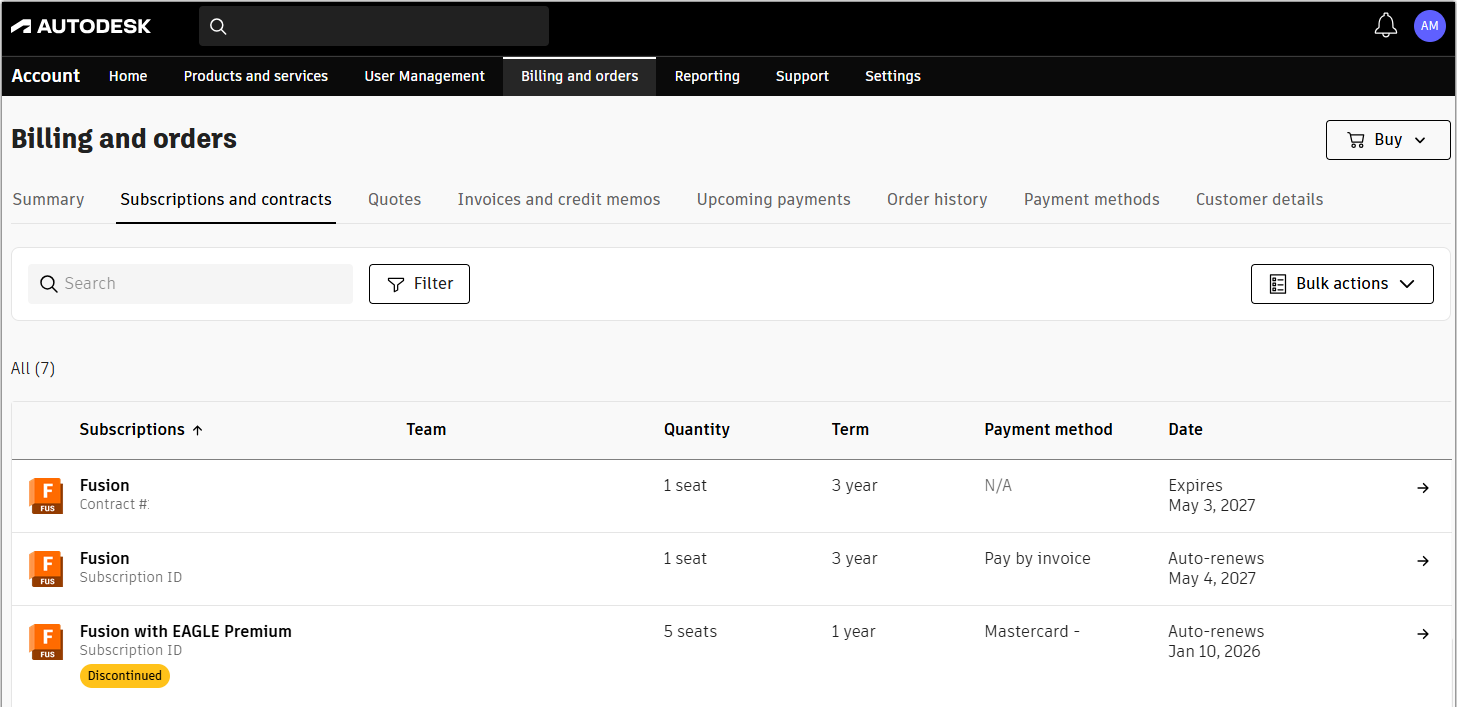
Considerations for online renewal:
- To see these options, you need to be the subscription purchaser. Purchaser is the individual who receives purchase, billing, and renewal emails from Autodesk.
- If your product is discontinued, you will see a notice in the Subscription and contracts section. This area also shows if your subscription is eligible for renewal. Find more information about Autodesk discontinued and retired products.
- If you did not buy your subscription directly from Autodesk, you might not see online renewal options. If you used an Autodesk partner, please refer to the section below.
Renew with an Autodesk partner
If the auto-renew or manual renew options are not available in your Autodesk account, renew with your Autodesk partner. Find their contact information by selecting a product in the Subscriptions and Contracts section. Expand the listed product in the contract to see the reseller's name and their contact email.
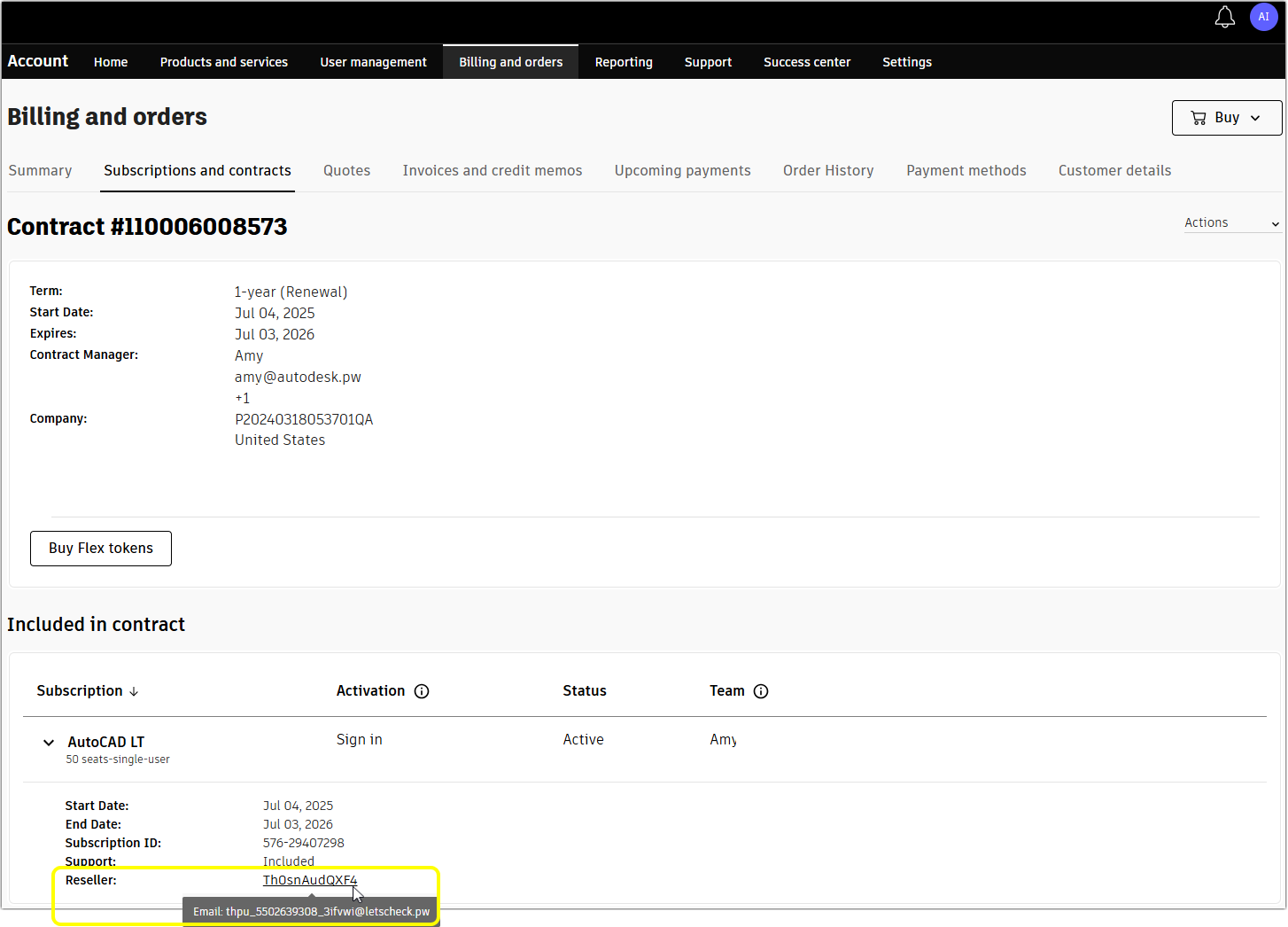
Renew with Autodesk sales team
If renewal with your Autodesk partner isn't available, visit the renew support page to fill out the contact form, and our sales team will get in touch.
Renew with quote
To renew with a quote, you can find a new Autodesk partner, work with your existing preferred partner, or contact sales representatives for assistance.
In countries where payment is made directly to Autodesk:
- The purchaser will receive an email notification that the quote is ready to review. It will contain the quote number, quote expiration date, and total renewal price including estimated applicable taxes and discounts.
- Review the quote and click the “Buy” button in the quote to purchase.
- Prices on the quote are valid until the expiration date shown.
- Most customers will need to set up Autodesk as a vendor to take advantage of this way to buy. Please verify with your procurement department.
FAQs
How do I renew my commercial subscription I bought from an Autodesk partner?
You can work with your existing preferred partner, find a new Autodesk partner, or contact sales representatives for assistance.
To renew online, go to your Autodesk account > Billings and orders > Subscriptions and contracts.
Depending on your subscription, you can turn on auto-renew, or click the Renew button.
How do I renew my commercial subscription I bought from an Autodesk sales representative?
Most subscriptions purchased through an Autodesk sales representative will be set to auto-renew and are eligible for the renewal options describe above. Navigate to Subscription and contracts in your Autodesk account to see your renewal options.
If manual renewal is available you will see the Renew button underneath your subscription expiration date in your Subscriptions and contracts page.
How do I renew my Fusion personal use license?
You can renew your Fusion personal use licence when you have fewer than 30 days left before it expires. Fusion will show a dialog box telling you how many days remain on your current licence. When you request a renewal, the new licence will not become active until your current one ends. After you request the renewal, Fusion will still display your old expiry date until it passes. Once your current licence expires, Fusion will activate your new licence and the timer will disappear. Visit How to renew a Personal license or access the Startup program for Fusion for full instructions.
How do I renew my education plan?
30 days before the expiration of your one-year education plan access, you'll be sent an email reminder. Visit Renewing access to education software for full instructions.
How do I renew my contracts if I work for a government organisation?
If you represent a government organisation, renew your Autodesk licences through your Autodesk partner with government expertise. Go to your Autodesk account and select a product in the Subscriptions and contracts section. Click to expand the product details, and you will find your reseller’s name and contact email there.
You can also find a new partner using the partner finder. For steps on how to filter for government partners, read the instructions at Finding an Autodesk Authorized Partner for Government Purchases.
How do I check the renewal date for my Autodesk products?
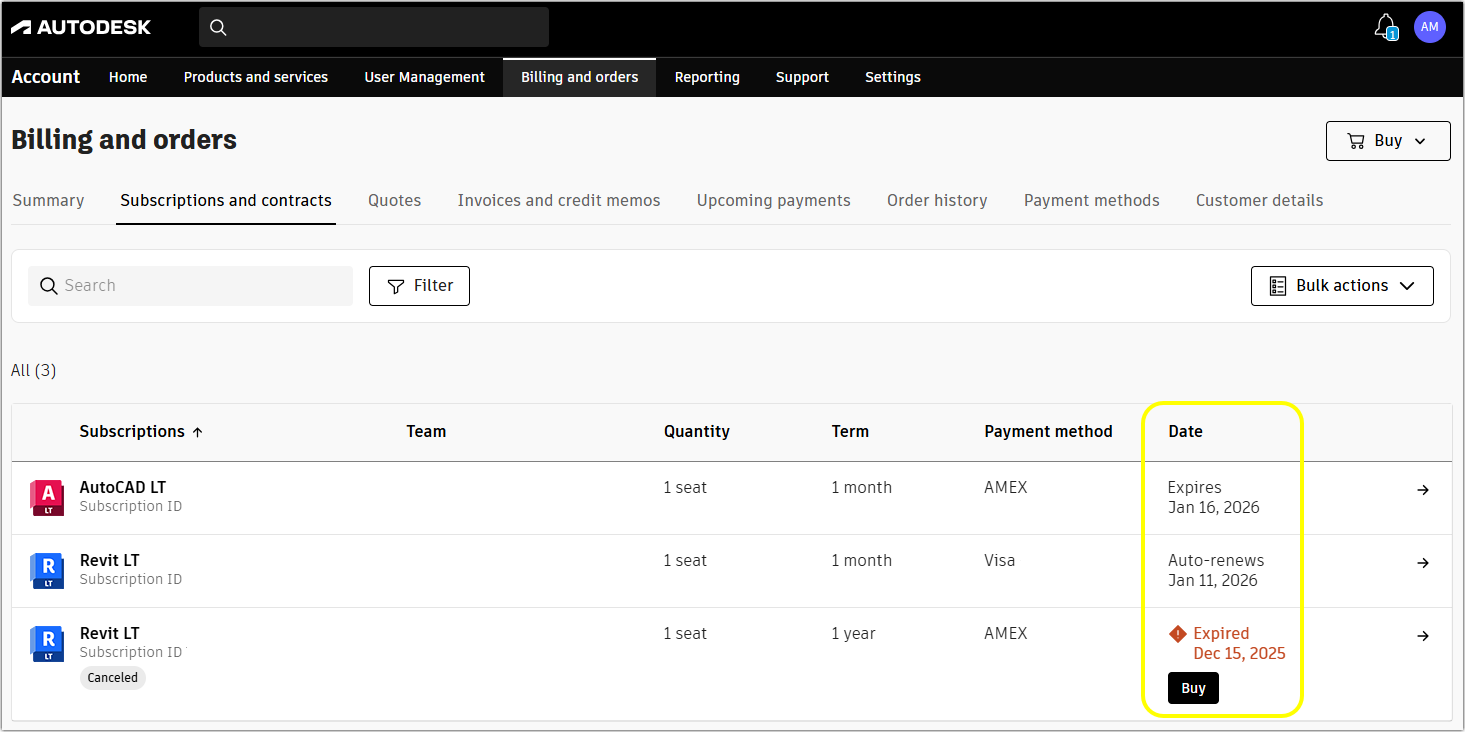
You can check the renewal date for your Autodesk products by looking at the date column in your account.
- Go to your Autodesk account > Billing and orders.
- Open the Subscriptions and contracts section.
- The date column shows you if your subscription renews automatically. If auto-renew is off or if you need to renew it manually when it says Expires.
How do I renew my subscription if my subscription has already expired?
Subscriptions that have expired and show status Canceled cannot be reactivated or restarted. To use the software, simply purchase a new subscription. In many cases, you can view your purchase options for a new subscription by launching your expired software. Alternatively, you can purchase a new subscription directly from Autodesk or from an Autodesk partner.
Can I pay with a purchase order?
Our expert sales team can guide you in finding the Autodesk software that’s right for you. Use the Autodesk Assistant to connect you to a sales agent for a personalized consultation to review all your payment options for purchasing software subscriptions.
Do I need to set up Autodesk as a vendor to be able to renew my subscription?
In countries where payment is made directly to Autodesk, to ensure a seamless transaction or renewal, you may have to set up Autodesk as a vendor in your procurement system. Please note that your company may have different requirements, so we recommend consulting with your procurement department to determine the specific information needed.
This FAQ content has been created to help make this process as smooth as possible.
Who receives renewal reminder emails?
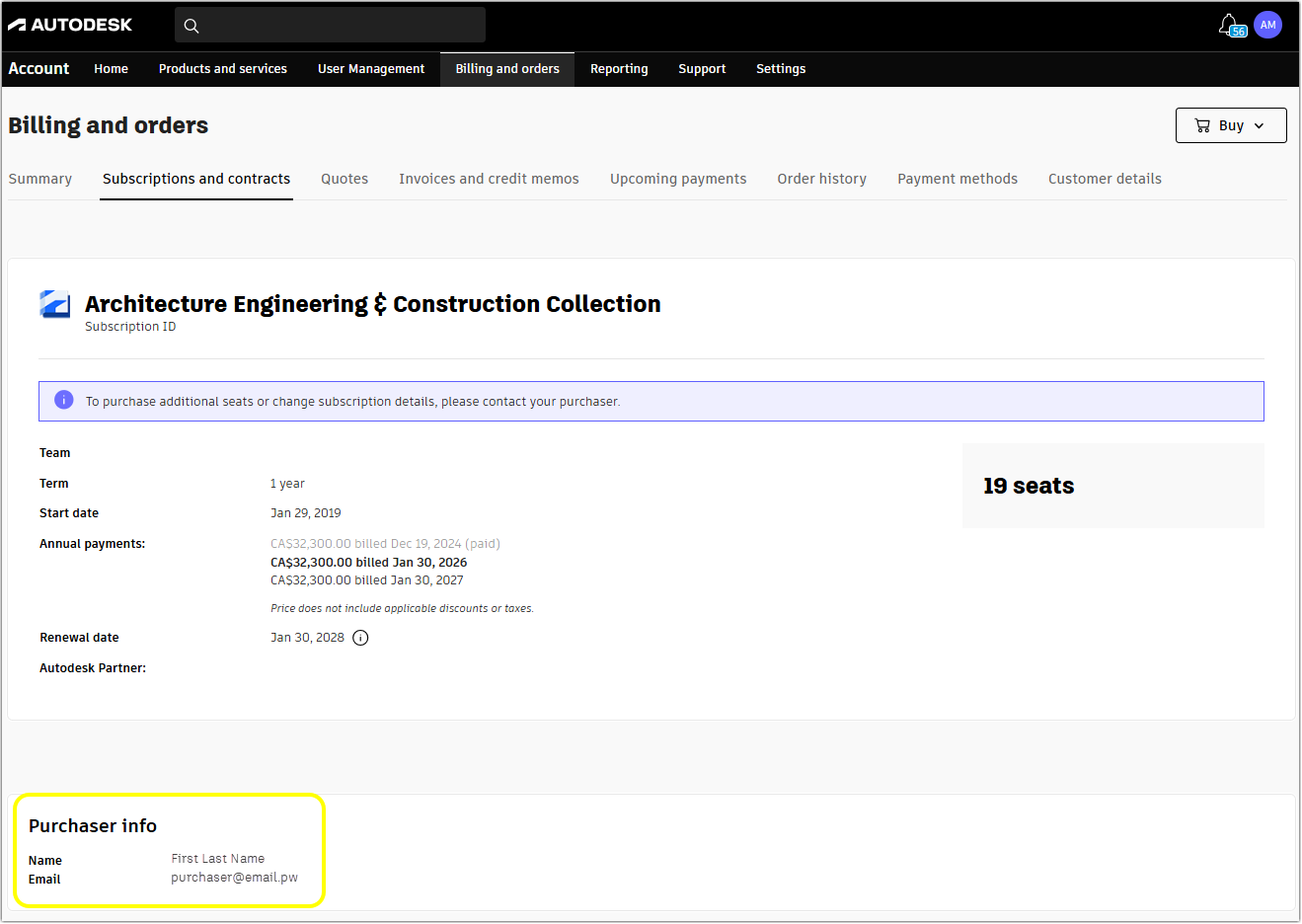
We send renewal notification emails to the person listed as the purchaser. This is usually the person who made the original order, but your account may show a different purchaser if their details were updated during your subscription period. You can view the purchaser’s name and email as the Autodesk account admin. Select a product in your Subscriptions and contracts section to find this information.
As the purchaser, you cannot turn off or opt out of renewal reminder emails. We will stop sending them once you renew your subscription or it expires.