
Autodesk Collaboration for Civil 3D allows project teams to collaborate on Civil 3D data shortcut projects in Forma Data Management. Autodesk Collaboration for Civil 3D is available as an entitlement to Forma Design Collaboration subscribers.
- To work in an
Forma Data Management project, you'll be using familiar workflows in
Civil 3D, but instead of saving files locally, you'll use a Desktop Connector-enabled connected drive to work with the files in
Forma Data Management. When working in
Forma Data Management:
- All files in the project are saved in
Forma Data Management using a
connected drive.
Note: A data shortcut project and its associated drawings need to be stored in the same data storage environment, either on a local drive or a local area network, or in Forma Data Management. For example, when you are working in a data shortcut project that is stored in Forma Data Management, the drawing files must also be stored in Forma Data Management.
- The data shortcut working folder and project folder are also in Forma Data Management. When you set the working folder for data shortcut projects, you select the location in Forma Data Management using the connected drive.
- You can use the Forma Data Management page on the Start tab to see your projects on the connected drive and to open documents to work on from within Civil 3D.
- The standard dialog boxes for opening and saving files contain a shortcut in the left panel so you can quickly navigate to
Forma Data Management accounts and projects on the connected drive. For example, in the Save Drawing As dialog box, click
 in the left panel to display your
Forma Data Management accounts within the connected drive.
in the left panel to display your
Forma Data Management accounts within the connected drive.
- All files in the project are saved in
Forma Data Management using a
connected drive.
- Project team members who do not have access to Autodesk Collaboration for Civil 3D can open and save Civil 3D drawings that contain data shortcut references, but they will not be able to create data shortcuts or data shortcut references in an Forma Data Management project, or work with certain data-shortcut related commands. For more information, see About Working With Data Shortcut Projects in Forma Data Management.
Autodesk Collaboration for Civil 3D workflows
In this example, four project team members who work in different locations are collaborating on a data shortcut project in Forma Data Management.
- Three team members are using Forma Design Collaboration with Autodesk Collaboration for Civil 3D, and can create data shortcuts and data shortcut references in an Forma Data Management project.
- One team member is using Forma Data Management and does not have Autodesk Collaboration for Civil 3D, and can open and edit drawings with data shortcut references, but can't create data shortcuts or data shortcut references.
| Collaborator | Workflow | |
|---|---|---|
|
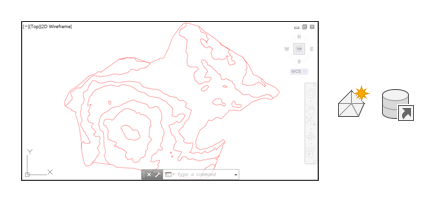
A surveyor using Forma Design Collaboration and Autodesk Collaboration for Civil 3D. |
The surveyor:
|
 |
|
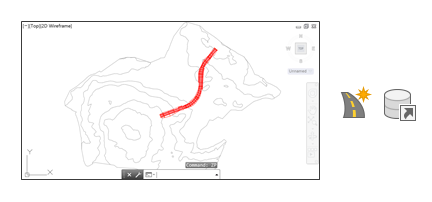
A roadway designer using Forma Design Collaboration and Autodesk Collaboration for Civil 3D. |
The roadway designer:
|
 |
|
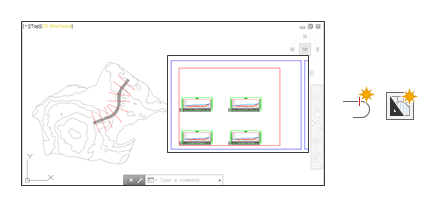
An engineering technician using Forma Design Collaboration and Autodesk Collaboration for Civil 3D. |
The engineering technician:
|
 |
|
A project manager using Forma Data Management, without Autodesk Collaboration for Civil 3D. |
The project manager:
|
 |