
What's New in MotionBuilder 2027
Welcome to MotionBuilder 2027!
You can access this release from your Autodesk Account.

This release introduces flexible Viewer pane layouts, quaternion math tools for Relation constraints, improved scene organization, and workflow enhancements throughout the application.
Flexible Viewer pane layouts
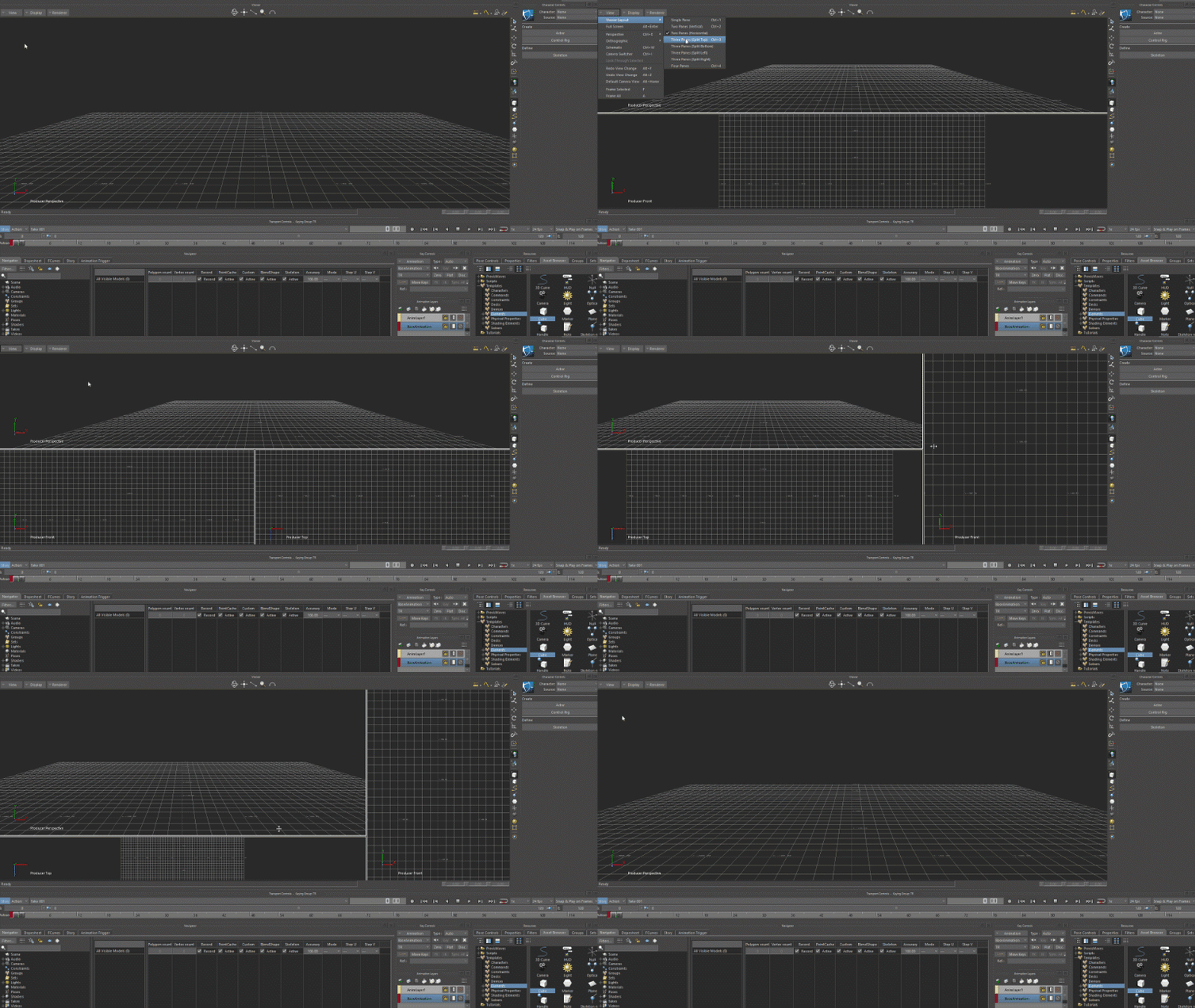
MotionBuilder 2027 gives you more control over how you arrange the Viewer. You can now split the Viewer into multiple layout configurations, making it easier to compare animations, reference different camera angles, or monitor the Schematic alongside your 3D view.
New layout options include:
- Two Panes: Vertical or Horizontal split
- Three Panes: Split Top, Split Bottom, Split Left, or Split Right
- Four Panes: Quad view
When the Viewer is focused, press Ctrl+2 to cycle through two-pane layouts, or Ctrl+3 to cycle through three-pane layouts. You can also access all layouts from View > Viewer Layout.
Each pane is now resizable. Click and drag on the edge between panes to adjust their size. MotionBuilder saves your pane sizes and Schematic placement with the scene, so your layout is restored when you reopen the file.
You can set a default layout in Application.txt using DefaultViewerLayout under [Display].
Quaternion math tools for Relation constraints
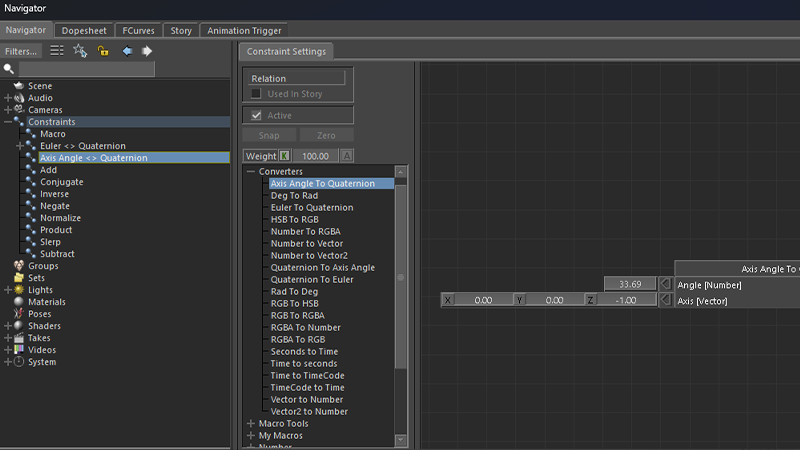
New quaternion boxes are now available in Relation constraints, giving you direct access to rotation math operations. These tools help you build rigs that require precise control over sub-joints or complex rotation blending.
Converters:
- Axis Angle to Quaternion / Quaternion to Axis Angle
- Euler to Quaternion / Quaternion to Euler (with rotation order support)
Quaternion Operations:
- Add / Subtract / Product: Combine, difference, or multiply quaternions
- Slerp: Spherical linear interpolation with blend control
- Inverse / Conjugate / Negate / Normalize: Standard quaternion math
Most operations are also available as expression functions (for example, euler2quaternion, quat_slerp, quat_prod). New Macro Input/Output Quaternion boxes let you pass quaternion data into and out of macro Relation constraints. For a full list of quaternion boxes and expression functions, see Relations reference and Quaternion expressions.
Reorder objects in the Navigator
You can now reorder objects in the Navigator by dragging and dropping them onto other objects. When you drop an object, MotionBuilder prompts you to move it above or below the target.
This reordering works for nodes under Scene, Groups, and Sets sections. You can also reorder items under Constraints, Poses, and Takes.
To reorder objects using Python, use FBPlug.MoveSrcAt with the new third parameter to specify placement:
oNull.MoveSrcAt(oSphere, oCylinder, FBPlugMoveSrcLocation.kFBPlugMoveSrcMoveBefore)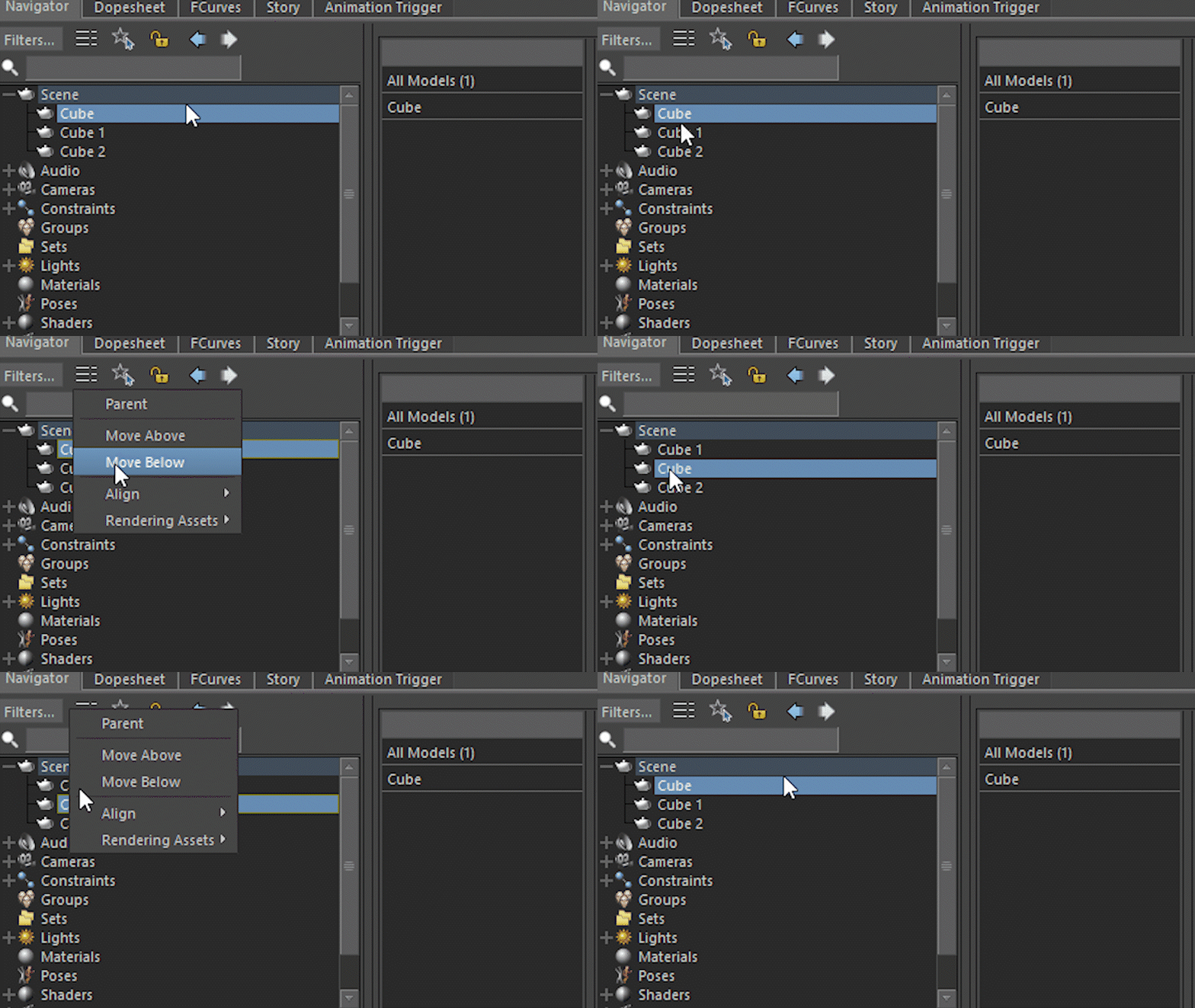
Unified renaming hotkey
MotionBuilder now supports the F2 key as a standard shortcut for renaming items. Select an item and press F2 to enter rename mode instantly.
This shortcut works throughout the application, including nodes in the Navigator and Schematic, custom properties, Animation Layers, Story Tracks, Folders and Groups, Character Face Expressions, Navigator Filters, and Motion Blend Edits.
You can customize this shortcut by modifying the action.global.rename action in the keyboard shortcuts editor.
Configurable device recording sample rate
MotionBuilder now uses the current scene frame rate as the default sampling rate when recording devices, matching the behavior used when recording with the Story Tool. Previously, device recording always used a fixed 30 fps sampling rate regardless of your scene settings.
To specify a custom recording rate, go to Settings > Preferences > Recording and set the Frame Rate value. Uncheck Use system frame rate to use your custom value.
New preferences in the Filters section give you control over the Constant Key Reducer filter applied after device recording.
What else is new?
| Faster scene merging | Merging multiple scenes is now significantly faster, especially when working with complex character setups or merging many files in sequence. This improvement benefits both interactive merging and SDK workflows using FBApplication.FileMerge. |
Updates to the MotionBuilder SDK
Store and retrieve raw data with FBFbxObject
The FBFbxObject class now exposes FieldWriteR and FieldReadR methods for storing and retrieving raw binary data in FBX files. This is useful when you need to store data that exceeds the 8192-byte limit of FieldWriteC, or when you want to avoid converting to base64. See the OpenRealitySDK\Samples\tools\toolpersistent sample project.
Interact with Transport Controls keys
New methods on FBPlayerControl let you work with key selections: IsKeySelected(), GetKeySelectionTimeSpan(), SetKeySelectionTimeSpan(), GetSelectedAnimationNodes(), and ClearKeySelection(). A new OwnerObject property on FBAnimationNode returns the owner object of the associated parameter.
Undo and redo object and property renaming
Two new methods on FBUndoManager let you add rename operations to the undo stack: TransactionAddObjectRename(object, newName) and TransactionAddPropertyRename(property, newName).