
Add transitions to the lifecycle editor
Note:
For users with Fusion connected sites, references to the 'Items' workspace should be the 'Components' workspace.
The states and transitions in the Lifecycle Editor do not have to be changed, but the new Change Orders workspace has to be assigned to the relevant transitions. Assign the lifecycle transitions of your item’s workflow to the Change Orders workspace.
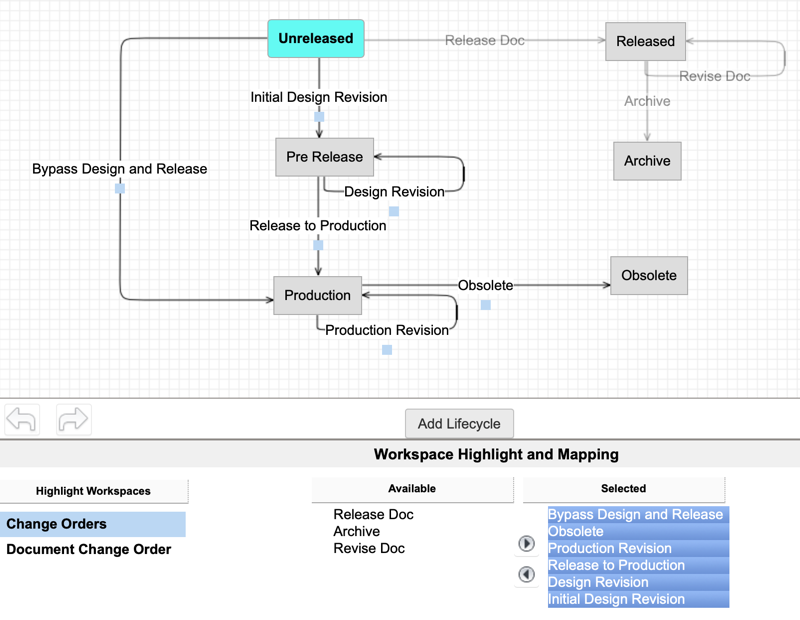
The transitions to add are:
- Initial Design Revision
- Design Revision
- Release to Production
- Bypass Design and Release
- Production Revision
- Obsolete
See Lifecycle Management for more information on the lifecycle editor.