
Issue:
Where to find/get from Revit content and family libraries or extra Revit content, either for a specific region, industry, or manufacturer.
Solution:
Load Autodesk Family
With Revit 2021.1 or later versions, you don't need to download all the family content locally. Instead, you can use the Load Autodesk Family command to load the default library families from the cloud on demand.

If you prefer keeping a local copy of the content, you can download the full library also.
Download Revit Content Libraries locally
- Sign in to your Autodesk Account.
- Go to All Products and Services > Revit >View Details.
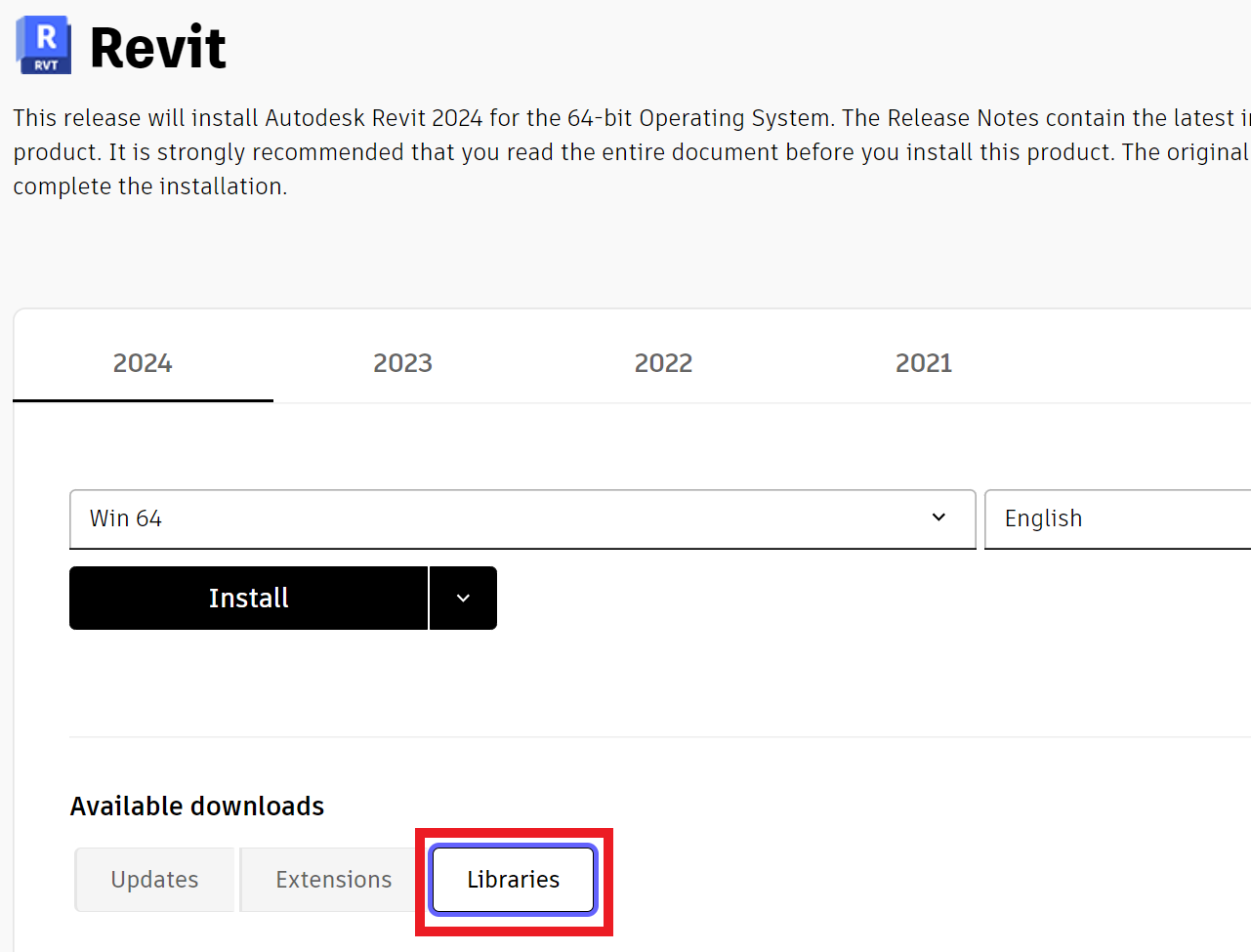
- Under Available Downloads, Click Libraries.
- Download the content package for your Revit version.
Important:
|
Verify Templates installation
- In Revit 2021 and later, basic project and family templates should install automatically.
- If missing, see How to install Revit project and family templates for instructions on how to install manually.
More troubleshooting
For additional troubleshooting Revit content beyond downloading, see Revit Template Troubleshooting Guide.
More content
Manufacturer websites (many manufacturers offer Revit families for their products like Waschtisch #030470 - Duravit or Geberit VariForm undercountertop washbasin, rectangular)
Note:
|