
Issue:
When using CAD plug-in in Upchain duplicated tabs may occur. It is required that the CAD plug-ins needs to be updated.Example:
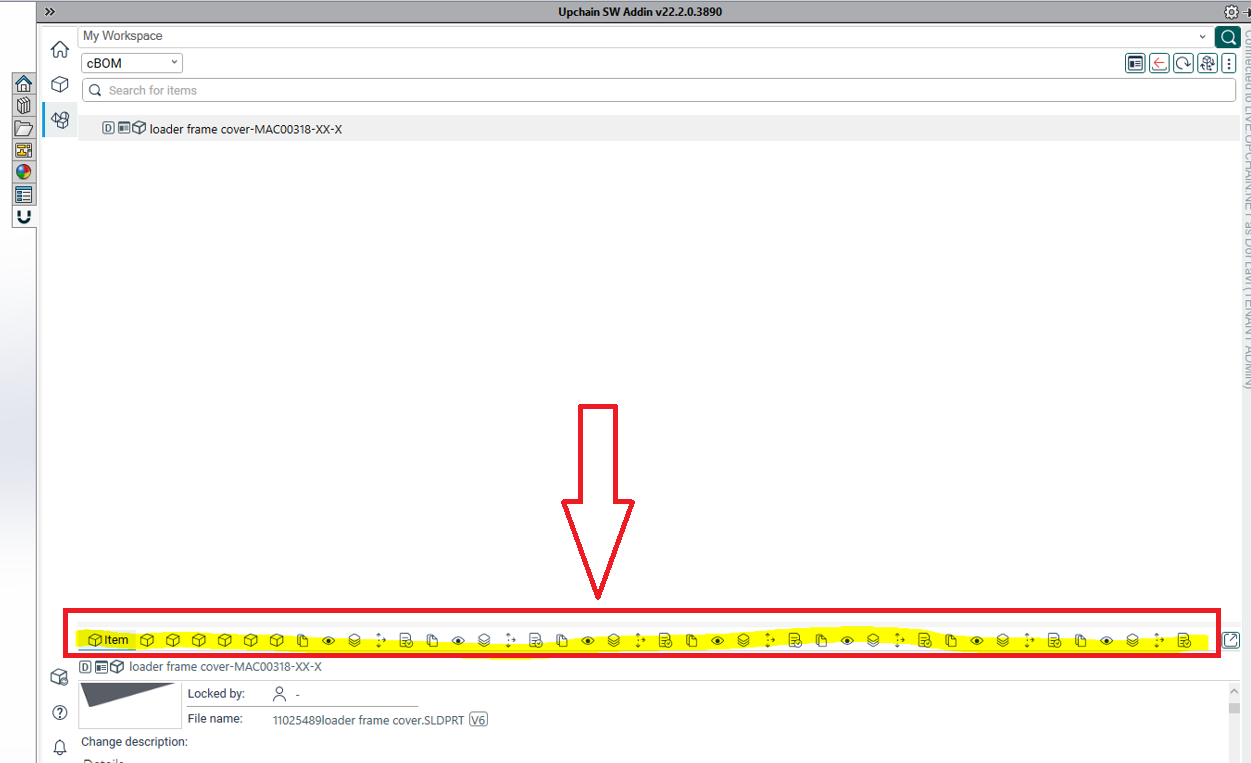
How to update the CAD plug-in in Upchain?
Solution:
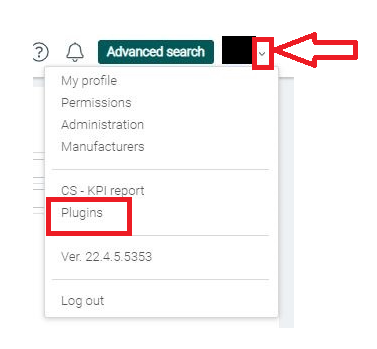
Follow these steps to update the CAD plug-in in Upchain:- Click the arrow icon next to your profile picture at the top right of the screen.
- Select plug-ins from the drop-down.
- The plug-ins page opens.
- Click Download next to the Upchain CAD Connector to start downloading the installation file.