Add a sprue as the first step in defining the feed system for the model you have been working on in the previous tasks.
Before inserting a sprue, you will need to specify the sprue properties.
- Click
 to open the Geometry tab.
 - Click
 and select
  Sprue Properties from the Defaults drop-down list.. The Sprue properties pane appears.
 - Select Cold in the Sprue type drop-down list and Circular Tapered in the Sprue shape drop-down list.
- Enter a Start diameter (1) of 3 mm and an End diameter (2) of 5 mm then click OK.
The simplest way to build a feed system is to use a grid to define the element start and end point.
- Click and select
 Grid Size from the Defaults drop-down list. The Define grid pane appears.
 - Set the Grid size to 10 mm.
- In the Origin section, select Center of part from the Position drop-down list.
- Click OK.
- Click
 . The Create sprue pane appears and the mold is shown from above with a grid superimposed over it.
 - Ensure the Display Grid and Snap to grid checkboxes are selected in the Grid settings box.
- Click on a grid point that is in line with the injection location, then click OK in the Create sprue pane.
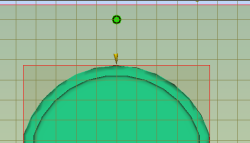
- Rotate the model to investigate the sprue you have just created.
The sprue has been defined. In the next task you will create the runner.