Add a runner to the sprue you created in the previous task.
Before inserting a runner, you must first specify the runner properties.
- Click
 to open the Geometry tab.
 - Click
 and select
  Runner Properties from the Defaults drop-down menu. The Runner properties pane appears.
 - Select Cold in the Runner type drop-down list and Circular in the Runner shape drop-down list.
- Enter a Diameter (1) of 4 mm and click OK or Close if 4 is pre-entered.
- Click and select
 Grid Size from the Defaults drop-down menu.. The Define grid pane appears.
 - Enter 5 mm in the Grid size text box and click OK or Close if 5 is pre-entered. The grid will not appear until step 8.
- Click
 and deselect Bounding Box from the Object Visibility drop-down menu. The bounding box is removed from around the model which will make it easier to create the runner.
 - Click
 . The Create Runner pane appears and the mold is shown with a grid superimposed.
 - Rotate and zoom in on the model so that the base of the sprue and the injection location are visible.
- Ensure the Display Grid and Snap to grid checkboxes at the bottom of the Create runner pane are selected.
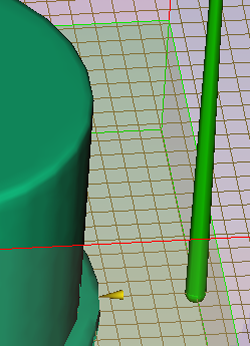
- Using the Select tool, click at the base of the sprue and drag the pointer away from the sprue. A thin yellow line that ends with a small yellow sphere appears. This sphere indicates the end of the runner. Since the Snap to grid option in the Create runner dialog is selected, the sphere will jump to the nearest grid intersection.
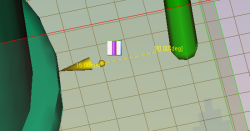
- Click on the illustrated grid intersection.
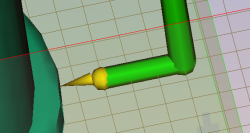
- Right-click in the Graphics panel and select Finish Create Runner from the menu. The runner has been created.
In the next task you will create the gate.