OpenSubdiv
With new support for OpenSubdiv, first introduced in Extension 1, users can now represent subdivision surfaces in 3ds Max using the OpenSubdiv libraries open-sourced by Pixar. The libraries incorporate technology from Microsoft Research, and are designed to help take advantage of both parallel CPU and GPU architectures, leading to faster in-viewport performance for meshes with high subdivision levels. In addition, efficient crease modeling workflows with CreaseSet modifier and Crease Explorer enable users to create complex topology in less time. Using Autodesk® FBX® asset exchange technology, artists can more easily transfer their models to and from certain other packages that support OpenSubdiv and achieve a consistent appearance. With the new 2016 release, OpenSubdiv features improved speed and quality since it was introduced in Extension 1. OpenSubdiv now also offers support for adaptive subdivision in the viewports and at render time. Artists can see the effects while they edit or pose their models, increasing efficiency without sacrificing quality.
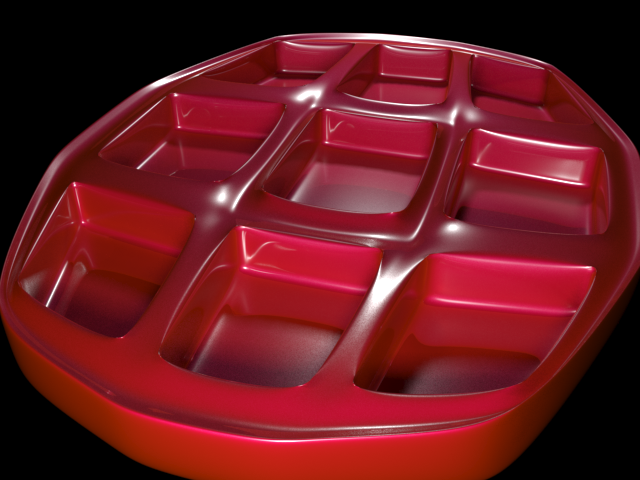
Associated with OpenSubdiv are the new Crease modifier, which lets you specify edge and vertex creasing procedurally from the stack, and CreaseSet modifier, which lets you manage the creasing of groups of sub-objects, even across multiple objects.
Chamfer Modifier
- When chamfering edges, you can choose to generate quad output only, with the ability to control tension, or curvature of the chamfered area.
- Various input options including From Stack, Selected Face Edges, and Smoothed Edges.
- Set a material ID for generated faces.
- Prevent overshooting edges by limiting the effect of the Amount setting procedurally.
- Limit where edge chamfering occurs by specifying minimum and maximum permissible angles between faces.
- Extend smoothing to faces adjacent to chamfered areas.
Quad chamfering is also a new option with editable poly objects and the Edit Poly modifier.

1. Original edge selection
2. Quad Chamfer: The new polygons at the corner are all quads.
3. Standard Chamfer: The new polygons at the corner are quads and triangles.
Hard and Smooth Edges
Editable poly objects and the Edit Poly modifier now make it much easier to create hard and smooth edges without having to manage smoothing groups manually. There's also a new option to visualize hard edges in the viewports.

Left: edges selected; Center: set to Hard; Right: Display Hard Edges on and set to green
Normalize Spline
The Normalize Spline modifier now has a new Accuracy parameter.
Mirror tool
New in the Mirror tool is a Geometry option, which is particularly useful for modeling. This lets you mirror an object while preventing the need to reset its transform, which can result in inverted normals.
Text Spline Now Supports OpenType Fonts
The Text Spline can now use OpenType fonts, as well as TrueType and Type 1 PostScript fonts.
You can use the Windows font manager to install both TrueType and OpenType fonts in the C:\Windows\fonts\ folder.