Alias has two tools for dynamic shape modeling: a Lattice Rig tool and a Transformer Rig tool.
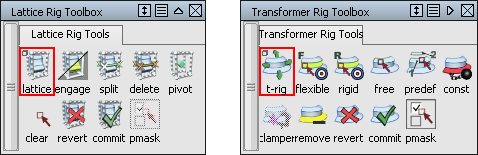
Providing two separate tools gives you the following benefits:
- The Lattice Rig is an easy-to-use tool that doesn't require deep user experience.
- The advanced Transformer Rig allows a more detailed and specific shaping process.
For information about these toolboxes and tools, see Object Edit > Dynamic Shape Modeling > Transformer Rig and Object Edit > Dynamic Shape Modeling > Lattice Rig
 .
.
Why we developed dynamic shape modeling
The Dynamic Shape Modeling tool family was developed to support global modification of datasets. While it is relatively straightforward to modify just one piece of geometry, it can be a very time-consuming task to change the proportions of an entire model composed of many pieces of geometry. As a designer, you need to explore the proportions of the model. To play with it, you need to be able to modify the whole set of geometry, sometimes as a single unit. The result doesn't need to be a production model, just a model that holds together, expresses the intent of your design, and enables you to make a choice before you finalize your design.
The purpose of dynamic shape modeling
The Dynamic Shape Modeling tools give you the ability to globally change the model easily. Think of it as an advanced non-proportional modification tool that stretches and compresses the model. The basic relationships of parts of your model to each other will not change, and features can not be added or subtracted, but within the model, relative sizes, proportions, and shapes can be modified.
What dynamic shape modeling doesn't do
There is no guarantee that surface continuities are maintained while the global shape is being modified. After the shape modification, check the model, and perform additional work to fix the continuity breaks, as necessary.
What to expect from the tools
- Using dynamic shape modeling for communication and concept development
- Use these tools for balancing proportions of geometry sets. The output of the tool may not necessarily provide production surfaces, even when the input is of production quality. This tool can easily be used as a communication tool for designers and surface modelers.
- Using dynamic shape modeling for further modeling and modification
- Because the warping of the global shape does not destroy the surface parameterization, the modified surface set can be used for further modeling. This tool can be used for Class A surfacing work, as long as you realize that further work may be required to bring the model back to production quality.
Common concepts of dynamic shape modeling
While the tool sets have significant differences, they share the following concepts.
- Targets
- A target is any geometry that is being modified. Targets can be surfaces, meshes, or curves.
- Modifiers
-
A modifier is geometry used to define the desired changes to the targets.
- Constraints
-
Constraints are used to secure parts of the target geometry to prevent shape modifications.
What happens with the target geometry?
As soon as the targets are picked and accepted, the tools duplicate the targets. Shape modifications happen on the duplicated model. The original geometry is made invisible.
While you are modifying the shape of the geometry, the dynamic shape modeling tools allow you to toggle the visibility of the originals and the modified geometry. This makes it easier to compare your modifications with the original.
If, for any reason, the duplicated geometry (visible geometry with dynamic shape history) is modified in such a way that the construction history has to be deleted, the original geometry is set visible and made into a template.
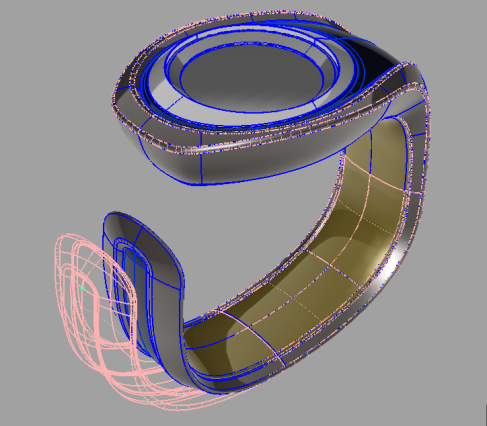
The tools allow you to revert a modification by deleting the duplicated geometry and restoring the original, or commit to a modification by deleting the original and the history.