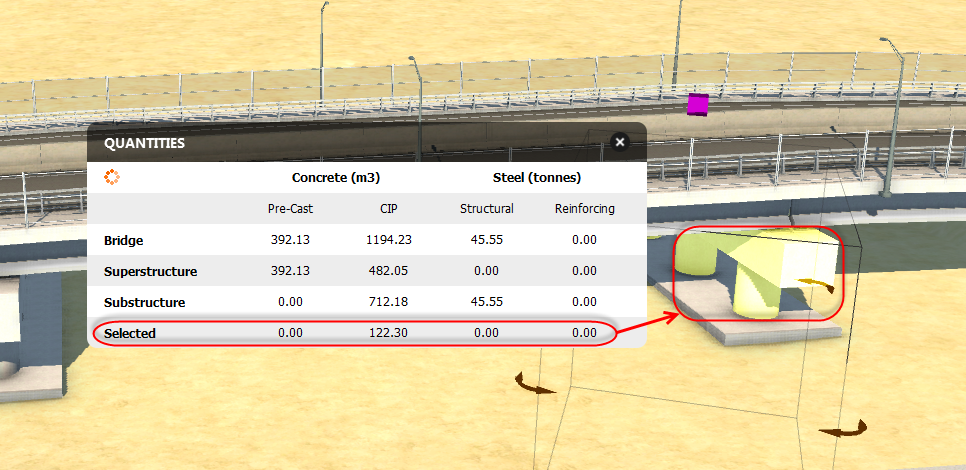
For a selected bridge or selected bridge components, open the Quantities panel to review the concrete and steel materials required to construct them.
- Select the bridge.
- Click
 in the
Utility Bar to enter Edit mode.
in the
Utility Bar to enter Edit mode.
- Right-click on the bridge to open the context menu, and select
Quantities to display the Quantities asset.
- By default, the quantities panel will display material quantities for the entire bridge, substructure, and superstructure no matter which component you have selected.
- Select an individual component or component group to view quantities for your selection in the Selected field.
Note: Changing the type of an existing bridge (for example, from
 Precast I Girder to
 Steel Plate Girder) will cause Bridge Design to recalculate the material quantities needed.
Precast I Girder to
Steel Plate Girder) will cause Bridge Design to recalculate the material quantities needed.