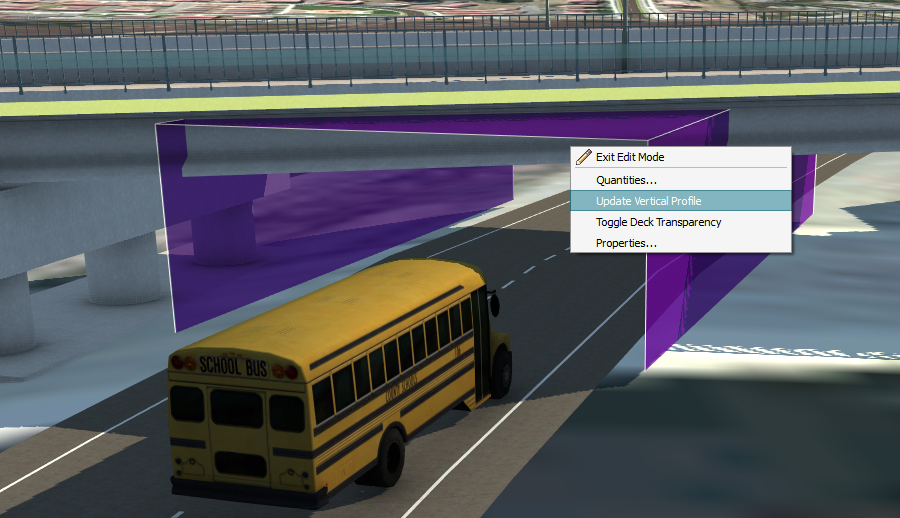
Review and modify the clearance envelope height, location, and skew, and update the bridge's vertical profile.
- Select the bridge to display the Bridge Asset Card
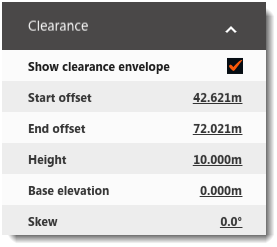
- Under the Clearance tab, check Show Clearance Envelope.
 Note: The envelope is shown on your model as a purple box.
 - Click
 in the
Utility Bar to enter Edit mode.
in the
Utility Bar to enter Edit mode.
- Click the Height field to input a new value.
Note: The height of the clearance envelope is based upon road elevation, not terrain elevation.
- To modify the location and skew of the clearance, click the value(s) next to Start Offset and/or End Offset, Base Elevation, or Skew. Input any desired value(s) then press Enter.
- Right-click on the bridge and click Update Vertical Profile to enforce the new clearance height.