Modify culvert size, length, or placement using gizmos and grips directly in the model.
Note: To modify the culvert solution (number of barrels, shape, material, and so forth) use the culvert's asset card. See To modify the culvert solution.
- Zoom in to view the culvert.
Hint: Highlight culverts with the Model Explorer to see them more easily.
- Click on a culvert to select it and display editing gizmos. Note: Gizmos and grips are available in Edit mode only. Right-click the culvert to enter Edit mode or select
 from the Utility Bar.
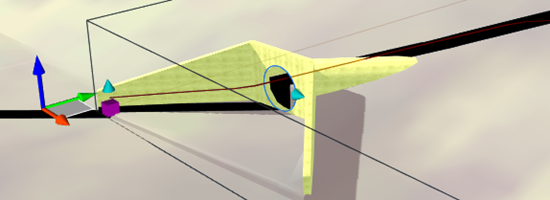
 - Use the transform gizmos and grips to modify the placement and size of the culvert in the model:
|
Use standard InfraWorks 360 transform gizmos and grips to reposition a culvert or change its length. |
|
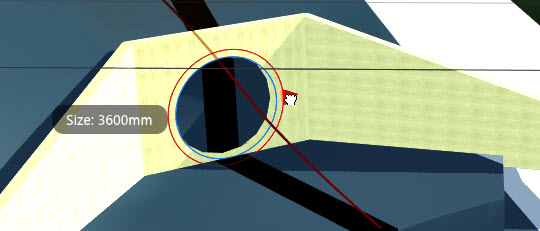
Zoom in on the culvert to view the culvert diameter or box culvert rise-span grip. Use the grip in the selected barrel culvert to adjust its diameter. In this example, the red circle shows the new diameter, 3600mm, enlarged from 3150mm. |