Available in Inventor 2016 R3 - Subscription customers
Connected Design on A360 installs by default. Unless you
manually remove or hide Connected Design on A360, the Design Shares button displays at the bottom right corner of the graphics window
 in most environments.
Connected Design on A360 did not install correctly if the Design Shares button does not display at the bottom right corner of the graphics window
.
2 issues that can prevent DS from installing are explained below. For help, in resolving other installation issues contact product support. Product Support responds to all issues posted. Subscription customers can call product support directly.
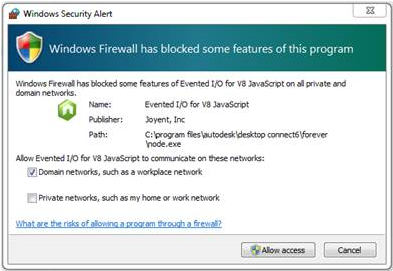
Firewall Issue: Node.exe (Evented I/O for V8 JavaScript) was blocked by firewall.
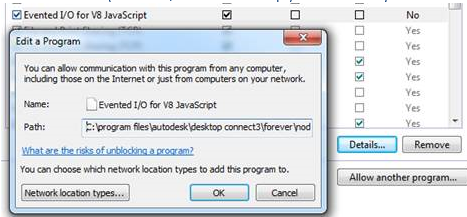
Solution: Remove existing exception in "%ProgramFiles%/Autodesk/Desktop Connect/forever/node.exe" in firewall setting, and restart Inventor. When prompted, click Allow access in the Windows Security Alert dialog box.
Port issue: The default http port (44441) or websocket port (44442) is occupied by another program.
- ---------------------------------------------------------------------------
{
"http": 80,
"socket": 9001
}
- ---------------------------------------------------------------------------
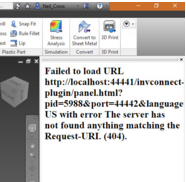
Issue: Outdated node.exe running: Design Share panel displays error, Failed to Load. The server has not found anything matching the request-URL. This results when an older version of node.exe is running.
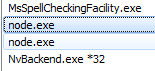
- Start Task Manager and end both
node.exe processes. Then restart Inventor.
- Reboot your computer.
OR