Available in Inventor 2016 R3 - Subscription customers
Inventor Connected Design on A360
Inventor Connected Design enables online 3D design reviews with others not on your network who need to participate in the design process. Use Inventor Connected Design to easily collaborate securely on a view-and comment-only copy of your 3D model with your customers and remote project stakeholders: Create a Design Share to share an Inventor model free of intellectual property with others not on your network who need to participate in the design process. For example, create a Design Share for a customer to request approval on a design, or to provide easy access to your field sales team for on-site 3D design demos. Design Shares give customers easy access to designs you want to share. Your collaborators can review the 3D viewable of the model and post comments.
When you create an Inventor Design Share:
- A 3D viewable will be created from the present view of the open part or assembly.
Attention: Hide any components you do not want to share.
- The 3D viewable is published to your A360 drive: https://360.autodesk.com/
- A Design Share email invitation with a link to the 3D viewable is sent to the collaborators designated in the in the Start Design Share on A360 dialog box.
- The 3D viewable is stored on your
A360 drive in the Inventor Design Shares folder. Navigate to your
A360 drive to:
- View and access the Design Shares you created.
- View the details of you Design Shares including the name, owner, type, size, who you are sharing with, and when it was last updated with a comment.
- Delete Design Shares you own.
- View and access Design Shares that are being shared with you.

 from Inventor.
About the 3D viewable
The 3D viewable is a read-only copy of the view of the 3D model that was open when you created the Design Share.
- Collaborators can view and comment on the 3D viewable. Comments are visible to you and all collaborators in the 3D viewable.
- When you start a Design Share, an email invitation with a link to the 3D viewable is immediately sent to your collaborators in an email.
The 3D viewable is also accessible from the owner's and the collaborator's A360 drive: The SHARED WITH ME folder displays links to all Design Shares that are shared with you. The Inventor Design Shares folder contains all the Design Shares that you own.
- The following are not translated:
- Feature trees
- Part properties
- Component names
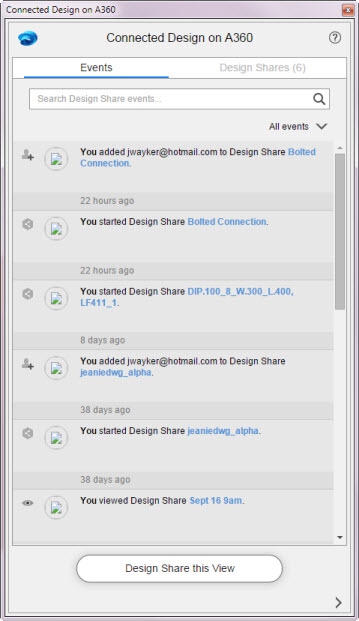
About the Connected Design on A360 panel
- Provides access to the Start Design Share on A360 dialog box.
- Displays all Design Shares for which you are an owner or a collaborator.