 PCF to Pipe is available in the Ribbon.
You can import PCF files created in AutoCAD Plant 3D or by other programs.
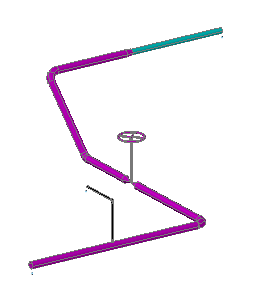 SampleIsoPreview.pcf imported into the 3D model.
In cases where the current project spec files do not match the PCF, you can designate a Plant 3D pipe spec to substitute.
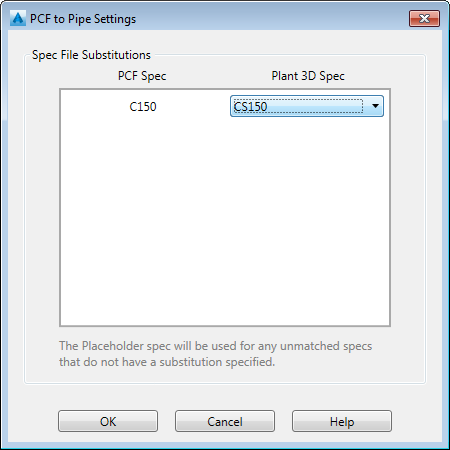
During import, the placeholder spec is used for components that cannot be located. Components that are not recognized are represented by a centerline in the 3D model to indicate their length and orientation. A log file is created that can be reviewed to identify spec mapping or other issues.
Sample log file issues:
- Part not found, centerline used
- Part not found, custom part used
- Spec PlaceHolder Imperial was used in place of PCF spec XXX
Note: The PCF import may ignore components or use the placeholder spec. It is recommended that you open and review the LOG file after all imports, including imports with a
 successful status.
successful status.