Click View  Browse Drawing Database Browse Blocks from the VLISP menu bar to open an Inspect window for the blocks in your drawing:
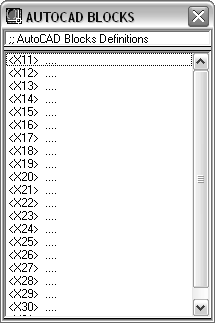
Double-click on the block name you are interested in to open an Inspect window for the block, or select the block, right-click, and click Inspect.
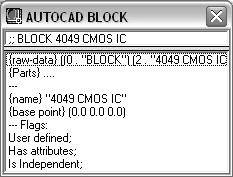
The raw-data element shows the symbol table entries for the inspected block. Double-click on the parts item to open an Inspect window listing the collection of entities residing within the block.
The raw-data and parts element lines occur in all block Inspect windows. Other element lines, such as {name}, appear only if the Inspect Drawing Objects Verbosely Diagnostic option is selected. See General Options Dialog Box - Diagnostic Tab [AutoLISP]) for information on setting VLISP diagnostic options.