Content libraries are enhanced to detect and receive updates over the Internet.
If you are signed in to Autodesk 360, whenever an update to a content library is available, the library is flagged by  , as shown below.
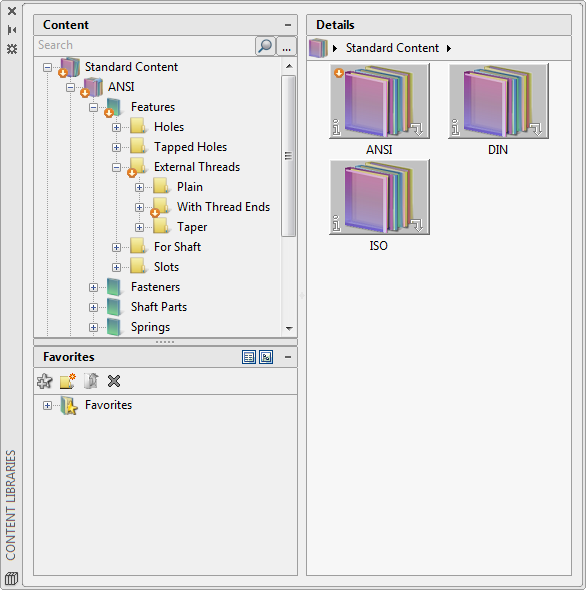
On the ribbon, the same flag is superimposed on the Content Manager icon ( Find).
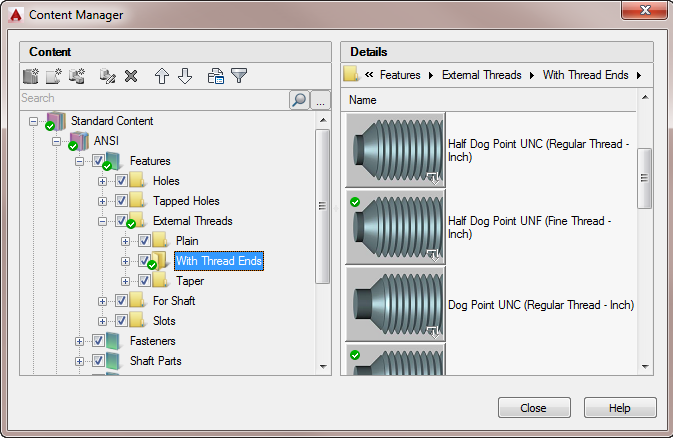
You can update the out-of-date content libraries from the Content Manager. Once updated, the updated content libraries are indicated as shown below.
Sometimes, due to a content library update, the appearance of a standard part or feature that already exists in a content library may change. This typically happens if the content update fixes a defect. If you have already inserted the defective standard part or feature in a drawing file, you can update it by double-clicking it in the drawing area.