After your photo project has been successfully initiated and processed by ReCap's Photo-to-3D service, you can use ReCap's web or desktop application to navigate your project, or prepare it for integration into another Autodesk program. If your photo project involved or will involve a UAV, see UAV/UAS/Drone Best Practices.
If you have exported your photo project as a point cloud (RCS format), you may want to also refer to the Scan Project Workflow. From this point, you will be able to use most of the desktop application's features, except RealView, which supports only point cloud projects built with structured data produced from fixed-position captures (most laser scans).
Photo project basic workflow:
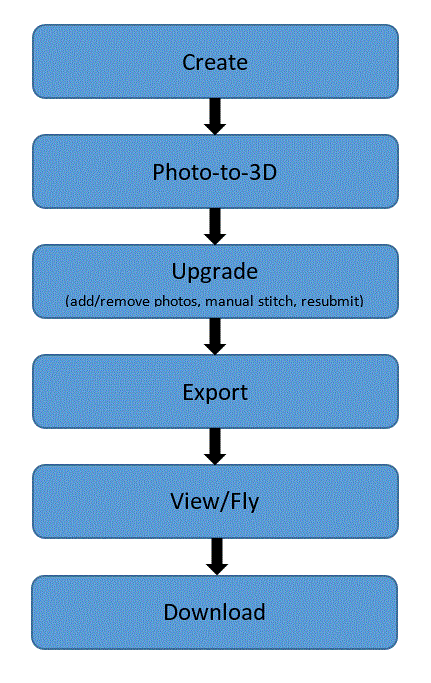
Dashboard
ReCap's web dashboard allows you to
- Create photo projects
- View, navigate, download, share, sort, resubmit (copy, export), and delete all of your photo projects
- View, navigate, share, sort, and delete scan projects published from the desktop application
- Connect with the ReCap Hub community, access support systems, connect with ReCap forums and A360, and access downloads
- Search
Using the A360 Web Portal Interface
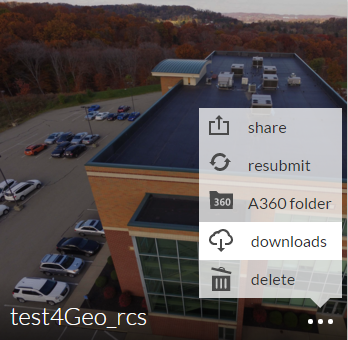
When your photo project has been exported as a point cloud in RCS format, you must first download your project from the ReCap web dashboard:
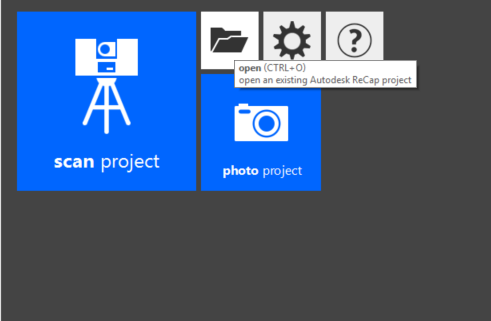
Next, from the Home screen of ReCap's desktop application, simply click Open and navigate to your downloaded completed photo project: