ReCap Pro offers the following range of web-based photo project services, which can either be imported into the ReCap desktop application or other Autodesk applications:
- Photo-to-Mesh (3D) (in OBJ, FBX, RCM, RCS, and ortho [GeoTIFF/.tif] formats)
- Full-resolution, automatic image-based stitching, modeling, and texturing
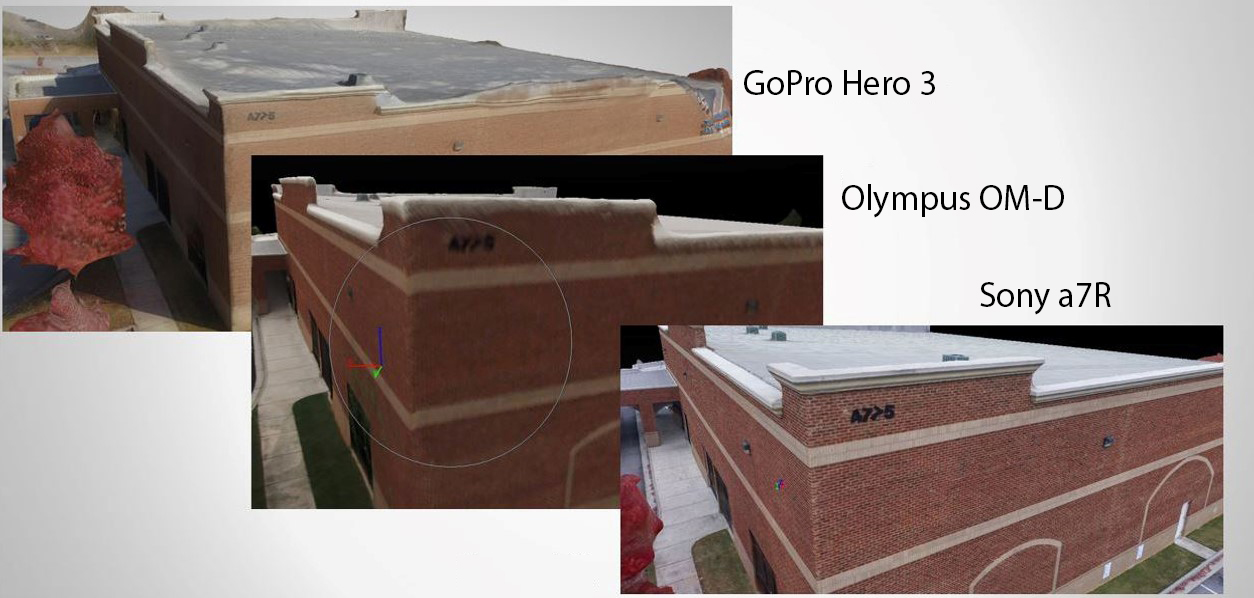
- Supporting GoPro® fisheye images (Hero® 3, 3+, & 4 - Black & Silver editions) and images from cameras with standard optics, including cameras in mobile phones, but not fisheye lenses or unusual projections. ReCap algorithms self-calibrate images to account for differences, but images from higher quality cameras generally produce more accurate models. Note some quality differences in the images below from different cameras.
- Automatic scaling and geolocation from GPS data in Exif files
- The NADIR feature offers superior results by providing the capability to stitch aerial images
- Smart cropping and smart texturing
- Manual stitching
- Survey points or reference distance input prior to stitching
- RealView orthographic images
- Photo-based point cloud in RCS formats
- Subsequent option to combine with laser scan point cloud
Photo projects can be launched in a few simple steps:
-
Create/Initiate
-
Photo-to-3D/Stitch
-
Export ("Create")
To begin, click "photo project" from within the ReCap desktop application:
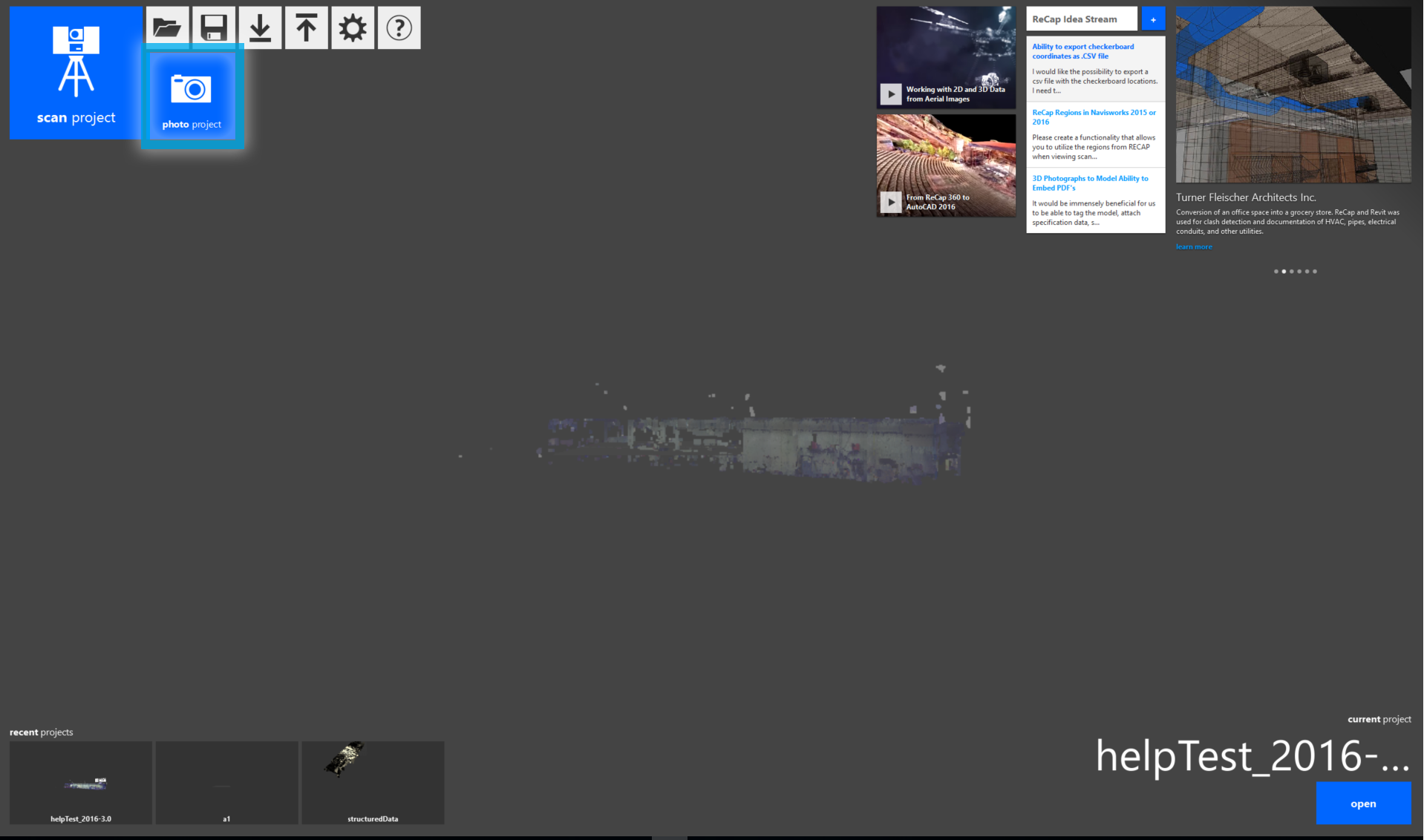
This will bring you to ReCap's web interface where you can initiate your photo or fly project. Alternately, you can go directly to the Web application's dashboard at recap.autodesk.com.
Note: ReCap currently fully supports only the Google Chrome browser, so its use is recommended.