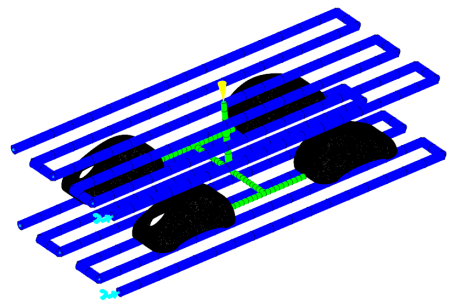
In this task, you will use the Cooling Circuit Wizard to create simple cooling channels.
-
Click
 ().
().
-
Select 10 mm as the channel diameter.
-
Enter 25 mm as the distance above and below the part.
-
Select X as the alignment direction.
- Click Next
-
Enter 6 mm as the number of channels.
-
Enter 35 mm as the distance between channel centers.
-
Enter 50 mm as the distance beyond the part.
-
Click Finish.