Overview
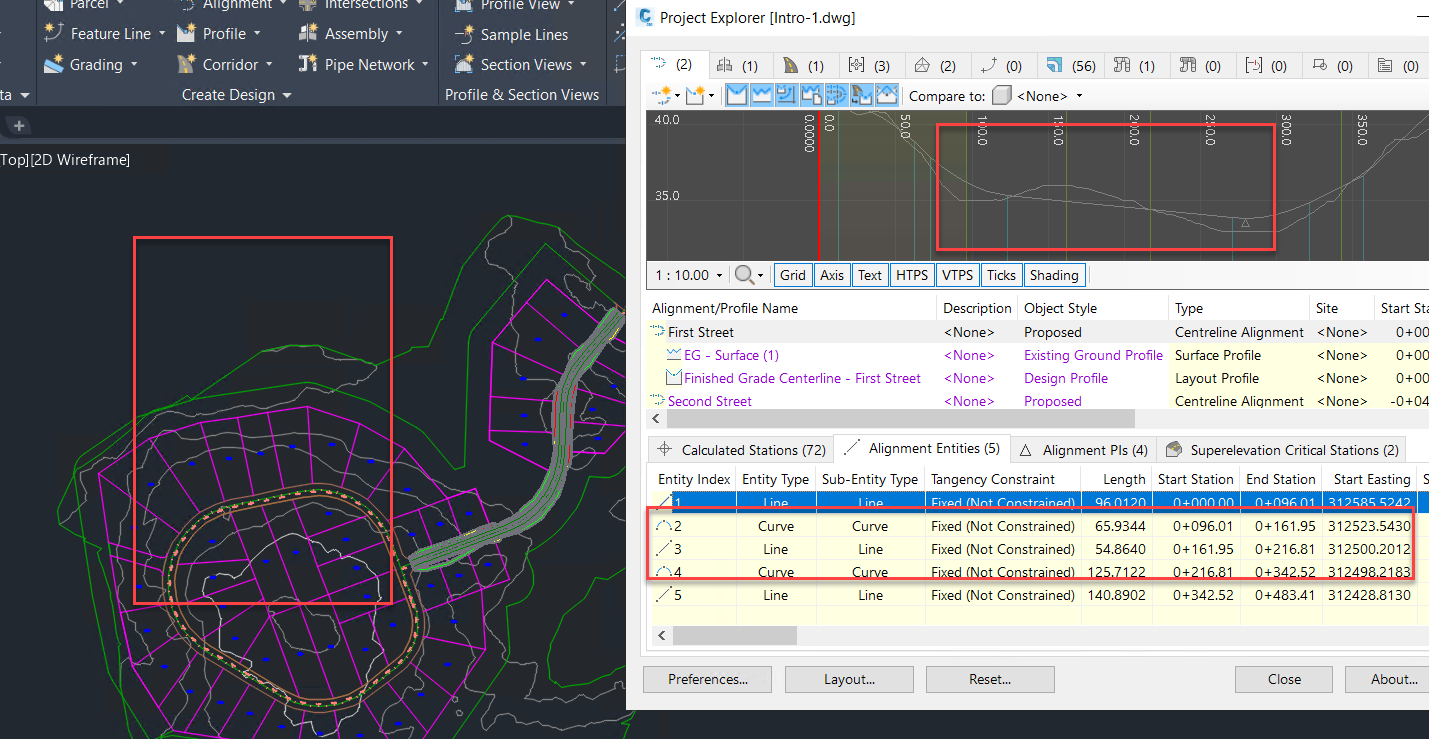
There are three key types of keyboard shortcut in Project Explorer:
- Shortcuts which enable you to instantly zoom or pan to any currently selected object in the AutoCAD viewport from the Project Explorer window.
- Shortcuts which enable you to easily identify an object, sub-object, or object relationship displayed in the Project Explorer window, by applying temporary highlighting to the AutoCAD viewport.
- Shortcuts which enable you to access the Civil 3D Properties window for any selected object in the Project Explorer window.
List of supported keyboard shortcuts
Project Explorer provides keyboard shortcuts.
| Keyboard Shortcut | Description |
|---|---|
| Z | Zoom to the selected Project Explorer object in the AutoCAD viewport. |
| P | Pan to the selected Project Explorer object in the AutoCAD viewport. |
| S | Select the selected Project Explorer object in the AutoCAD viewport. |
| C | Clear (or de-select) the current selection in the AutoCAD viewport. |
| A (or E) | Open the Civil 3D Properties dialog for any selected object. |
| CTRL | Temporarily highlight the selected Project Explorer object (or sub-object) in the AutoCAD viewport. |
| CTRL A | Select all items in the list (for list views that support multiple item selections). |
| CTRL C | Copy selected list items to clipboard. |
Sub-Object keyboard shortcuts
Keyboard shortcuts which zoom, pan, or temporarily highlight in the AutoCAD viewport also work at sub-object level on many Civil 3D objects. For instance, using the keyboard shortcuts listed above you can:
- Zoom to, pan to, or temporarily highlight any selected alignment and profile points.
- Zoom to, pan to, or temporarily highlight any selected surface triangle(s) or cells.
- Zoom to, pan to, or temporarily highlight any selected parcel segments.
- Zoom to, pan to, or temporarily highlight any selected feature line points.
- Zoom to, pan to, or temporarily highlight any selected COGO points.